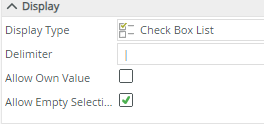
I have a choice control in my SmartForm that is setup as a checkbox. The options are Oil and Gas. I want to default them to be checked (i.e. true). How do you set this up? There is a configuration option for Default value with 2 options - None and IsDefault. Change it from None to IsDefault doesn’t do anything. How can I default both boxes to be checked? Thanks in advance. Please note, my control is connected to a SmartObject and is not static. My initial efforts at trying to find a solution to this indicated that i needed to create one to two more views, and that seems like overkill to set a value to true. It also seemed like I could only check one of the two boxes by default and not both.

Question
Default checkbox to true
 +4
+4





Enter your E-mail address. We'll send you an e-mail with instructions to reset your password.