


Issue
After updating from an Infopath Form to a Nintex Form, the Infopath Form still displays when creating or editing items.
Resolution
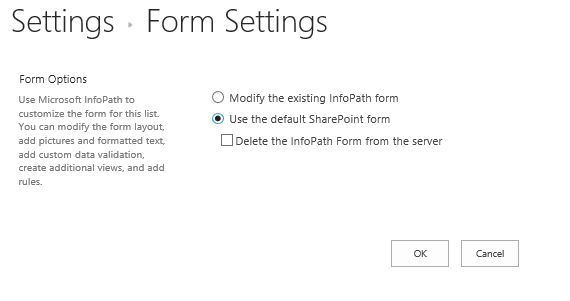
- In the affected list, navigate to List Settings > Form Settings. (NOTE: You will have to navigate through Internet Explorer. If compatibility view is enabled, this will also have to be disabled)
- Select the option "Use the Default Sharepoint Form". This will have the Nintex Form load, rather than the Infopath Form. (Note: You do not need to delete the Infopath Form to make the Nintex Form load properly)