



Issue
When completing a task that was created by the Request Data action, clicking the "Complete Task" button does not work.
Resolution
By default, all columns for a task content type are optional. Changing certain columns on a task content type can cause the 'Complete Task' button to be stopped due to validation on the required column that a user can not otherwise populate.
To validate if any columns are set to be 'Required', identify the task list and task content type where the issue is occurring:
The related task list can be found in the Workflow Settings:
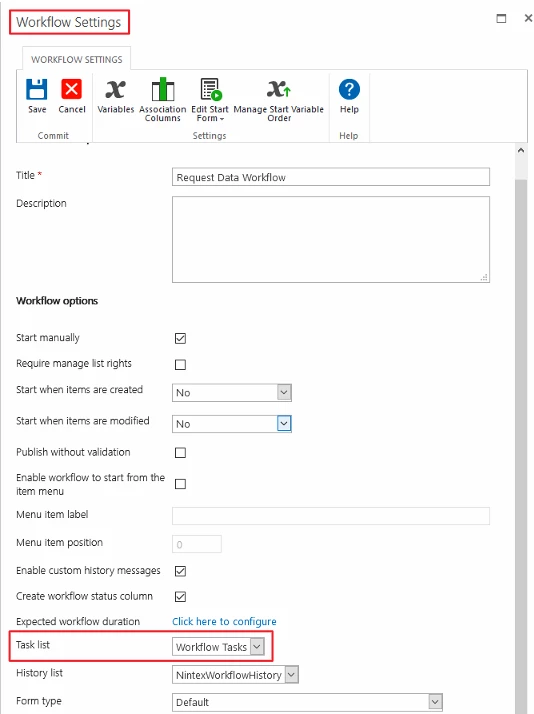
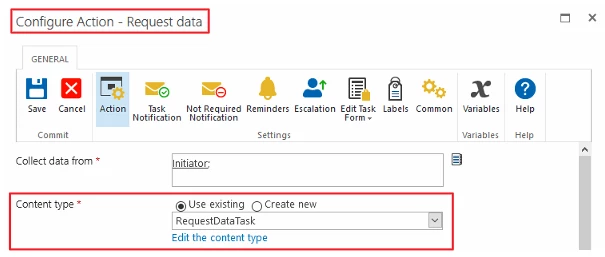
The task content type is identified in the Request Data action configuration:
Navigate to the task list > List Settings and click on the identified task content type. Check if any columns on the content type are set to 'Required':
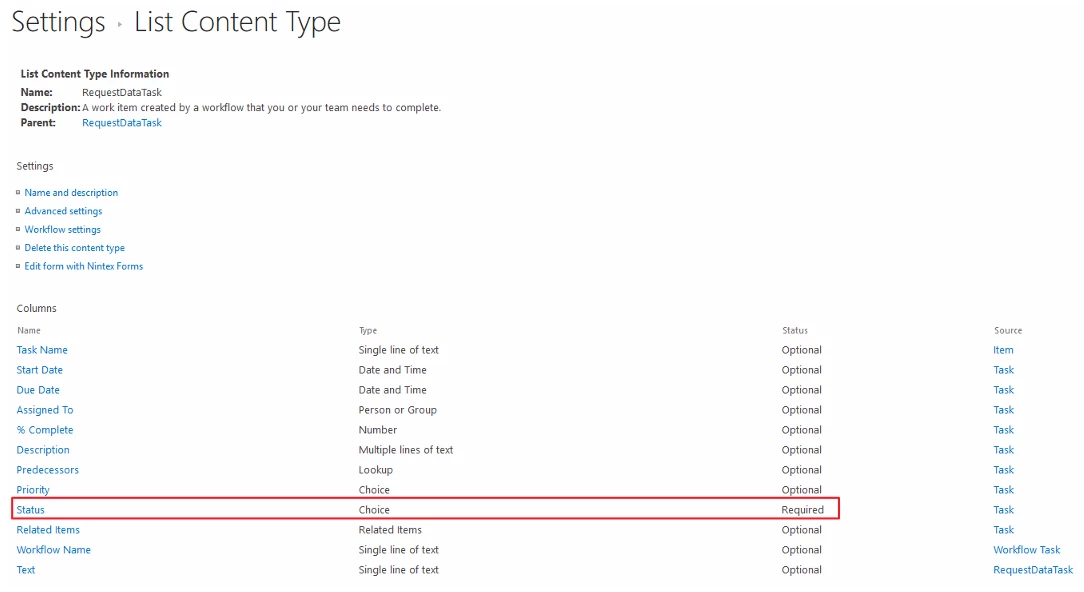
If any columns are set to 'Required', set it back to 'Optional' and test the workflow task again.
Additional Information
If the "Workflow Task" content type is altered on the "Task List", any new content type created within the Request Data action will exhibit this behavior as the "Workflow Task" content type is the Parent.
Related Links
Request Data