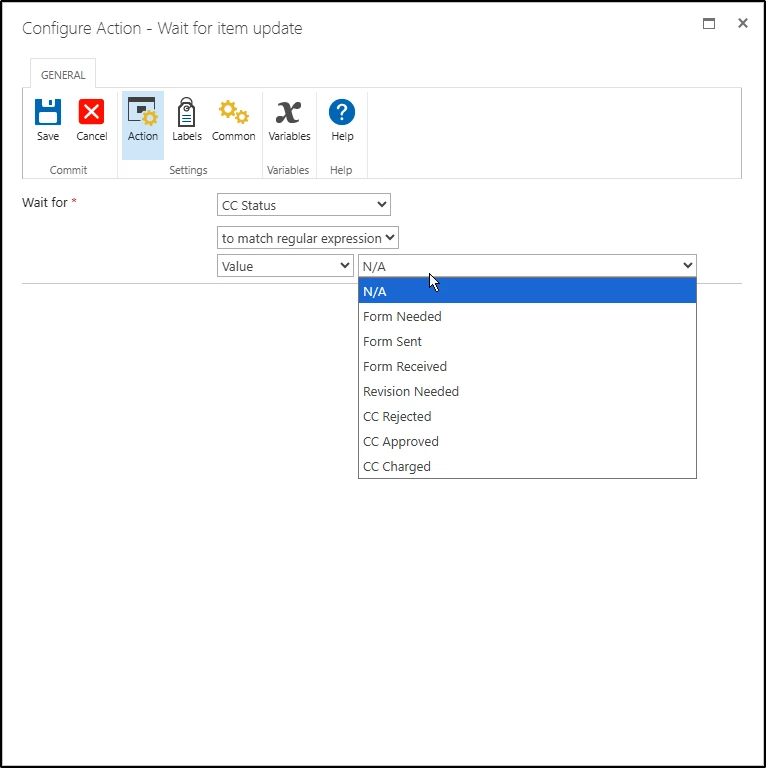
This is bit of a sanity check. I’ve used the regular expression conditional check with single and multiline text columns often, but today tried to do as much for a choice column only to be greeted with the same dropdown values of the choice column proper:
an image showing the Configure Action - Wait For Item dialog window that is set to wait for a column called “CC Status” that is being evaluated using a regular expression, with its value shown as a dropdown with options that are the same as the choices for the column / control in question
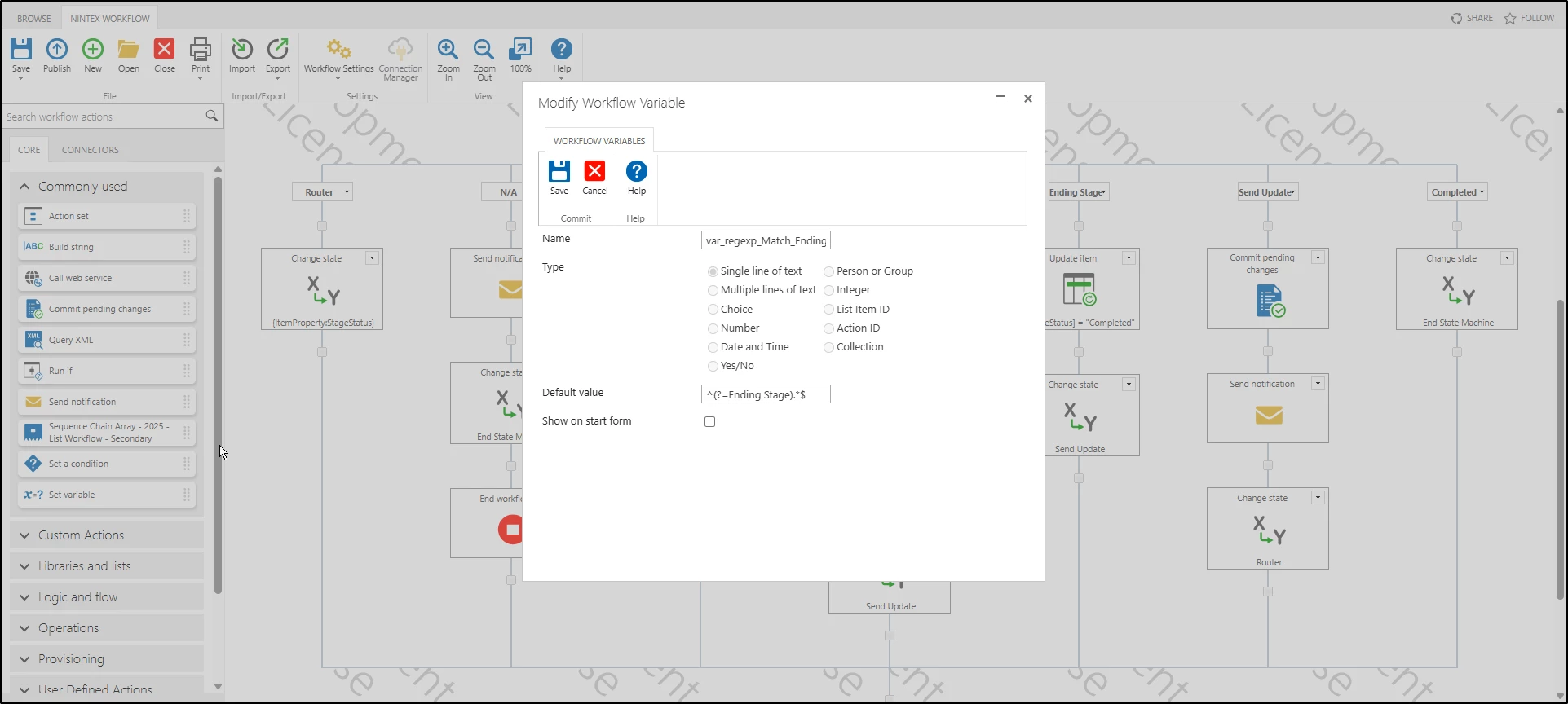
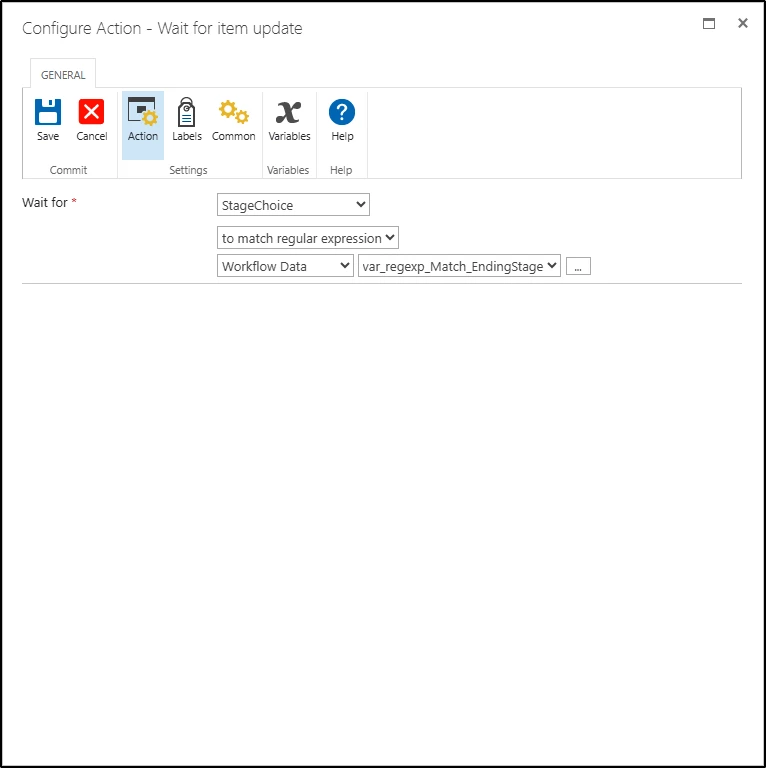
One way I can get around this is, I think, to assign my regexp to a variable and instead of using Value, use Workflow Data. But that seems like a roundabout way to accomplish what I thought used to be a straight forward procedure.
Is this the intended behavior for this scenario?
Do you get the same behavior in your version of Nintex on Prem?
If not, which version are you using?
Best answer by MegaJerk
Thank you for confirming.
I was able to do a little test using a workflow variable containing a regular expression, and changing the Wait Action’s lookup type to Workflow Data with a value of the workflow variable in question.
It works as expected, so the underlying evaluation is correct. I’ll make a ticket for the field’s input type not updating in the ui as expected.
It works the same here yes, just an oversight on Nintex’ side I’d wager. I can’t imagine it being intended behaviour for the RegEx matching but just something they never noticed needed something other than the dropdown it uses for the other matching options.
I was able to do a little test using a workflow variable containing a regular expression, and changing the Wait Action’s lookup type to Workflow Data with a value of the workflow variable in question.
It works as expected, so the underlying evaluation is correct. I’ll make a ticket for the field’s input type not updating in the ui as expected.