Nintex Community Menu Bar
Solved

Way to remove space when a field is hidden from the repeating section panel based on rule in Nintex Form

  • Mar 7, 2025 10:45 PM UTC
  • 3 replies
  • 120 views
  • Translate All

Forum|alt.badge.img+4

Hello,

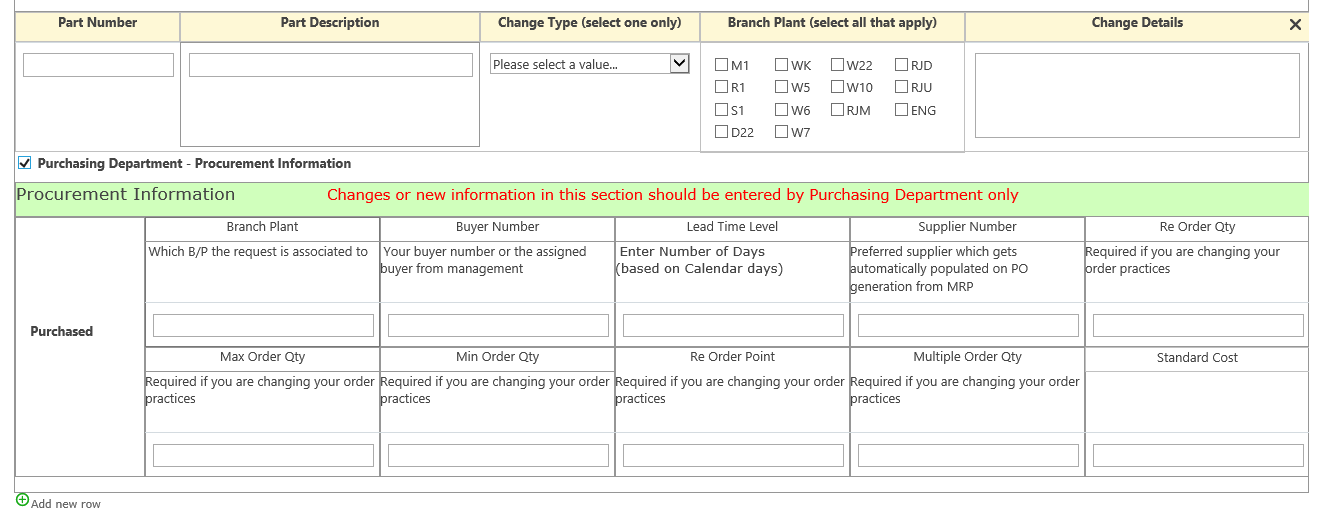
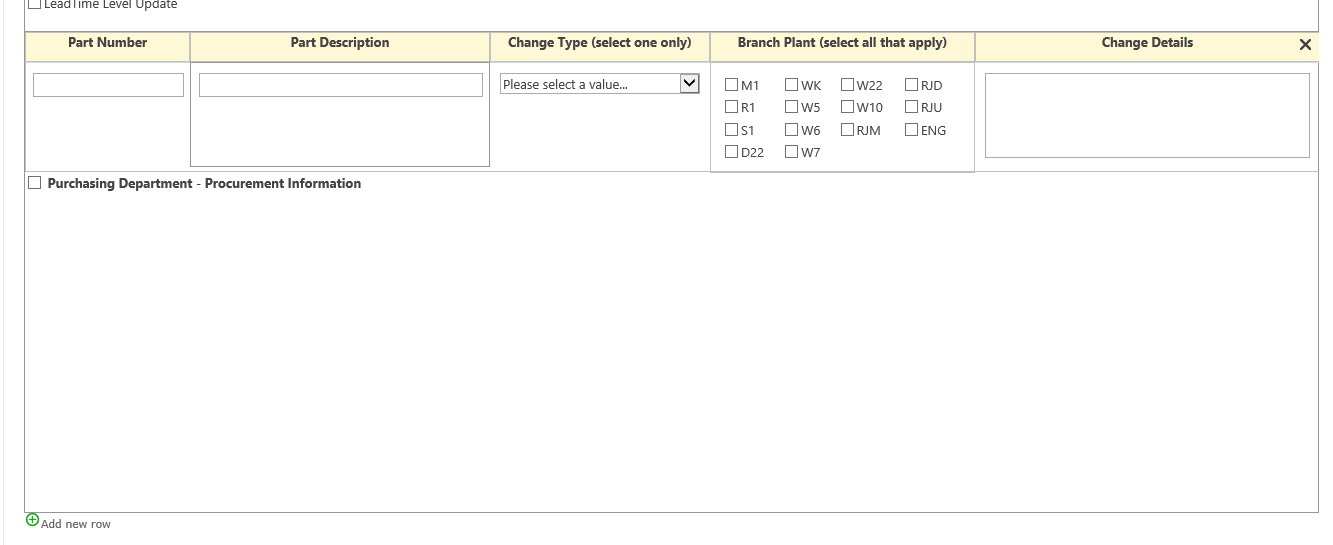
I am looking a way to remove the space when a rule was not applied on the panel inside the repeating section in Nintex Form. 

Any suggestion or solution you may have is greatly appreciated.


Thank you.

Antonio


Best answer by Simon Muntz

Hi ​@aorellano 


Welcome to the community.

Unless you add custom JavasScript and or CSS, I don’t think you can remove this white space.

The only other solution is to switch to a responsive form, as it will auto-resize when the field is hidden.

View original

3 replies

Simon Muntz
Nintex Partner
Forum|alt.badge.img+23
  • Nintex Partner
  • Answer
  • Mar 8, 2025 1:20 AM UTC

Hi ​@aorellano 


Welcome to the community.

Unless you add custom JavasScript and or CSS, I don’t think you can remove this white space.

The only other solution is to switch to a responsive form, as it will auto-resize when the field is hidden.

Translate

MillaZ
Nintex Employee
Forum|alt.badge.img+23
  • Nintex Employee
  • Mar 17, 2025 11:19 AM UTC

Hi ​@aorellano 
Did Simon’s response answer your question? 

Translate

Forum|alt.badge.img+4
  • Author
  • Rookie
  • Mar 17, 2025 2:53 PM UTC

Hi Milla,

Yes he did answer my question, will try to build some java script to see if we can remove those white space when a panel is not in use.

Thank you Simon for your response.


Regards,

Antonio

Translate