Nintex Community Menu Bar
Question

Unable to loop through subfolders

  • April 29, 2026
  • 7 replies
  • 45 views

Forum|alt.badge.img+11

Hello,

I am using a NAC workflow to try and loop through a O365 SharePoint document library. I have a folder/subfolders setup like below:

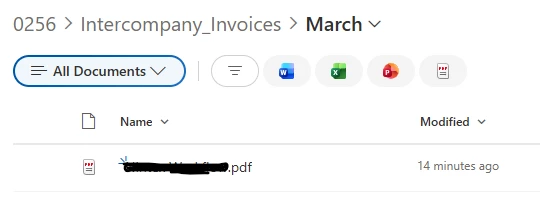
0256 (folder) > Intercompany (subfolder) > Month (subfolder)

Note: I have January - December months setup under Intercompany 

I need to be able to run through these folders weekly and determine when the user uploaded the file(s) into the month folder and based off that date, delete the files 45 days after.

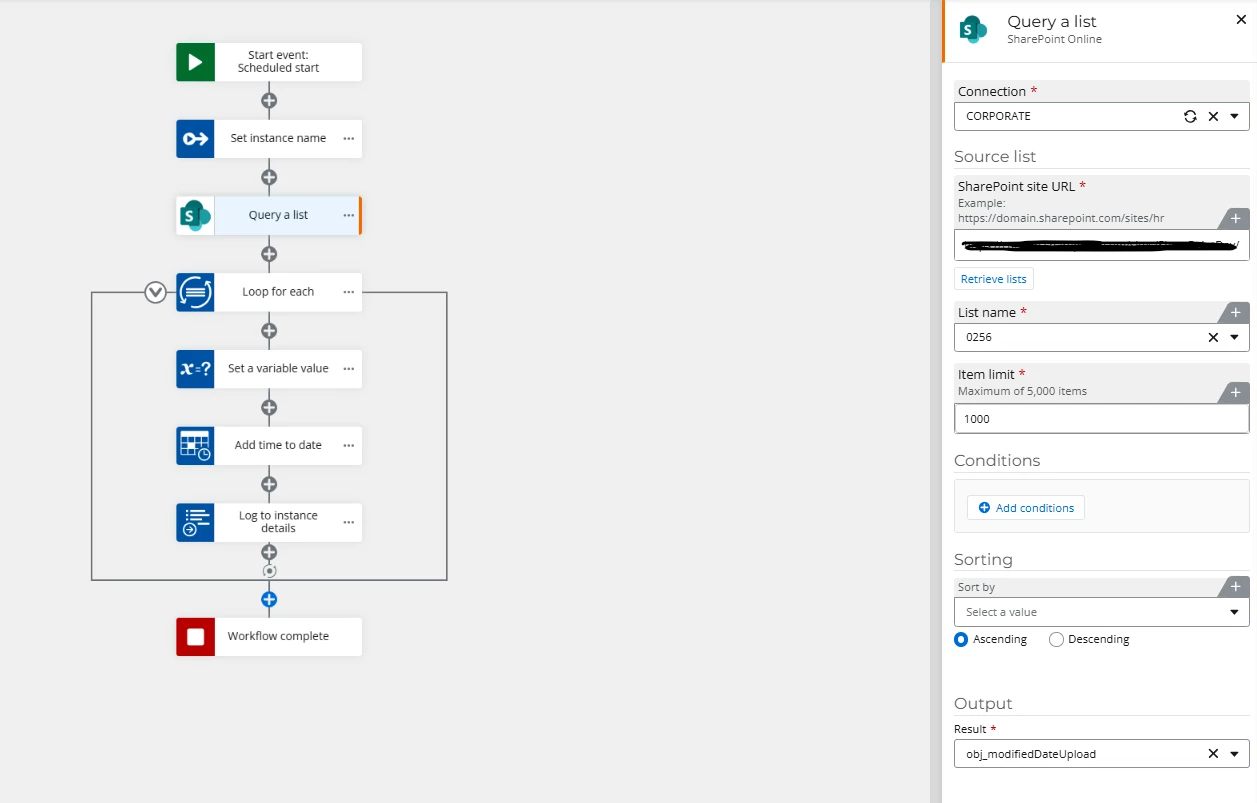
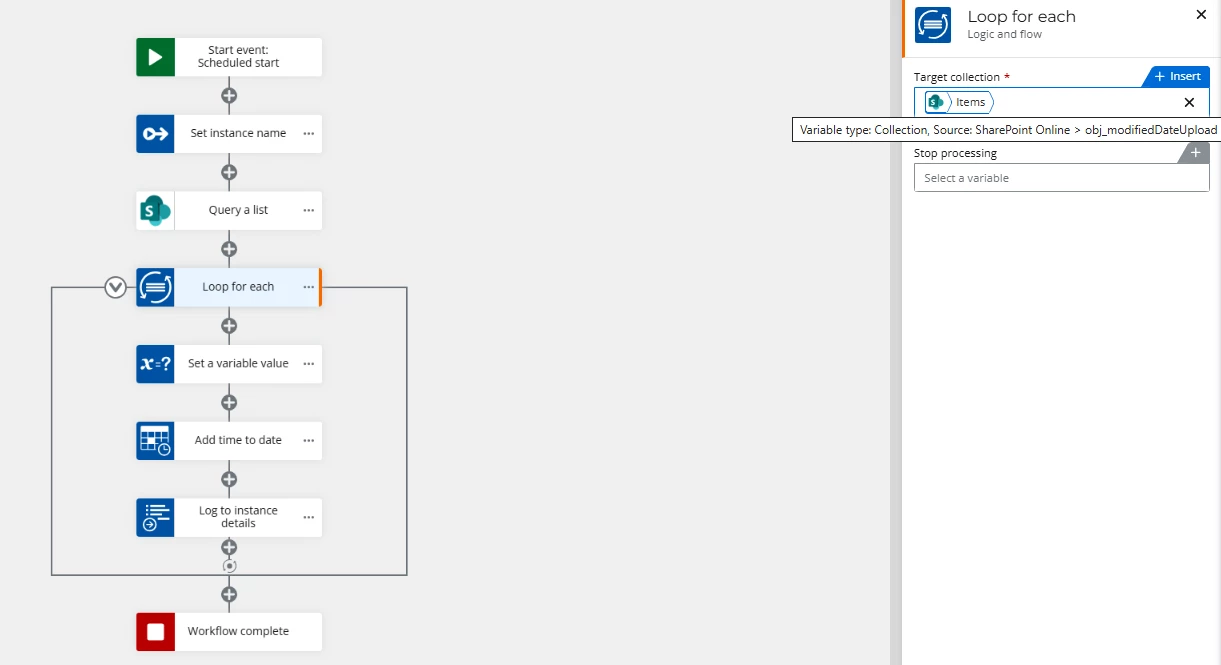
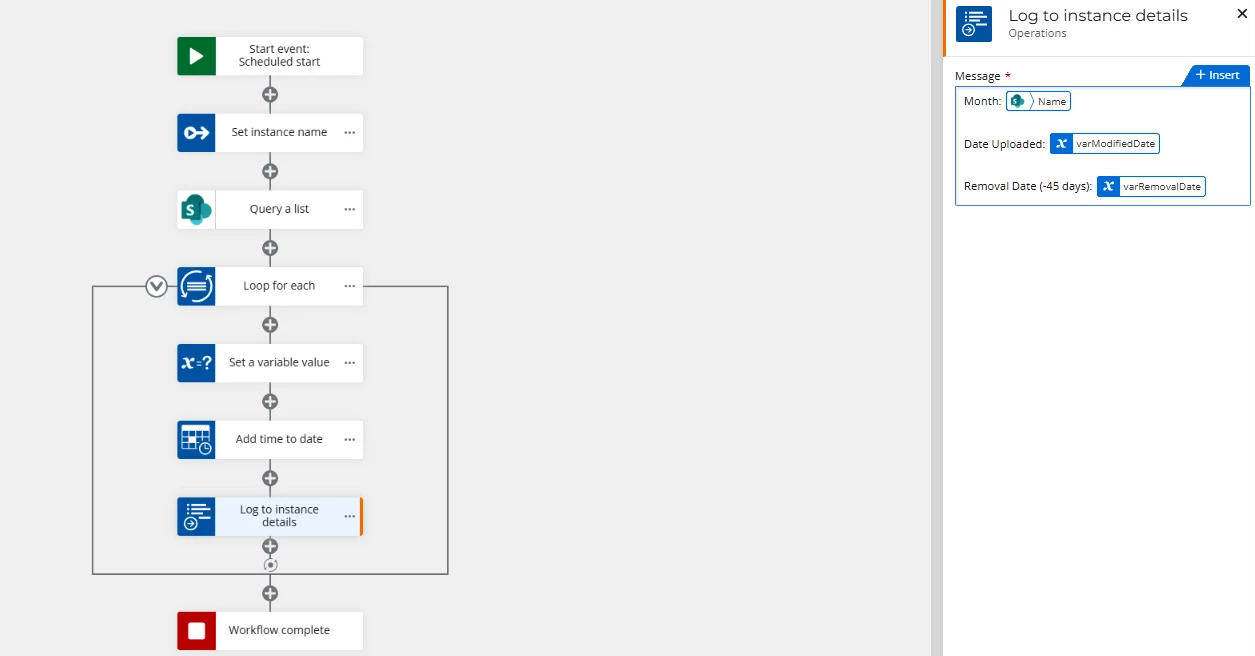
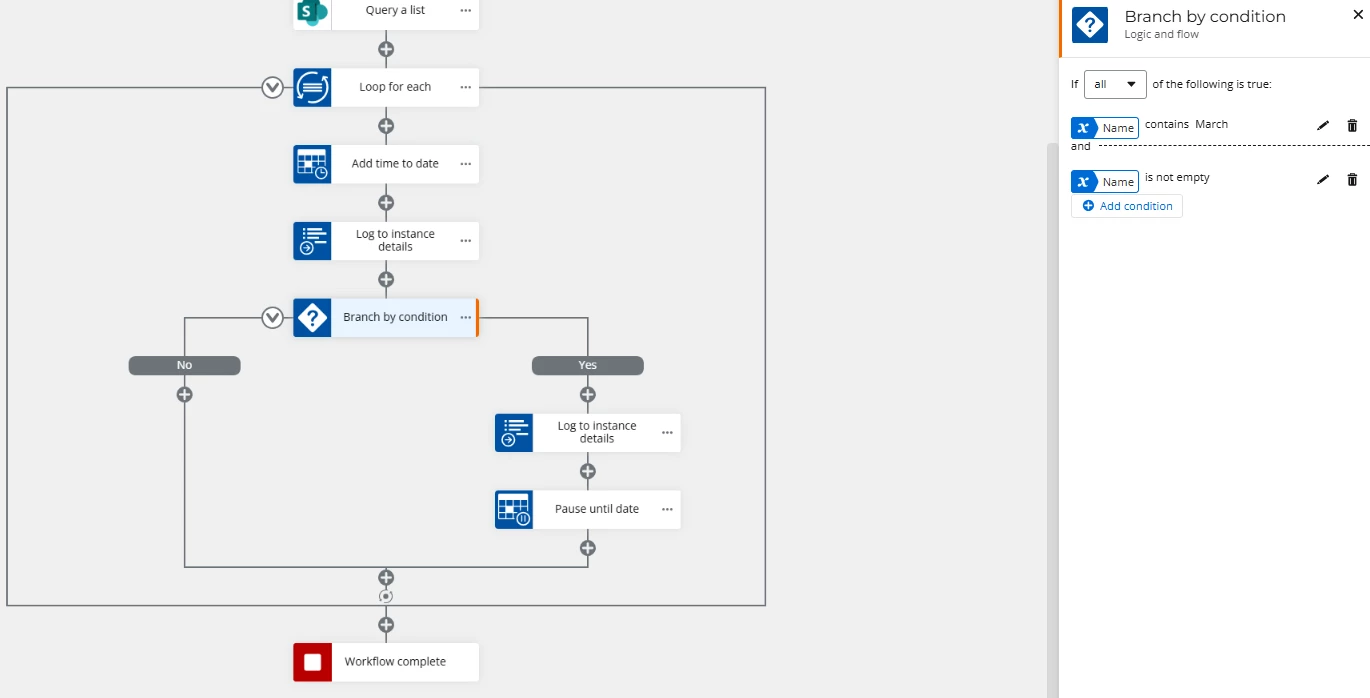
I have the following workflow setup but it doesn’t seem to be looking into the “month” folders I have under intercompany (per my logs). It seems to be only getting what is within the top folder…


Please help!


7 replies

Simon Muntz
Nintex Partner
Forum|alt.badge.img+23
  • Nintex Partner
  • April 29, 2026

Hi ​@jpacheco,

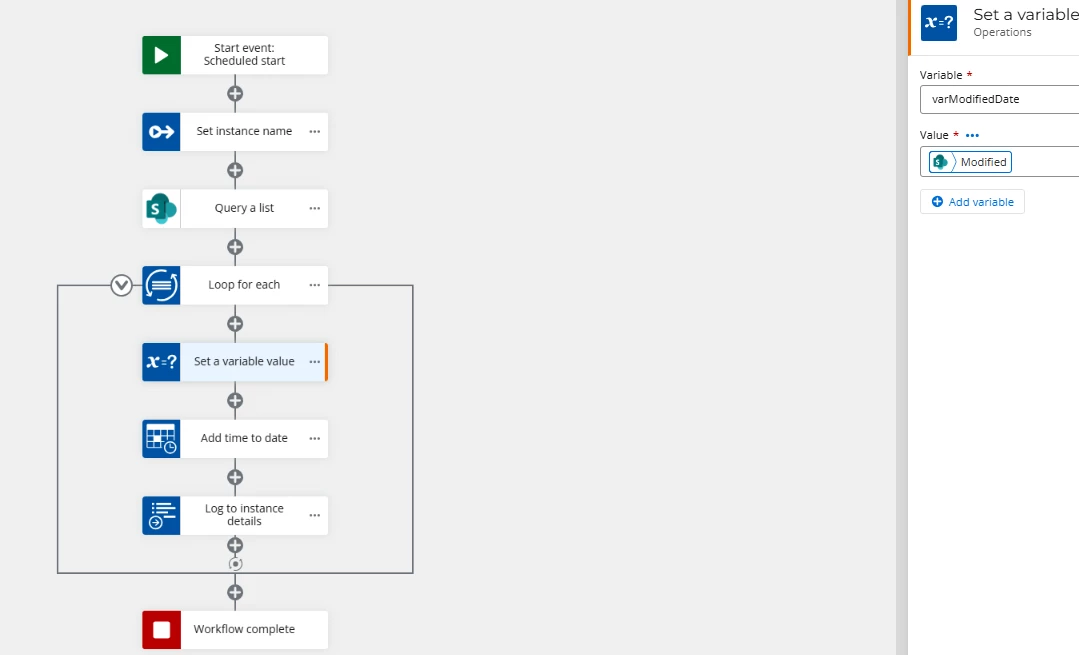
In the loop, remove the set variable action.
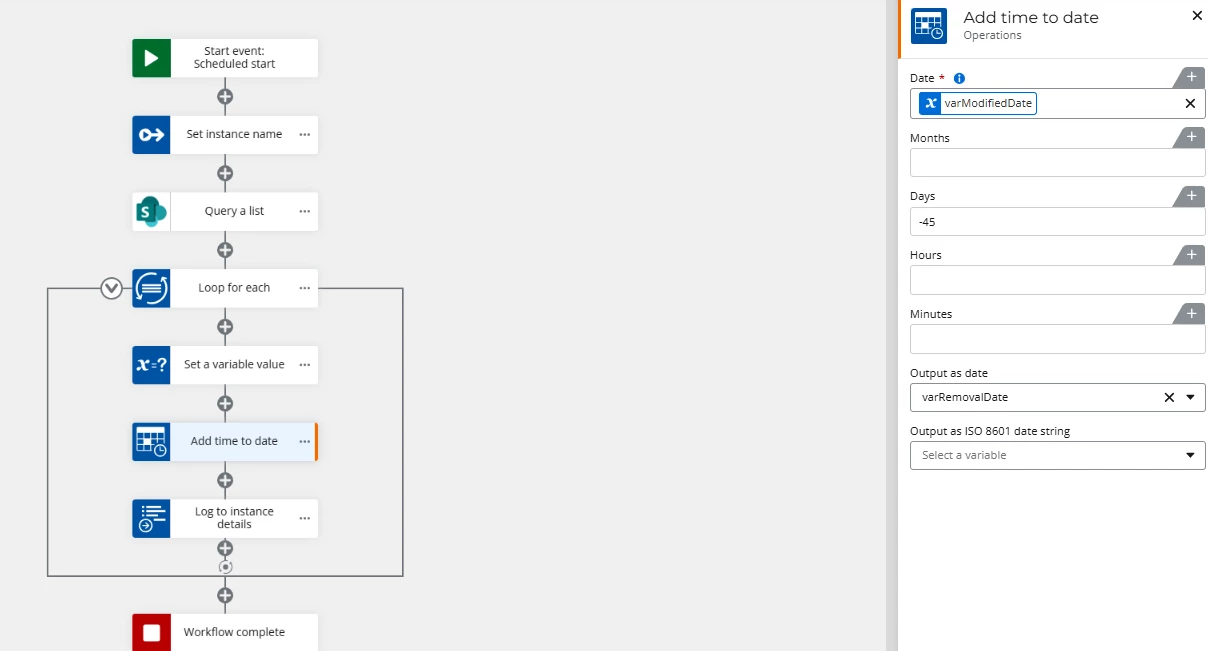
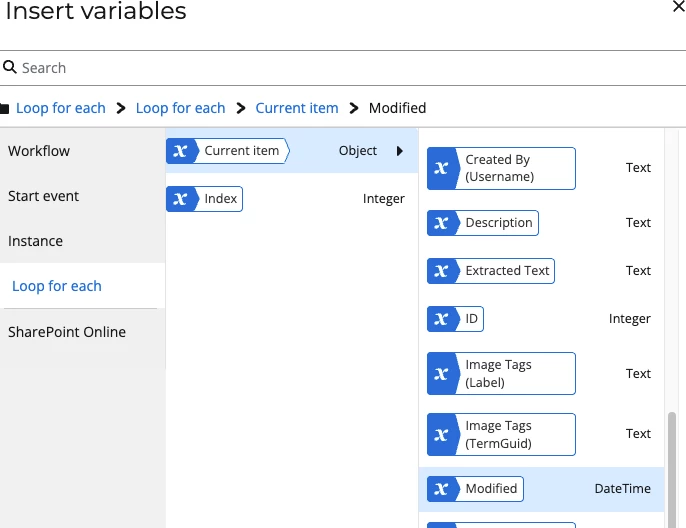
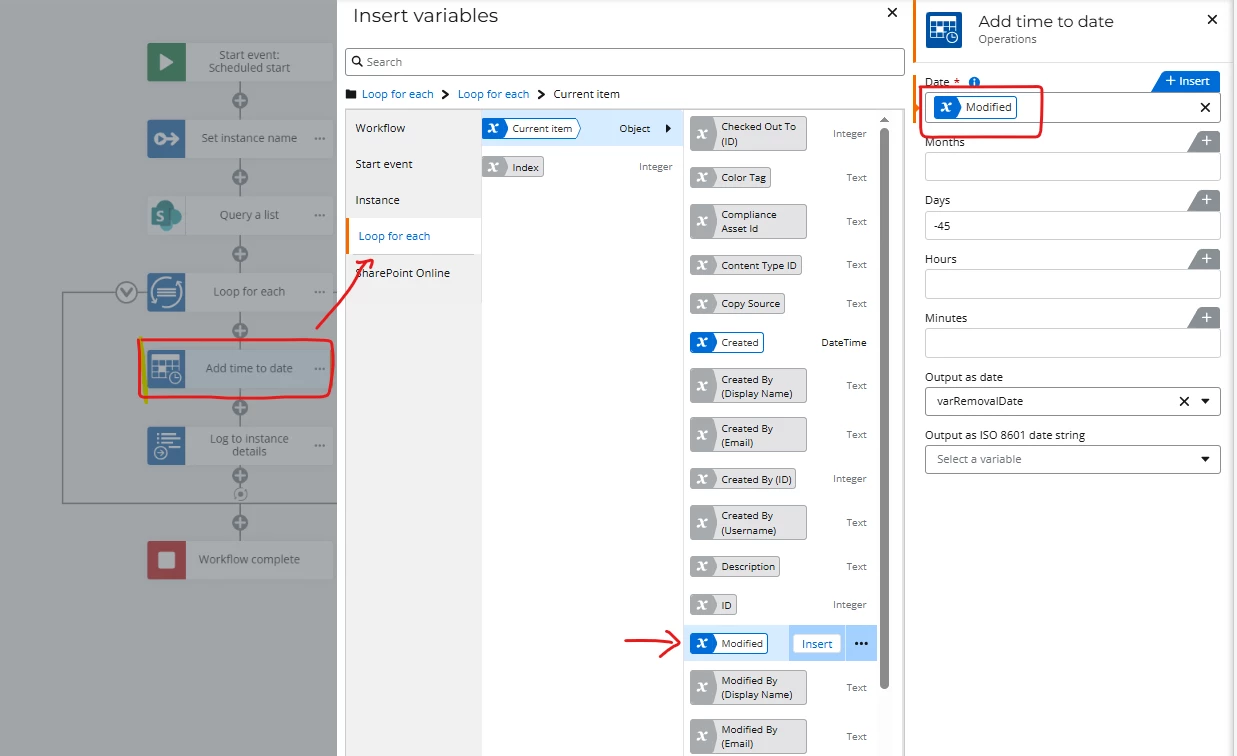
In the add time to date action, use the modified date from the loop for each action (pictured below).
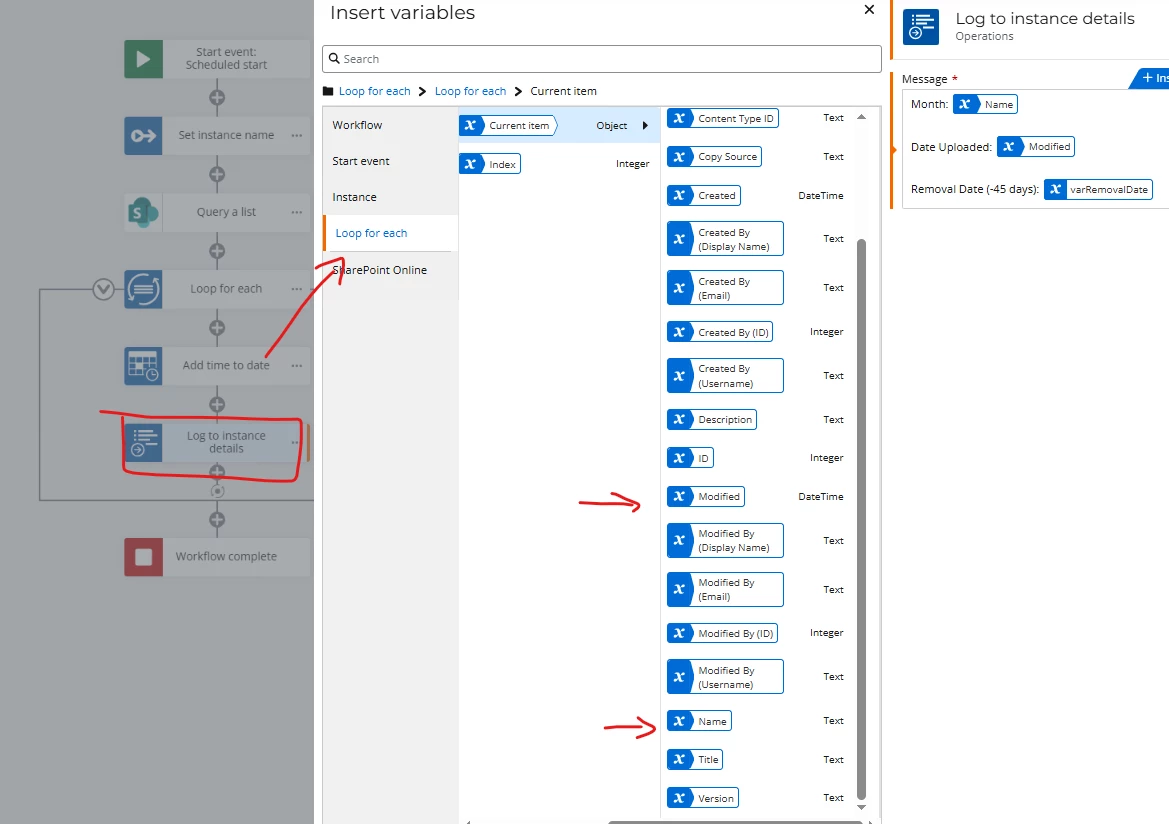
In the log action, make sure you are logging variables from the loop and not the SharePoint Query action itself.

Note that the Query a List action will return everything in the library. You cannot specify a folder, etc.


Forum|alt.badge.img+11
  • Author
  • Scout
  • April 30, 2026

@Simon Muntz ,


Hey! Thanks so much for your response! This helped but I guess I left out some additional info… I see every month and that’s wonderful but:

1.) How would I be able to pull the name of the file that was uploaded (name of file) to the folder in the log?

2.) The same upload date/time shows for every month/folder. How can I see the one file I uploaded to March’s folder (subtract 45 days) and display the date it will be deleting those files.

Is this possible?


Simon Muntz
Nintex Partner
Forum|alt.badge.img+23
  • Nintex Partner
  • April 30, 2026

1.) How would I be able to pull the name of the file that was uploaded (name of file) to the folder in the log?

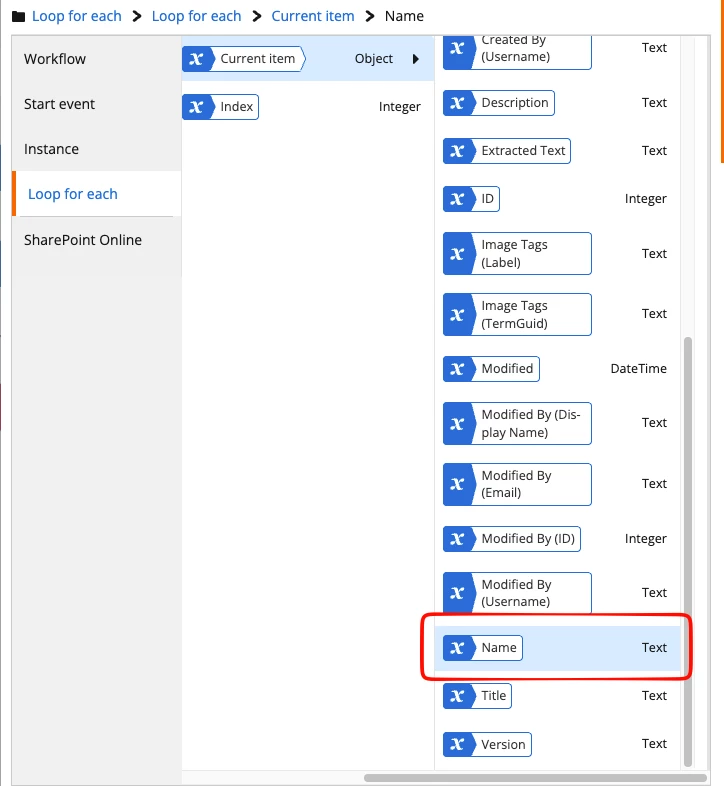
From the loop for each variable, use the name variable from the current item to get the file name


2.) The same upload date/time shows for every month/folder. How can I see the one file I uploaded to March’s folder (subtract 45 days) and display the date it will be deleting those files.

Is this possible?

It looks like you are using a workflow variable in your log, but you should use a variable from the loop for each current item to get the created date for the current item.
As above, use the created variable from the loop for each to get the created date for the current item.

To make sure folders are not deleted, I would put the delete action in a run if and say “Run if content type is not equal to the folder content type ID.


Forum|alt.badge.img+11
  • Author
  • Scout
  • May 1, 2026

@Simon Muntz ,

Hello and thanks for your quick response!

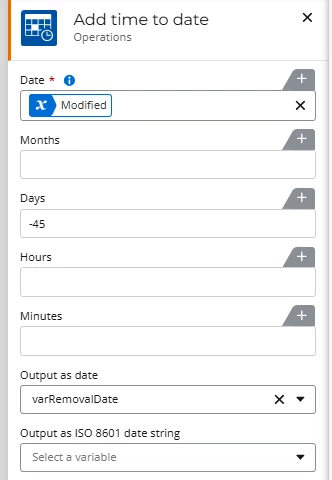
So for the add time to date action I have the following…


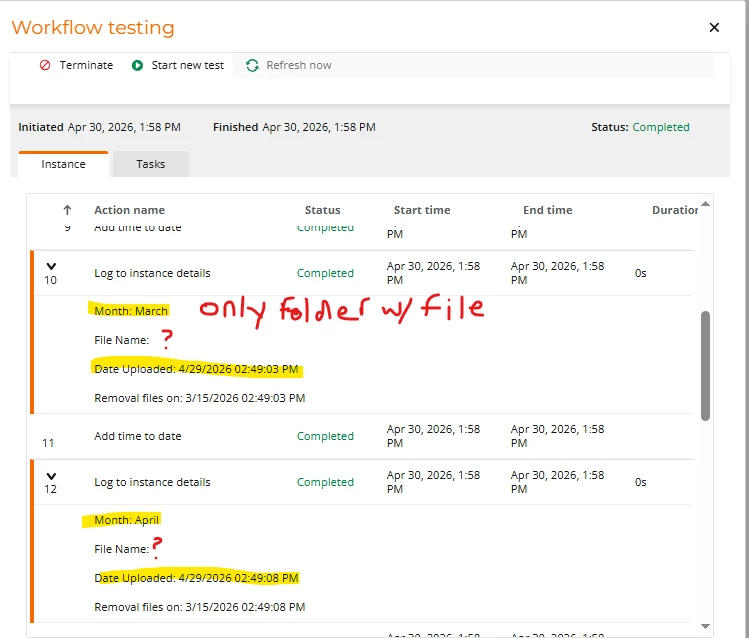
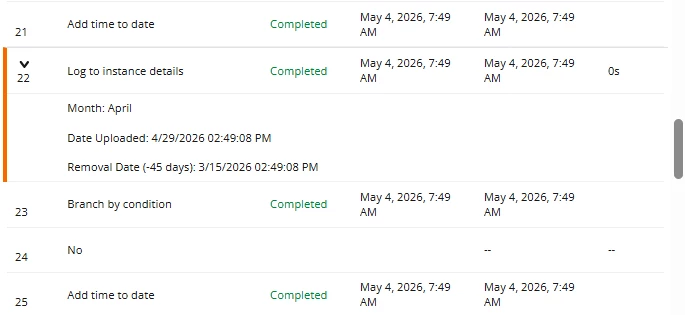
And for the log to display the values I am pulling from the Loop for each, I am using “Name” and “modified” but in the test, it shows the month and the same date applies to all iterations. I only uploaded a file into the March folder.


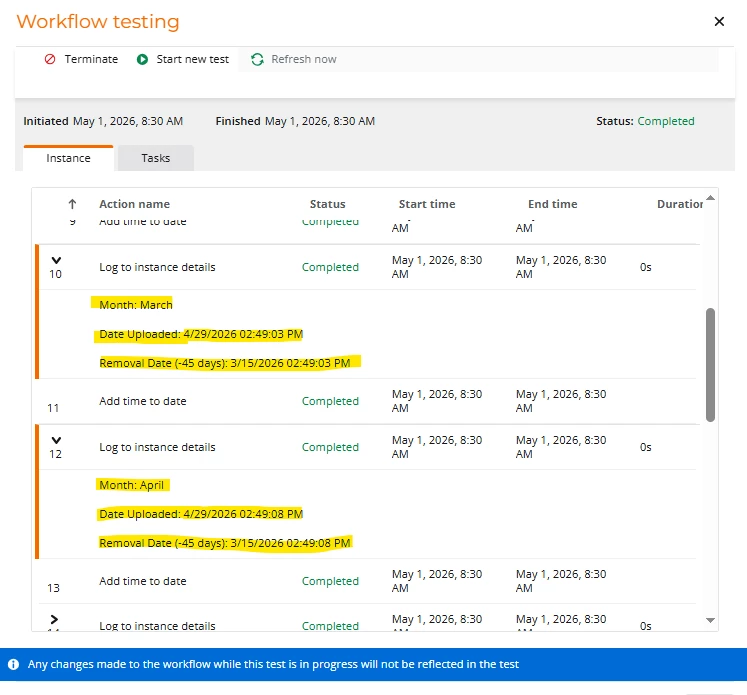
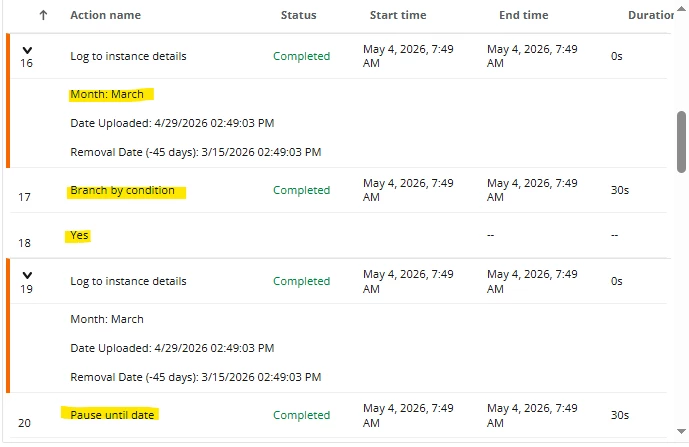
Here is the log for the test I ran. The only folder that has anything in it is March.

The removal date (-45 days) is using the variable from the add time to date.


Simon Muntz
Nintex Partner
Forum|alt.badge.img+23
  • Nintex Partner
  • May 1, 2026

Hi ​@jpacheco,

Your times are not the same.
They are 5 seconds apart.


Forum|alt.badge.img+11
  • Author
  • Scout
  • May 4, 2026

@Simon Muntz ,

Hello! I guess I may not be explaining my issue clearly, my apologies! Ok, so first my first issue is I am not able to pull the file name of the file I uploaded. In the logs I applied the loop for each > name variable but it pulls the name of the folder (month), not file name. How do you pull the file name I uploaded?

My next issue is, out of the 12 months (folders) I uploaded only 1 file to the march folder (all other folders are empty) and in 45 days the file will need to delete. I placed a condition so that it can check if the month is March and folder is not empty to pause until the date of 45 days but it proceeds to run and doesn’t pause (see last screen shot).

I would like for the workflow to run through each folder and check to see if a file was uploaded, if so, subtract 45 days from the day it was uploaded (modified date), pause until that date and then delete.

Is this possible?


Thanks!


Simon Muntz
Nintex Partner
Forum|alt.badge.img+23
  • Nintex Partner
  • May 5, 2026

Hi ​@jpacheco ,

The issue here is the concept of files in folders.
Yes, that's how SharePoint displays it, but the fact of the matter is that they are all just objects to SharePoint.  If you add the ID column to the view, you will see what I mean. A folder will just have the next available ID when it’s created.
In reality, the files are not in the folder; this is just how SharePoint displays it.
Unless you are using PnP PowerShell you can’t say “hey SharePoint, tell me what files are in a folder”. It doesn’t work. My advice would be to name the files based on the month they are for so that you can find files for a particular month/year.