




Topic:
LEDD Availability Section not populating with Red Banner error: An unexpected error has occurred. Please contact Nintex Support if this error persists.
Issue:
When in the LEDD interface the Availability Section is not populating:
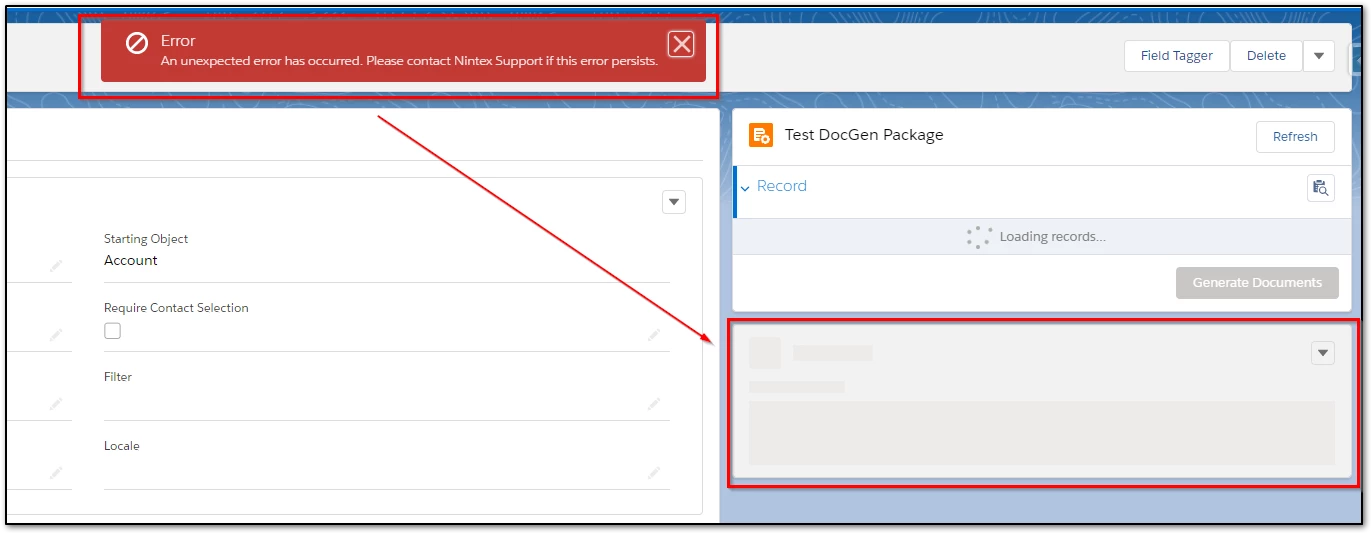
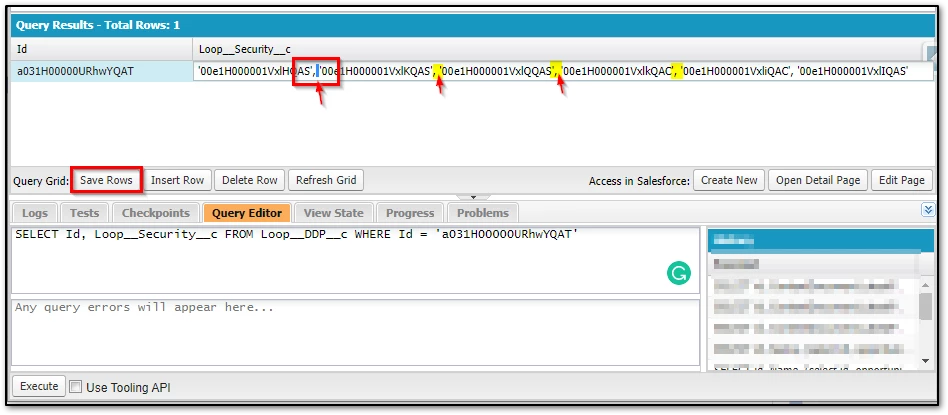
This occurs when the data in the Loop__Security__c field has spaces between the comma-delimited string.
This could occur if the DocGen Package was created dynamically in specific use cases or was migrated to an environment using an external tool, such as Salesforce data loader, with this field data formatted incorrectly.
Resolution:
1. In the Classic interface, add the Loop__Security__c field to the layout and remove all the extra spaces between the list values.
2. Perform this action via the developer console using the below query and click 'Save Rows'
SELECT Id, Loop__Security__c FROM Loop__DDP__c WHERE Id = '{PackageRecordId}'
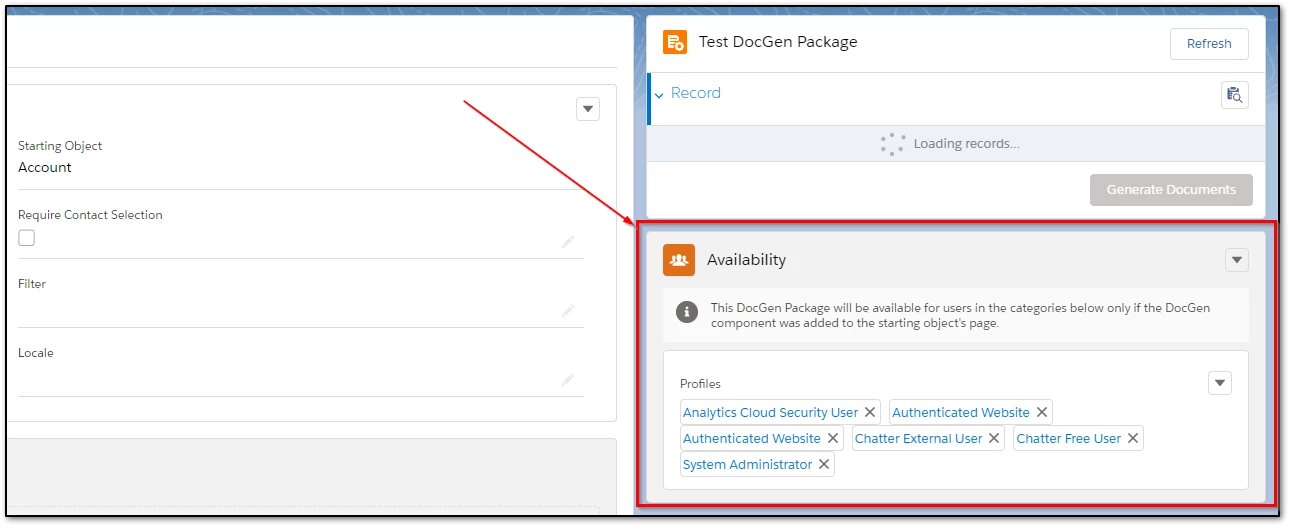
Expected behavior after Update:
Related Links:
https://help.nintex.com/en-US/docgensf/Templates/Availability.htm