




Topic
This method is specifically for when we need the information of the run. This is typically needed when we are unable to replicate an issue such like getting “invalid_grant” errors or unable to download the document.
Instructions
- Navigate to the run page for the DocGen Package
- Before running the page, have them right-click anywhere on the page and select “Inspect” (for Google Chrome) or “Inspect Elements” (for Firefox/Internet Explorer). For Microsoft Edge, click the “…” menu on the top bar and select “Developer Tools”
Google Chrome/Internet Explorer/Firefox: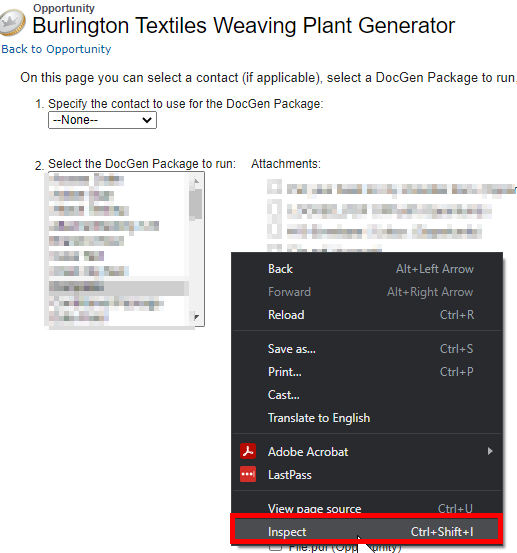
Microsoft Edge:
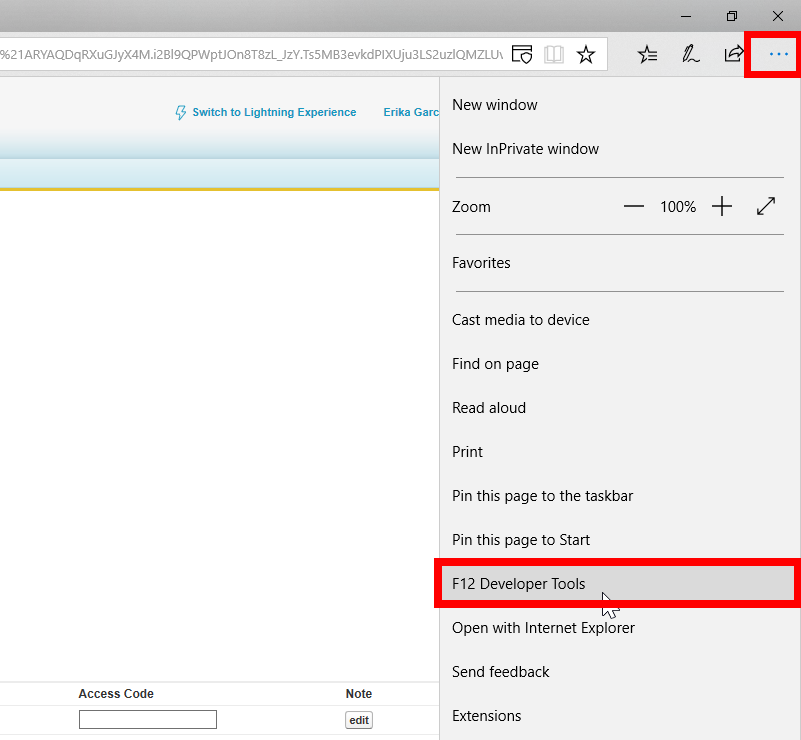
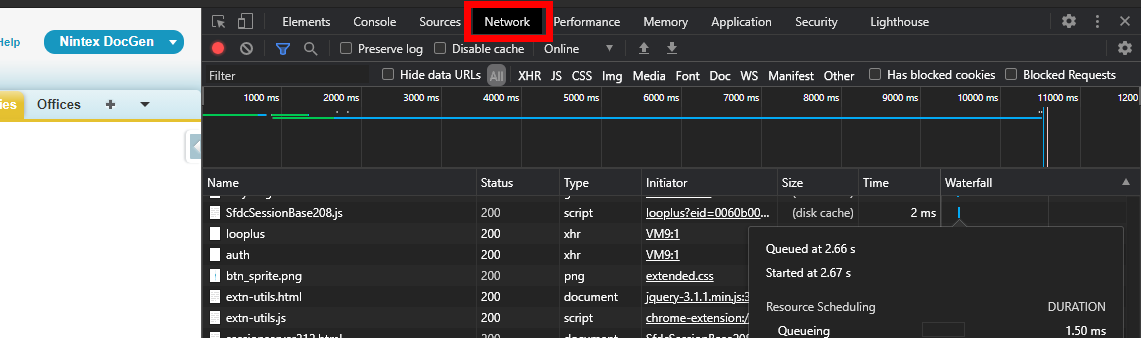
- Click on the Network tab and just run the DocGen Package

- Once the DocGen Package errors or completes the run, right-click any of the items under the Name column and select “Save all as HAR with Content”
Chrome: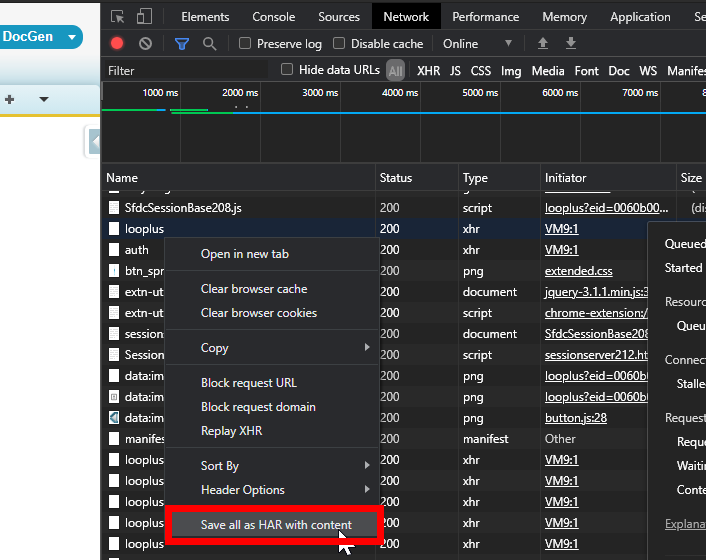
Internet Explorer and Microsoft Edge:
Click on the Save icon on the menu bar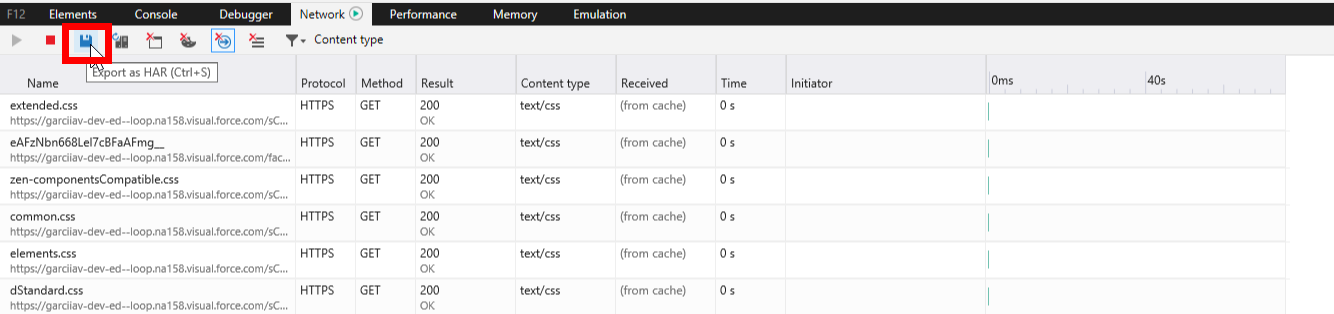
Additional Information
Related Links