"When a control is changed" rule fires during form load
kbt158319
PRODUCTK2 Cloud
K2 Five
This article was created in response to a support issue logged with K2. The content may include typographical errors and may be revised at any time without notice. This article is not considered official documentation for K2 software and is provided "as is" with no warranties.
Issue
The "When a control is changed" rule fires during form load instead of when a user makes a change.Symptoms
The behavior is expected. When the form loads initially the control will be empty. As the data is loaded, the control changes from empty to populated. This will cause the "When a control is changed" rule to fire.Resolution
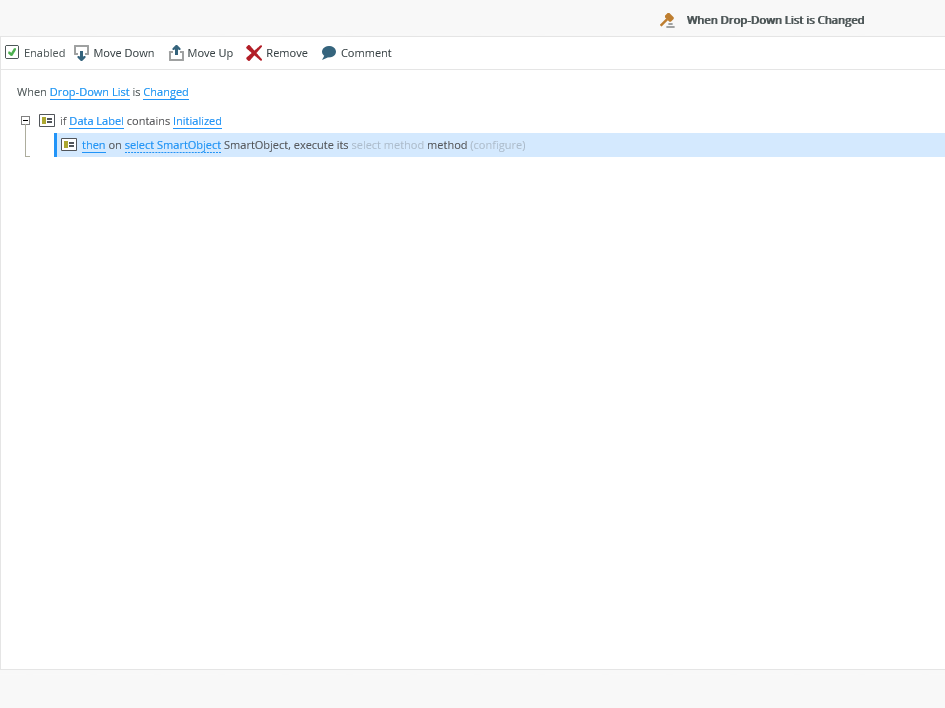
You can use advanced conditions on the "When a control is changed" rule to evaluate whether or not the rule should fire.
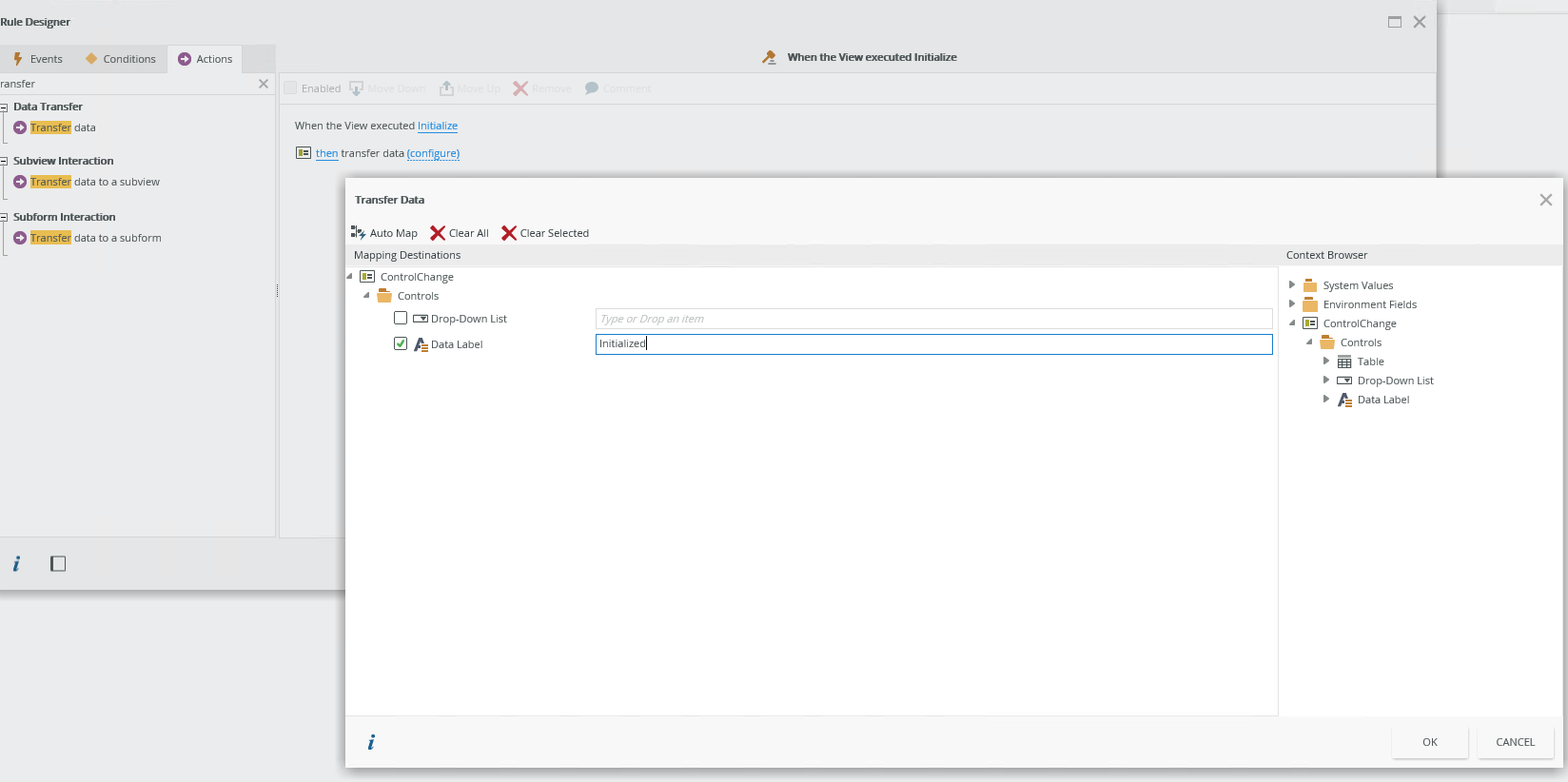
If a control does not already exist on your form that you can validate against, you can add a hidden data label to your form. At the end of the form initializing rule, use a "transfer Data" action to move a specific value (such as "initialized") into the data label.
When the Control is Changed, check to see if the hidden data label contains a specific value (Initialized). If so, then continue with rule execution.