Topic When trying to access any SmartForms forms or views, including K2 Workspace and K2 Management, a 500 internal server error page is shown.
This is a generic IIS error page and unfortunately does not provide any useful details that can help with troubleshooting the issue.
Instructions One useful tool that can help with troubleshooting such http 500 errors is the Failed Request Trace on IIS.
To enable Failed Request Tracing on IIS:
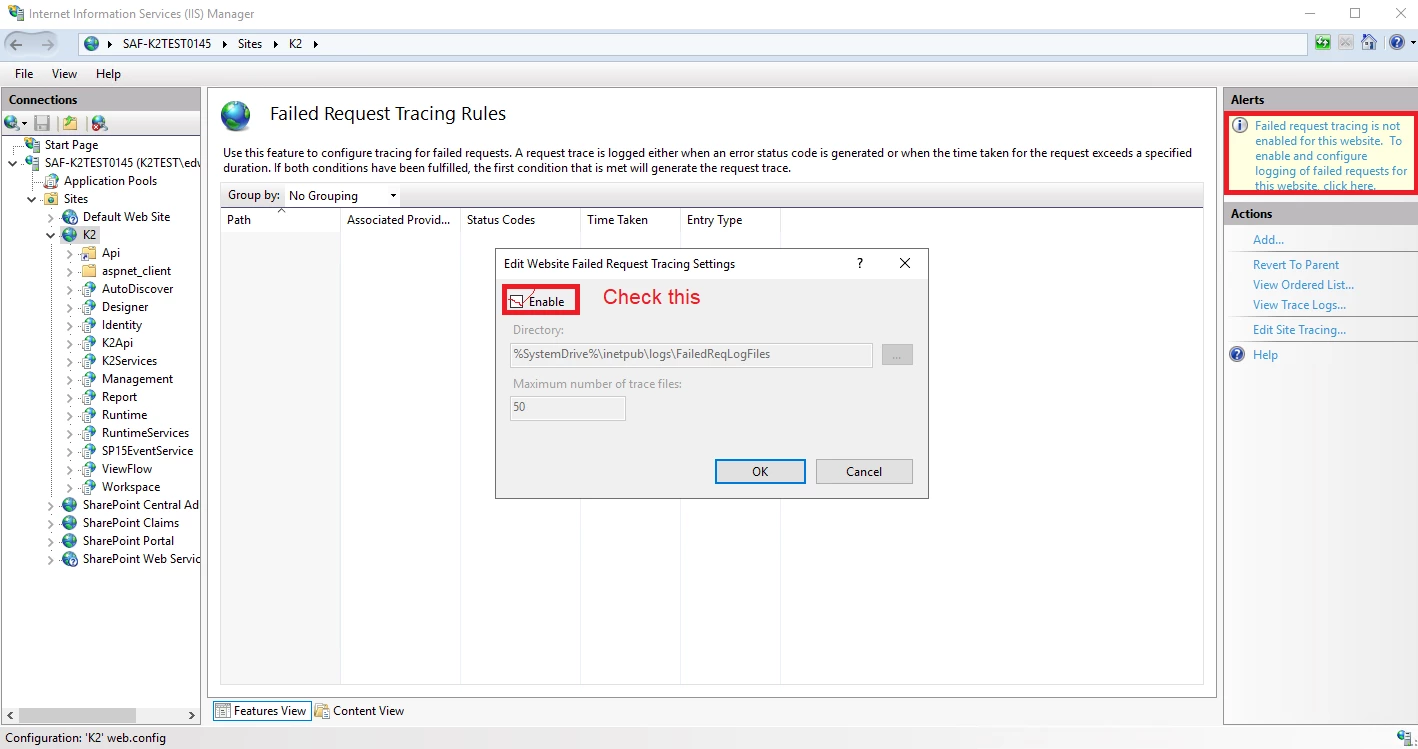
Go to your web server, open IIS Manager, select your K2 site.
Go to 'Failed Request Tracing', and enable it.
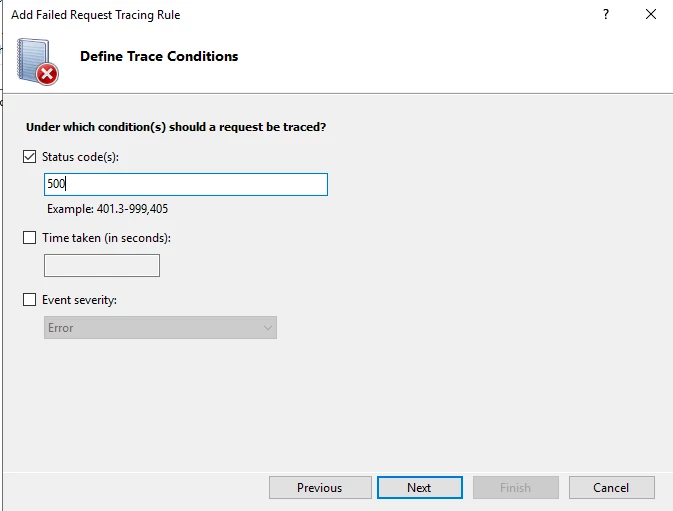
Select Runtime, go to 'Failed Request Tracing', click Add.
Select All content, click Next.
Check on "Status code", and enter 500. Click Next, then click Finish.
Reproduce the same issue and check the logs in %SystemDrive%\inetpub\logs\FailedReqLogFiles.
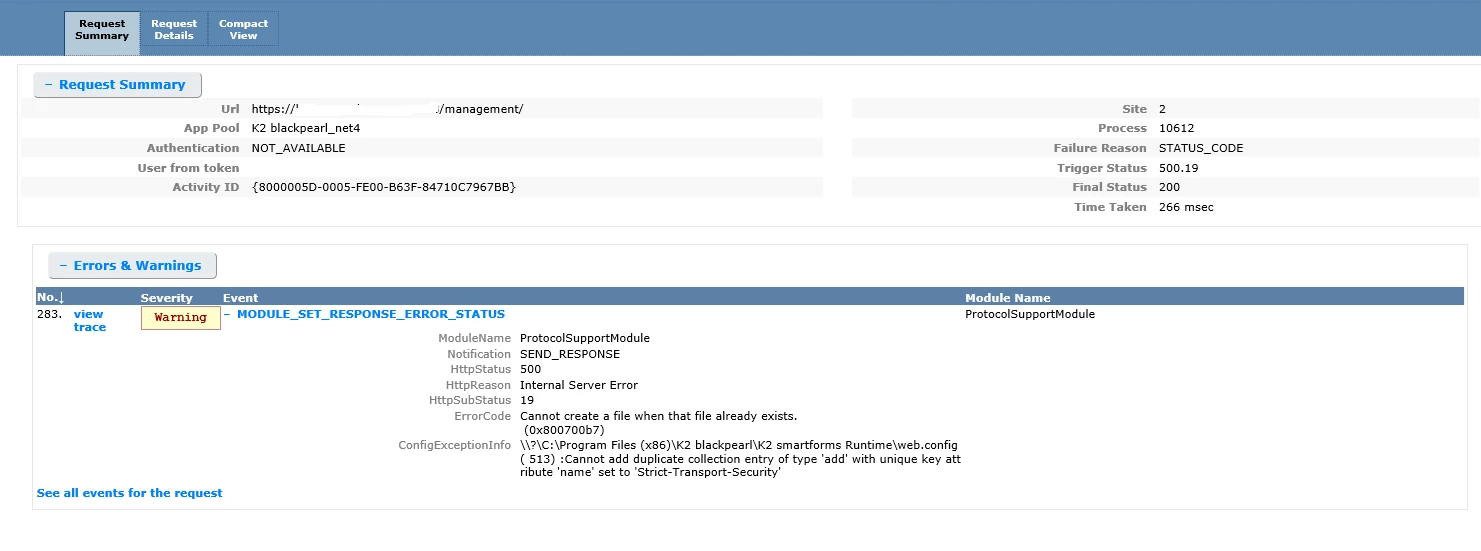
You will see a number of .xml files being generated. Open them in Edge browser to view the contents. Note you will likely need to load the .xml files in Internet Explorer mode for the contents to display properly. You can refer to here on how to enable Internet Explorer mode.
The summary page will usually give you the cause of the error. Here is an example of how a Failed Request trace will look like: If you need assistance with investigating the Failed Request logs, zip up the entire %SystemDrive%\inetpub\logs\FailedReqLogFiles folder, log a Nintex Support case and attach the logs to the case.