Context Browser: Task and Task User sections does not display
KBS100207
PRODUCTK2 Five
BASED ONK2 Five 5.1
TAGSK2 Object Browser
K2 Process Designer
Workflow Designer
Workarounds
This article was created in response to a support issue logged with K2. The content may include typographical errors and may be revised at any time without notice. This article is not considered official documentation for K2 software and is provided "as is" with no warranties.
Issue
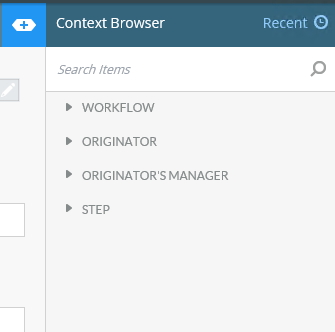
When customizing your Workflow, you may notice the Task and Task User steps are missing:
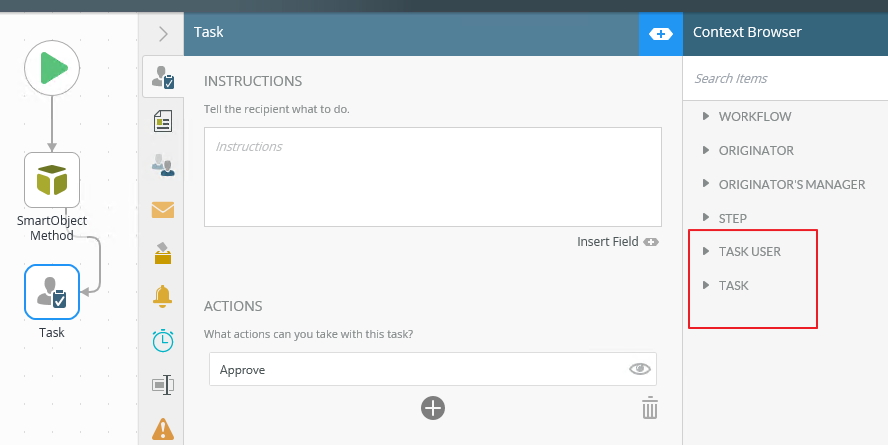
This is how it should look:
Symptoms
You may experience this issue after installing the K2 5.1 Fix Pack 11 and if you are using multi-steps in your workflow.Resolution
This is a known issue, however it is expected in the K2 Product at this time. The development team are looking into fixing this in the Product at a later stage.
Workaround
1. Select the User Task step
2. Drag the Task > ID field into the task instruction text box:
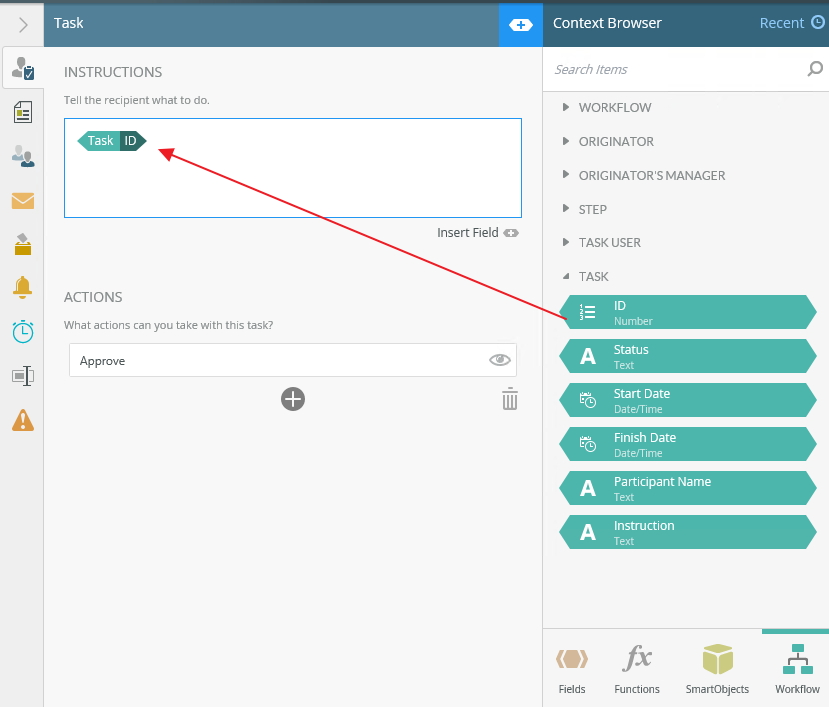
3. Select and copy the field
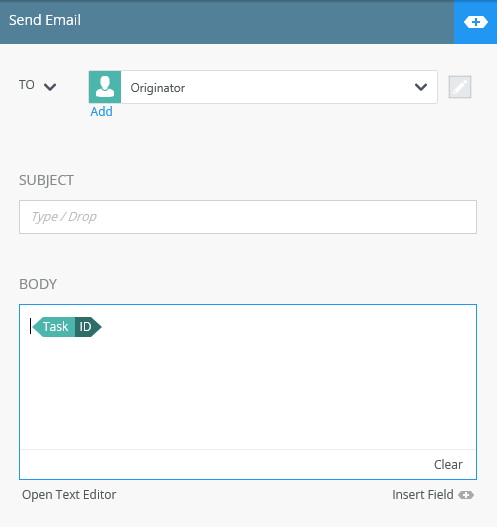
4. Switch back to the non-Task step, and then paste the field, for an example see below: