




SaveAsPDF is failing with an error: "The PDF could not be saved"
kbt154604
PRODUCTK2 Cloud
K2 Five
BASED ONK2 Five (all)
This article was created in response to a support issue logged with K2. The content may include typographical errors and may be revised at any time without notice. This article is not considered official documentation for K2 software and is provided "as is" with no warranties.
Issue
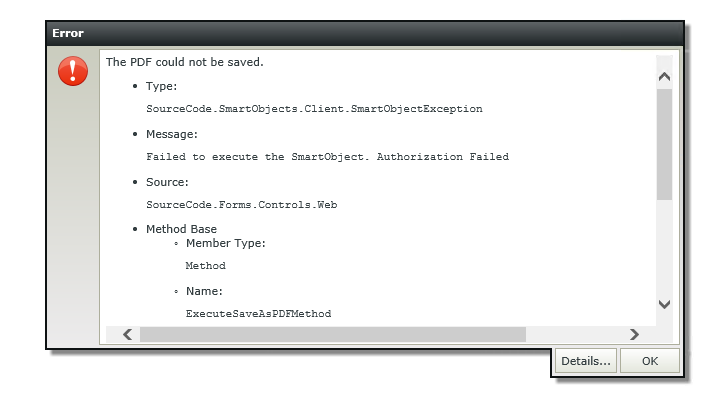
When creating a Basic view or Form with the SaveAsPDF Control, and then executing the control on a Rule, it fails with the error:
"The PDF could not be saved.
•Type: SourceCode.SmartObjects.Client.SmartObjectException
•Message: Failed to execute the SmartObject. Authorization Failed"
Symptoms
Users are not able to generate PDFs as expected and it causes failure on Smartforms level.Resolution
Verify that the correct permissions are added to the SmartBox Method Permissions on the PDF File which is in Categories > System > Controls > SaveAsPDF.
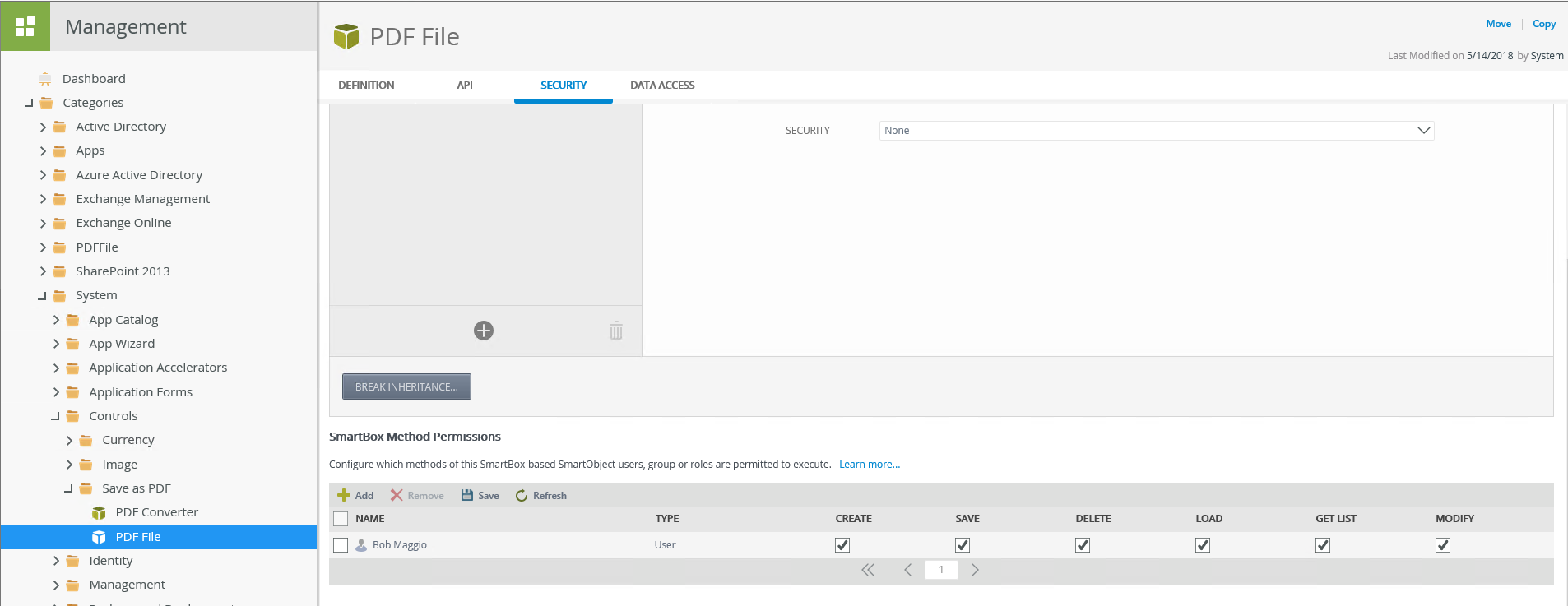
Note that on the SmartBox Method Permissions if there are users or group specified, only the users and groups will be able to utilize the create, delete and Get list methods. If there are no users or groups specified meaning that the permissions are 'blank,' this will allow everyone to execute the creation of the PDF file SmartObject.
