



Microsoft SharePoint January 2022 CU causing limited functionality in K2 for SharePoint
KB003685
PRODUCTK2 Five
BASED ONK2 Five
Issue
After installing Microsoft SharePoint January 2022 CU and later versions, you may find the functionality in K2 for SharePoint being restricted.
Error
You may experience a similar error to the one below when trying to access K2 for SharePoint.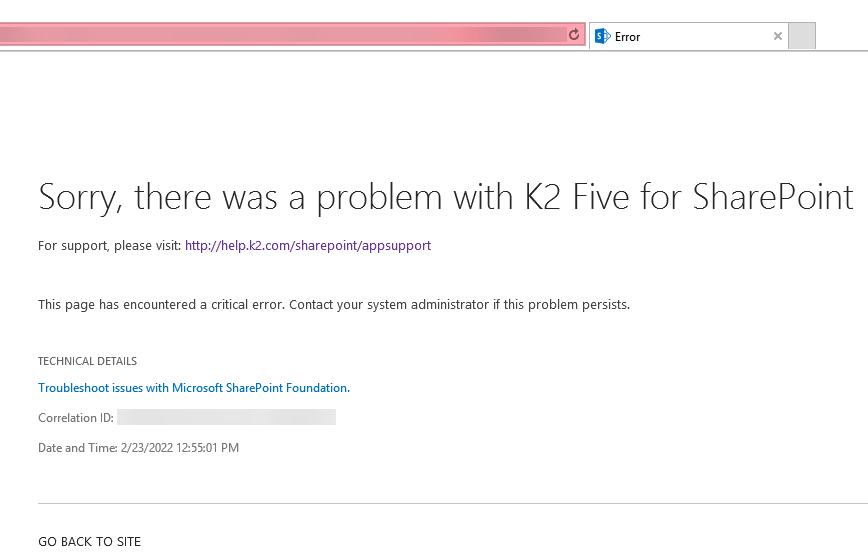
Cause
For added security, Microsoft SharePoint now restricts access to its Web.config files to users unless they're local administrators, farm administrators, or managed by SharePoint. Permissions are removed from the web.config file with the Microsoft SharePoint CU installation and must be re-assigned for K2 for SharePoint to work.
Resolution
To resolve this issue, do the following:
- Install the Microsoft SharePoint January 2022 CU or later CUs.
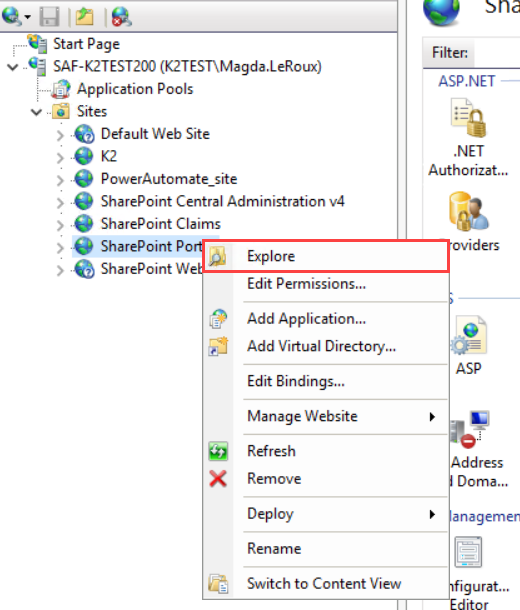
- From Internet Information Services (IIS), right-click your SharePoint site and select Explore.
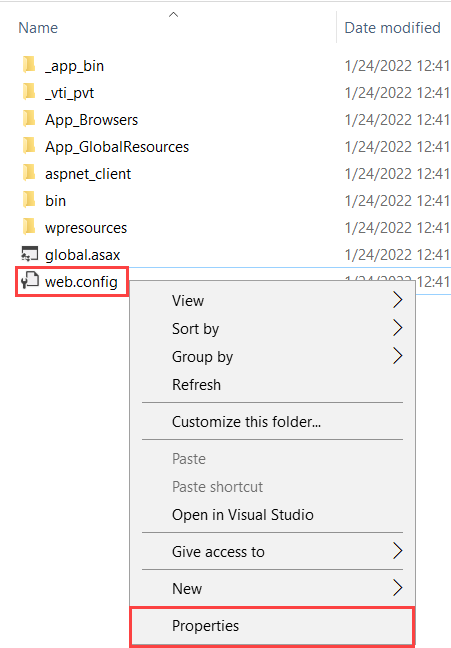
- Right-click the web.config file and select Properties.
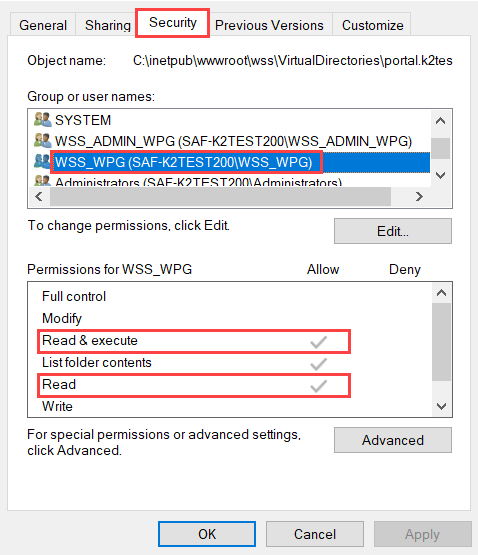
- Select the Security tab and check the permissions for the WSS_WPG local group. It should have Read & Execute and Read permissions as shown below. Add the permissions if they do not exist.
- If the group does not exist, add the WSS_WPG local group and assign the Read & Execute and Read permissions. Click Advanced and then click Add.
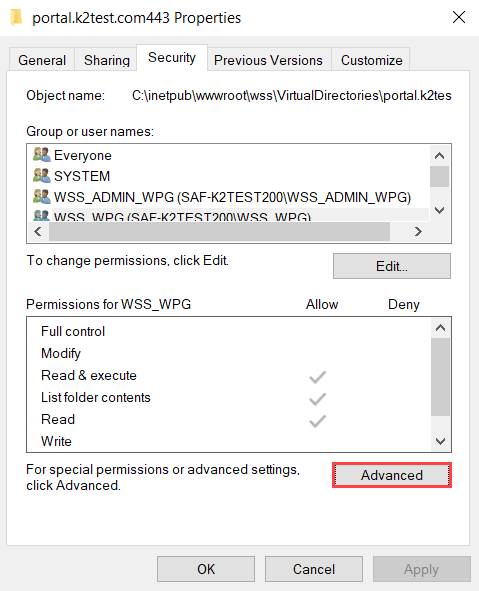
- Add the group and assign the Read & Execute and Read permissions. Click OK.
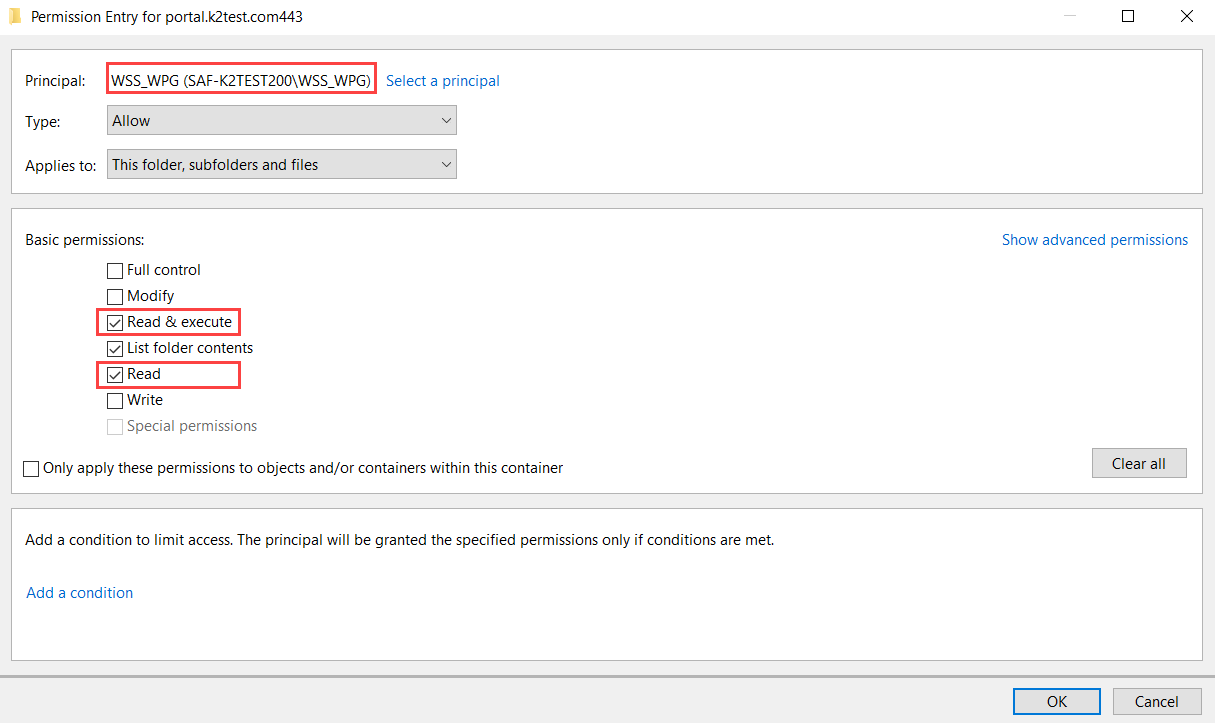
- From the Security tab, click Apply and then click OK.
- Ensure you do this for all web.config files that are used by SharePoint in the corresponding IIS sites.
- Run IISRESET.
- Run the script found in the article below to prevent the same happening to permissions for new web apps or new web app extensions:
Permissions of Web.config files are restricted in SharePoint Server