




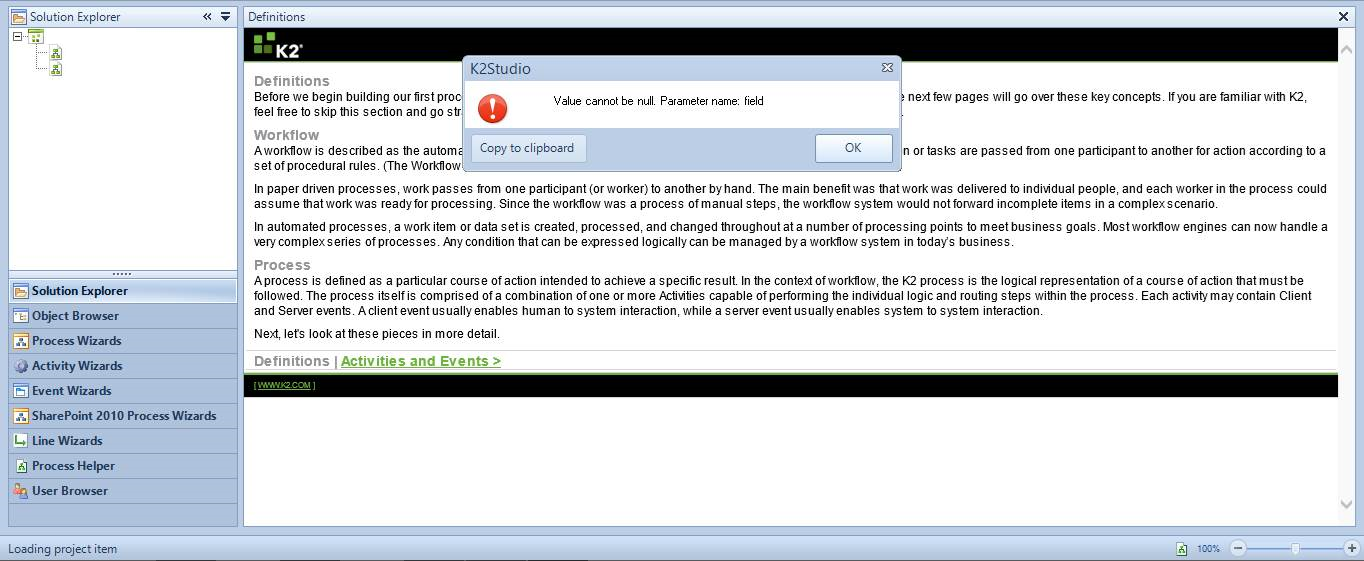
K2 Studio failing with "Value cannot be null"error appearing on Workflow Deployment
KBS100059
PRODUCTK2 Five
K2 blackpearl
K2 smartforms
This article was created in response to a support issue logged with K2. The content may include typographical errors and may be revised at any time without notice. This article is not considered official documentation for K2 software and is provided "as is" with no warranties.
Issue
K2 Studio is not opening due to a "Value cannot be null: Parameter name: field" error message appearing.
Symptoms
K2 Studio is failing to load on startup and unable to deploy Process Workflows.Resolution
To resolve this issue, verify the below setting in K2 Workspace.

1. Navigate to K2 Workspace > Management > Management Console
2. Expand [Server] > Environment Library > Templates > Default Templates > Environments > Development > Environment Fields
3. Locate the "SmartObject Server," select it and click Edit
4. Ensure the "Set as Default" checkbox is checked.
Note: steps 3 and 4 should also be performed against [Server] > Environment Library > Templates > Default Templates > Environments > Production > Environment Fields