




After deploying K2 Five (5.2) FP18, an "invalid archive type" error appeared on all processes
kbt162567
PRODUCTK2 Five 5.2
BASED ONK2 Five 5.2
This article was created in response to a support issue logged with K2. The content may include typographical errors and may be revised at any time without notice. This article is not considered official documentation for K2 software and is provided "as is" with no warranties.
Issue
An "Invalid Archive type" error will be raised after installation of K2 5.2 Fix Pack 18.
Symptoms
All processes will show the error stated due to the installation of Fix Pack 18:
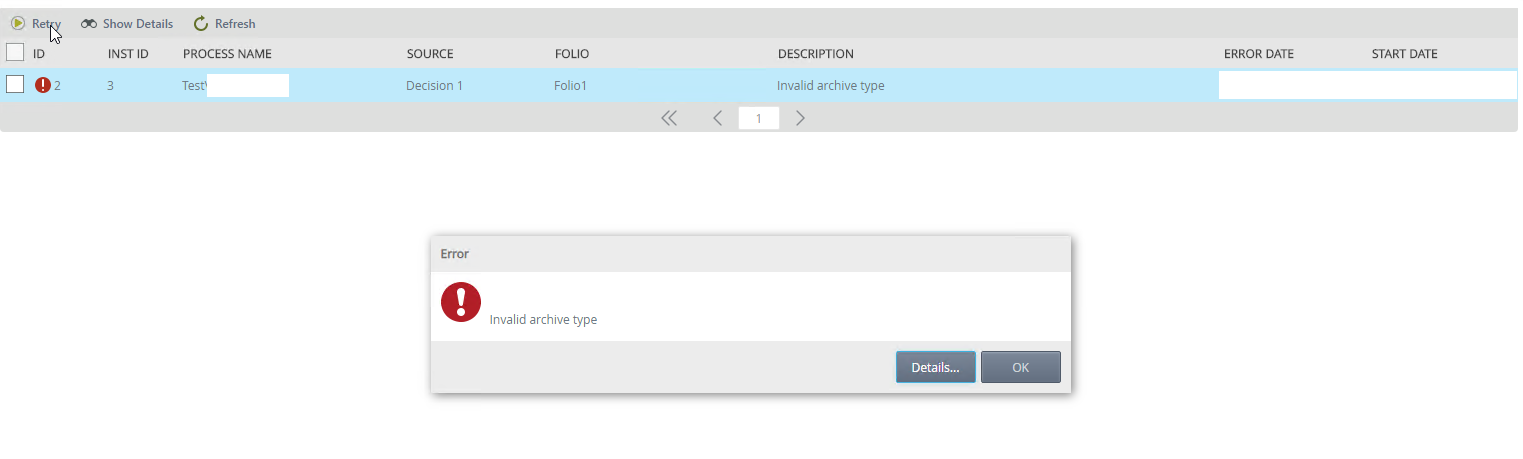
Resolution
Step 1
The main error was corrected with the release of Fix Pack 19:
https://portal.k2.com/products/k2five5-2fix-pack19
Step 2
If Fix Pack 19 is installed and you note that there are still processes in error state due to the Fix Pack 18 error, direct dll modification will be required.
Please log a K2 Support Ticket on the K2 Customer Portal for assistance in resolving the issue.
Please Note that direct K2 assemblies modifications is not allowed as it might leave the environment in an unsupported state.
This must only be done with the assistance of, or when instructed to do so by K2 Support.
http://help.k2.com/onlinehelp/k2blackpearl/devref/current/default.htm#Database_Reference.html
This must only be done with the assistance of, or when instructed to do so by K2 Support.
http://help.k2.com/onlinehelp/k2blackpearl/devref/current/default.htm#Database_Reference.html