Nintex Community Menu Bar

Why Activity Data in WF Process is always blank

  • Jun 12, 2019 1:56 AM UTC
  • 4 replies
  • 51 views
  • Translate All

Forum|alt.badge.img+7

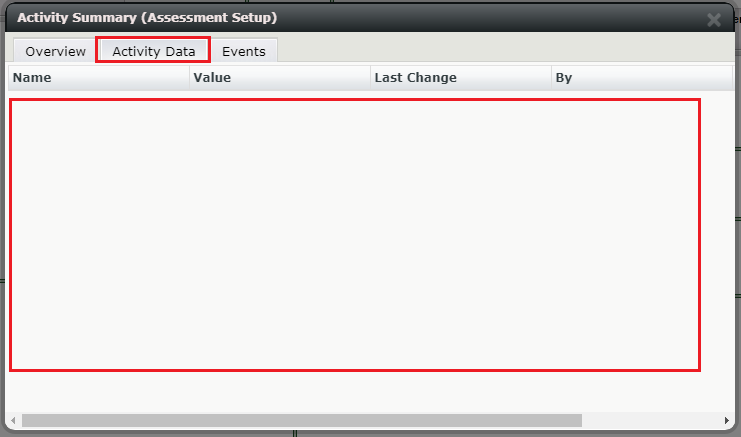
When i open workflow process in browser and click on any Step which is executed already and try to check Activity data for that perticular step but it is always blank. 


Why the assigned values, variable i am not able to see in it. I have admin rights on WF.

15357iF70F2F269BBFDF28.png

4 replies

  • Jun 12, 2019 3:44 AM UTC
Hi
which version of K2 blackpearl are you currently on? and this workflow was created on which k2 version?

if you check on the Process Detail report in K2 Management. Does it also blank as well?

Translate

Forum|alt.badge.img+7
  • Author
  • Novice
  • Jun 12, 2019 4:07 AM UTC

I am checking in 5.2 version. Workflow migrated from 4.7 version. Yes i am able to see  Process Detail report in K2 Management.


I also able to se Proces data on the Start activity.

But When clicking on an Others Activity, the Activity Summary dialog opens which contains the Overview, Activity Data and Events tabs. On that screen i am not able to see any activity.

Translate

  • Rookie
  • Jun 12, 2019 5:26 AM UTC

Hi,

Under the activity data tab, you can view the data fields which are created under the Activity scope.

PFB, for more details.

In my example i created a data lable(heighlighted in yellow in Screenshot-1) with the activity scope. So i can see the details under the Activity data(Screenshot-2).


Screenshot-1:


Regards

SK


Translate

Forum|alt.badge.img+13
  • Rookie
  • Jun 13, 2019 1:46 PM UTC
Activity Data tab is blank for me also on a 4.7 process running in 5.2.
Translate