Nintex Community Menu Bar
Solved

Where can I find transaction history for activities in workflow

  • May 26, 2026
  • 4 replies
  • 30 views

Forum|alt.badge.img+2

Hi guys! I would like to ask if you guys know where I can find the record transaction of activities in workflow in K2 database? I want to do audit trail for overview of activities in the workflow.

Best answer by Arvindsct

Hello ​@AinaSyazzween ,

you can run below query to get it. 


SELECT 
    pi.Folio,
    ai.ID                               AS ActivityInstID,
    ad.[User]                           AS DestinationUser,
    CASE ai.Status
        WHEN 0 THEN 'Active'
        WHEN 1 THEN 'Complete'
        WHEN 2 THEN 'Sleep'
        WHEN 4 THEN 'Declined'
        ELSE CAST(ai.Status AS VARCHAR)
    END                                 AS Status,
    ai.StartDate                        AS Started,
    ai.FinishDate                       AS Finished,
    CASE 
        WHEN ai.FinishDate IS NULL OR ai.Status = 0 THEN
            CAST(DATEDIFF(HOUR, ai.StartDate, GETDATE()) / 24 AS VARCHAR) + 'd ' +
            CAST(DATEDIFF(HOUR, ai.StartDate, GETDATE()) % 24 AS VARCHAR) + 'h'
        ELSE
            CAST(DATEDIFF(HOUR, ai.StartDate, ai.FinishDate) / 24 AS VARCHAR) + 'd ' +
            CAST(DATEDIFF(HOUR, ai.StartDate, ai.FinishDate) % 24 AS VARCHAR) + 'h'
    END                                 AS Duration

FROM [ServerLog].[ActInst]          ai
INNER JOIN [ServerLog].[ActInstDest] ad  ON ad.ActInstID = ai.ID
                                        AND ad.ProcInstID = ai.ProcInstID
INNER JOIN [ServerLog].[ProcInst]   pi  ON pi.ID         = ai.ProcInstID


ORDER BY ai.StartDate DESC;


Feel free to reach out to us if you need any supports  Automate@proinception.com 
4 replies

Forum|alt.badge.img+2
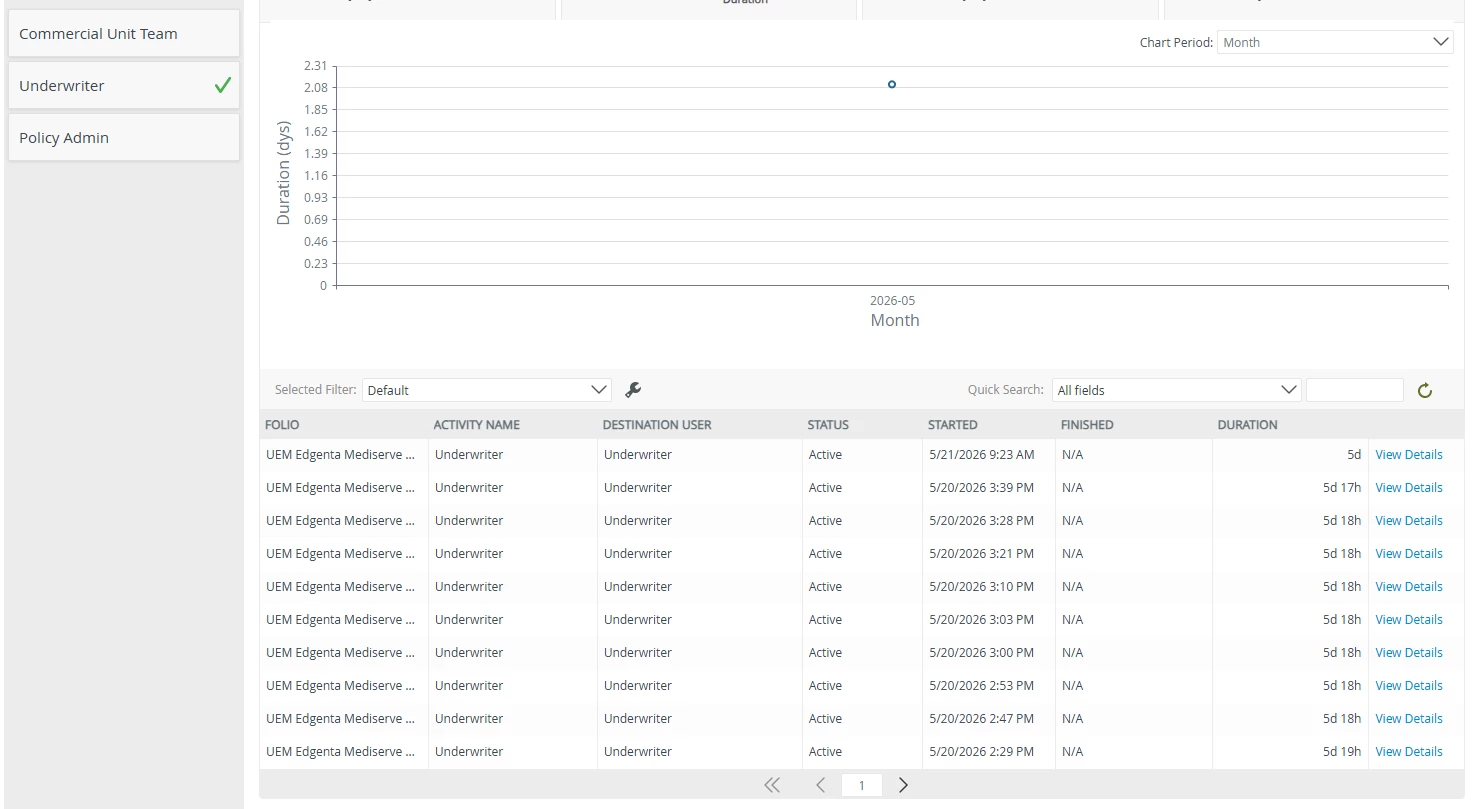
The data in the table above is what I request for. Where can I find this information or transaction record of activities in K2 database? 


Arvindsct
Nintex Partner
Forum|alt.badge.img+3
  • Nintex Partner
  • Answer
  • May 27, 2026

Hello ​@AinaSyazzween ,

you can run below query to get it. 


SELECT 
    pi.Folio,
    ai.ID                               AS ActivityInstID,
    ad.[User]                           AS DestinationUser,
    CASE ai.Status
        WHEN 0 THEN 'Active'
        WHEN 1 THEN 'Complete'
        WHEN 2 THEN 'Sleep'
        WHEN 4 THEN 'Declined'
        ELSE CAST(ai.Status AS VARCHAR)
    END                                 AS Status,
    ai.StartDate                        AS Started,
    ai.FinishDate                       AS Finished,
    CASE 
        WHEN ai.FinishDate IS NULL OR ai.Status = 0 THEN
            CAST(DATEDIFF(HOUR, ai.StartDate, GETDATE()) / 24 AS VARCHAR) + 'd ' +
            CAST(DATEDIFF(HOUR, ai.StartDate, GETDATE()) % 24 AS VARCHAR) + 'h'
        ELSE
            CAST(DATEDIFF(HOUR, ai.StartDate, ai.FinishDate) / 24 AS VARCHAR) + 'd ' +
            CAST(DATEDIFF(HOUR, ai.StartDate, ai.FinishDate) % 24 AS VARCHAR) + 'h'
    END                                 AS Duration

FROM [ServerLog].[ActInst]          ai
INNER JOIN [ServerLog].[ActInstDest] ad  ON ad.ActInstID = ai.ID
                                        AND ad.ProcInstID = ai.ProcInstID
INNER JOIN [ServerLog].[ProcInst]   pi  ON pi.ID         = ai.ProcInstID


ORDER BY ai.StartDate DESC;


Feel free to reach out to us if you need any supports  Automate@proinception.com 


Forum|alt.badge.img+2

Hi Arvind Kumar,


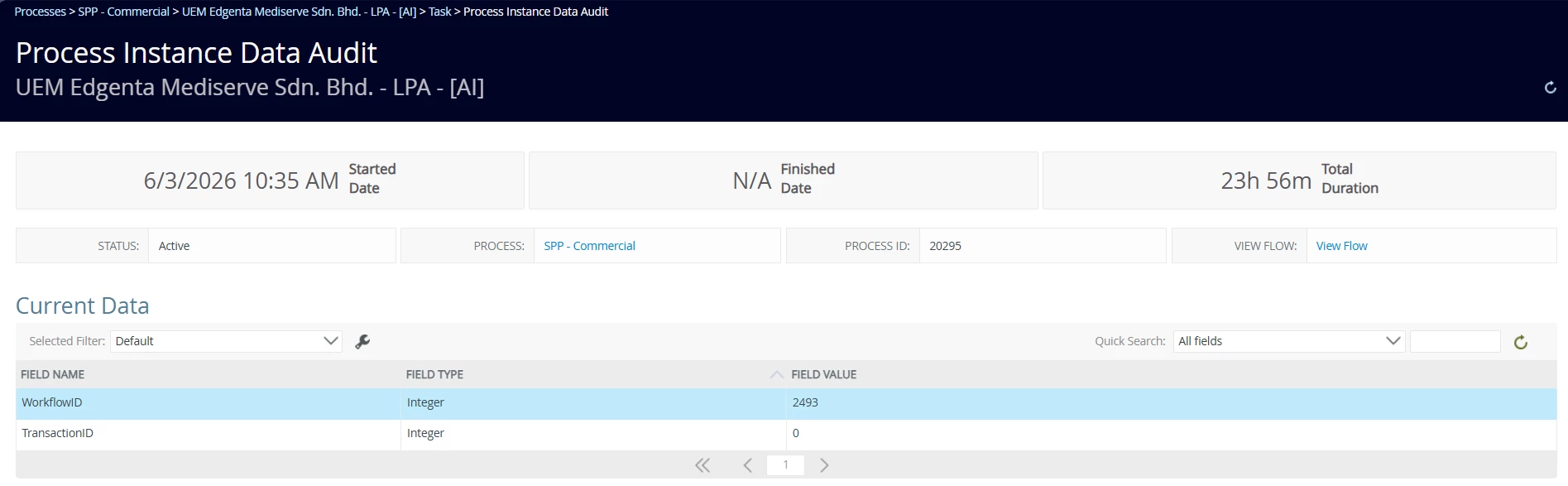
Do you know where can I get the values in Current Data (values) based on Process ID in K2 database? As you can see Process ID = 20295 and the workflow ID value is 2493. The value also needs to be input in the transaction history. 


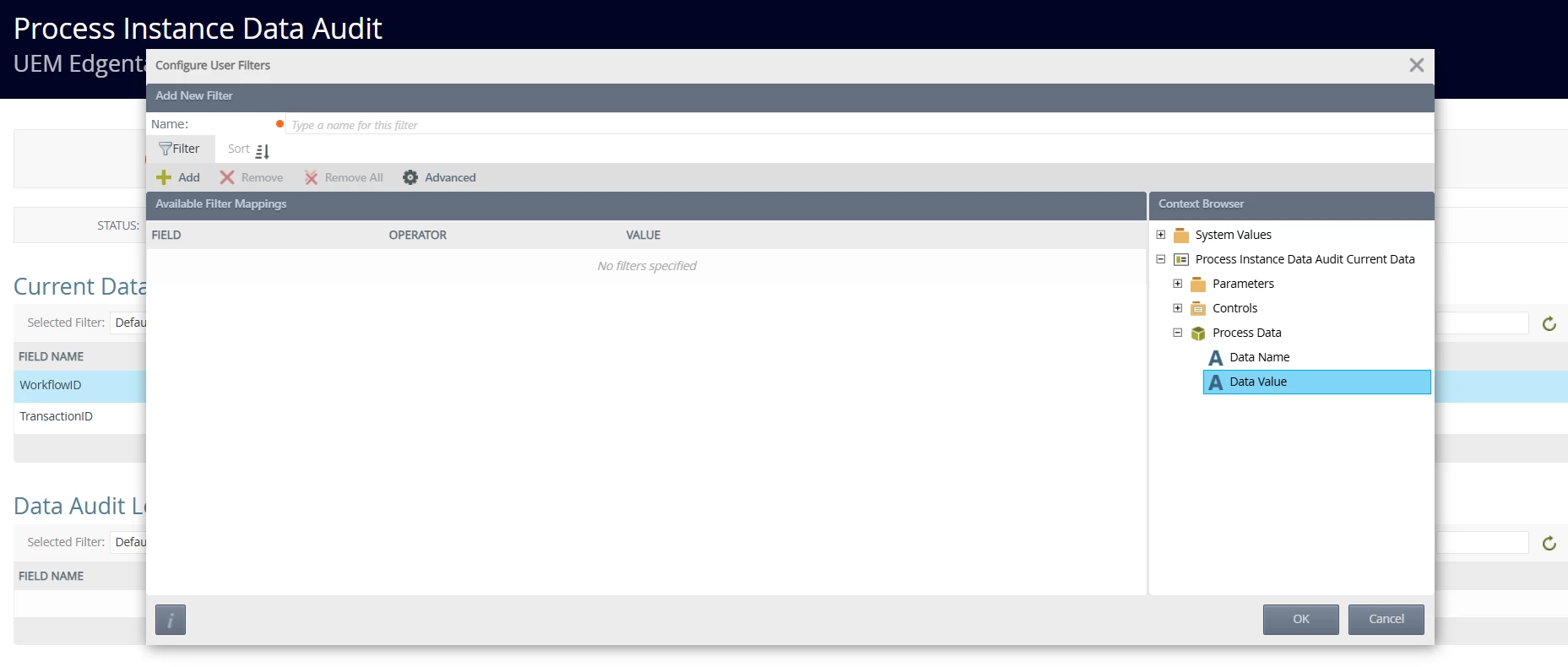
I found that it uses Process Data. However, when I check in k2 Database where the table name are [K2].[Server].[ProcData] and [K2].[ServerLog].[ProcData], the Process ID = 20295 does not record in the table. May I know the reason?


Forum|alt.badge.img+2

Hi Arvind,

It's okay I have the data I want. Thank you for your help!