Nintex Community Menu Bar
Solved

The forms are impacted due to upgrading K2 Five version 5.4 to 5.9 - How?

  • June 12, 2026
  • 1 reply
  • 34 views

Forum|alt.badge.img+2

Hi guys,

Has anyone upgraded their K2 Five environment from an older version to the latest one? I recently upgraded mine from version 5.4 to 5.9, and some of the forms have been impacted as a result.

How did you handle these issues? Did you recreate the affected forms or views, or is there another solution to resolve them without rebuilding everything?


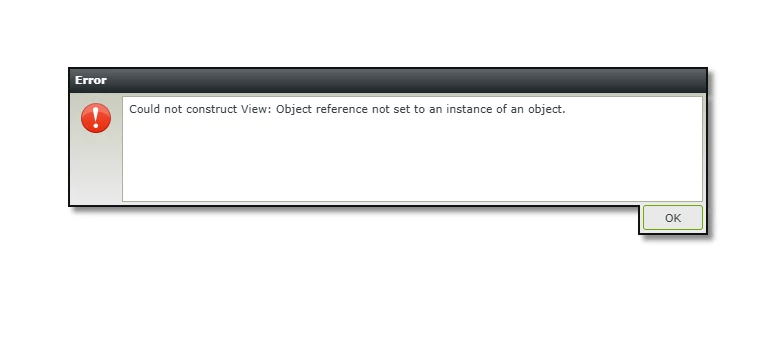
As you can see the picture below is the error because of this upgrading version:


Best answer by JRoberts

Hi!,

Not sure if you did the extra hop in your upgrade here, but you can’t go from 5.4 directly to 5.9 because there were some underlying changes that require you to go to 5.6 or 5.7 first, then go to 5.9. You can find information in the linked article here. You may need to to restore back to 5.4, then I would run the upgrade to 5.7, make sure that works, then run the upgrade to 5.9. 


1 reply

JRoberts
Nintex Employee
Forum|alt.badge.img+12
  • Nintex Employee
  • Answer
  • June 12, 2026

Hi!,

Not sure if you did the extra hop in your upgrade here, but you can’t go from 5.4 directly to 5.9 because there were some underlying changes that require you to go to 5.6 or 5.7 first, then go to 5.9. You can find information in the linked article here. You may need to to restore back to 5.4, then I would run the upgrade to 5.7, make sure that works, then run the upgrade to 5.9.