Nintex Community Menu Bar
Solved

Nintex "clasic" multiline texbox conversion to K2 5 for Sharepoint.

  • March 17, 2026
  • 6 replies
  • 30 views

Forum|alt.badge.img+3

HI, we are preparing to shift from Nintex on premise “classic” to K2 5. 
While preparing for this we noticed that sharepont multiline koloms filled by Nintex “classic” are displayed in k2 including html coding, see below. 
Does anybody have a solution for this?
Is a conversion necessary? 

<p><span style="font-size:14.6667px;"><span style="line-height&#58;107%;font-family&#58;calibri, sans-serif;background-image&#58;initial;background-position&#58;initial;background-size&#58;initial;background-repeat&#58;initial;background-attachment&#58;initial;background-origin&#58;initial;background-clip&#58;initial;">GWHLP&#160;</span></span></p><p><span style="font-size&#58;14.6667px;"><span style="line-height&#58;107%;font-family&#58;calibri, sans-serif;">ASSISTERENDE VAARDIGHEDEN</span>​</span></p><p><span style="font-size&#58;14.6667px;">OSEG</span></p><p><span style="font-size&#58;14.6667px;">Witte Weken </span></p><p><span style="font-size&#58;14.6667px;"><span style="line-height&#58;107%;font-family&#58;arial, sans-serif;">Trauma Training Ambulancezorg&#160;</span></span></p><p><span style="line-height&#58;107%;font-family&#58;arial, sans-serif;font-size&#58;14.6667px;"></span><span style="font-size&#58;14.6667px;">2 Jaar Verzorgende IG niet behaald </span>​<br><br></p>

Best answer by TinTex

Are you currently using a text area control or a rich text control?  The screenshot seems to indicate text area.  You can try changing the control to a rich text control and seeing if it changes how the tags are displayed.

Text Area Control

vs

Rich Text Control

6 replies

Forum|alt.badge.img+11
  • Nintex Employee
  • March 19, 2026

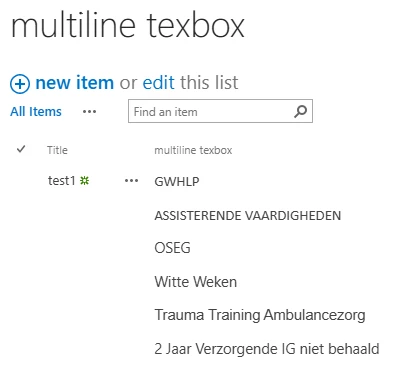
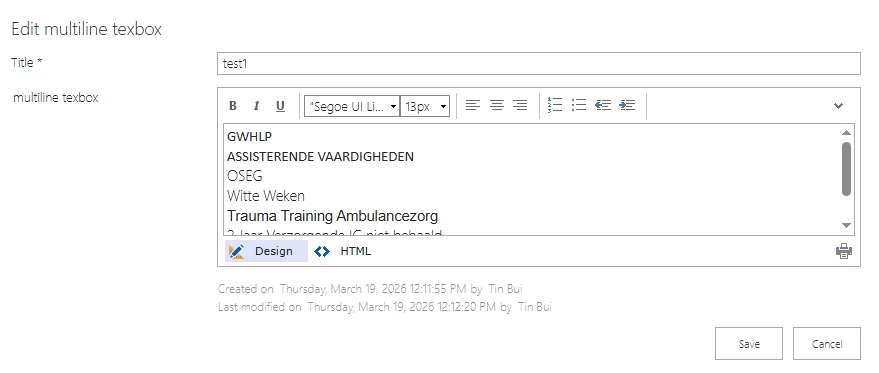
If this is how it looks like SharePoint:


Then when you generate K2 forms, it will automatically be handled as:

At design time it is handled as a ‘Rich Text’ control.


MillaZ
Nintex Employee
Forum|alt.badge.img+23
  • Nintex Employee
  • March 23, 2026

Hi ​@Arnie0071 
Has this reply answered your question?


Forum|alt.badge.img+3
  • Author
  • Rookie
  • March 26, 2026

Hi MillaZ.

Unfortunately no. It is in the form that it looks like that.
New input is handled correctly, its the old input/data from the Nintex “Classic” that's the problem. 
I'm working on a workflow to strip the data.
But I'm having a bit of problems getting the regex to work. 
Does Regex work in te replace text function? 
Te generic regex function don't look like what im searching. 
Any help would be apricated. 


Forum|alt.badge.img+11
  • Nintex Employee
  • Answer
  • March 26, 2026

Are you currently using a text area control or a rich text control?  The screenshot seems to indicate text area.  You can try changing the control to a rich text control and seeing if it changes how the tags are displayed.

Text Area Control

vs

Rich Text Control


MillaZ
Nintex Employee
Forum|alt.badge.img+23
  • Nintex Employee
  • March 30, 2026

Hi ​@Arnie0071 please see the reply above ^


Forum|alt.badge.img+3
  • Author
  • Rookie
  • March 30, 2026

Yes, I reached the same conclusion after giving it some more thought. I’ve now disabled rich text. Thankx for teh support.