Nintex Community Menu Bar
Question

How we can Redirect WorkList Item using the SmartObject API

  • August 4, 2026
  • 5 replies
  • 20 views

Forum|alt.badge.img+3

Hi Team,

I am working on migrating one of our application to use the Nintex K2 Automation and sunset the K2 blackpearl. 

SourceCode.Workflow.Management.WorkflowManagementServer managementServer = (WorkflowManagementServer)getK2ConnectionObject(K2ConnectionType.WorkflowManagementServer, null);

  if (managementServer.RedirectWorklistItem(formattedFromUserNTLogin, formattedToUserNTLogin, wi.ProcInstID, wi.ActInstDestID, wi.ID))
                            {
                                itemsRedirected++;
                            }

I want to use the SmartObject API to redirect Work List Item instead of the dlls. How i can achieve that any help would be appreciated.

 

5 replies

ScottCaseIT
Nintex Partner
Forum|alt.badge.img+4
  • Nintex Partner
  • August 4, 2026

When you say SmartObject API are you meaning the actual Client APIs much like the management APIs you are using, or do you want to use the ODATA v4 endpoint?


In either case, if you look in K2 Designer under the system Category there are smart objects to undertake management tasks. Or if you are familiar with the SmartObject Tester Tool you can look under the system category there as well.

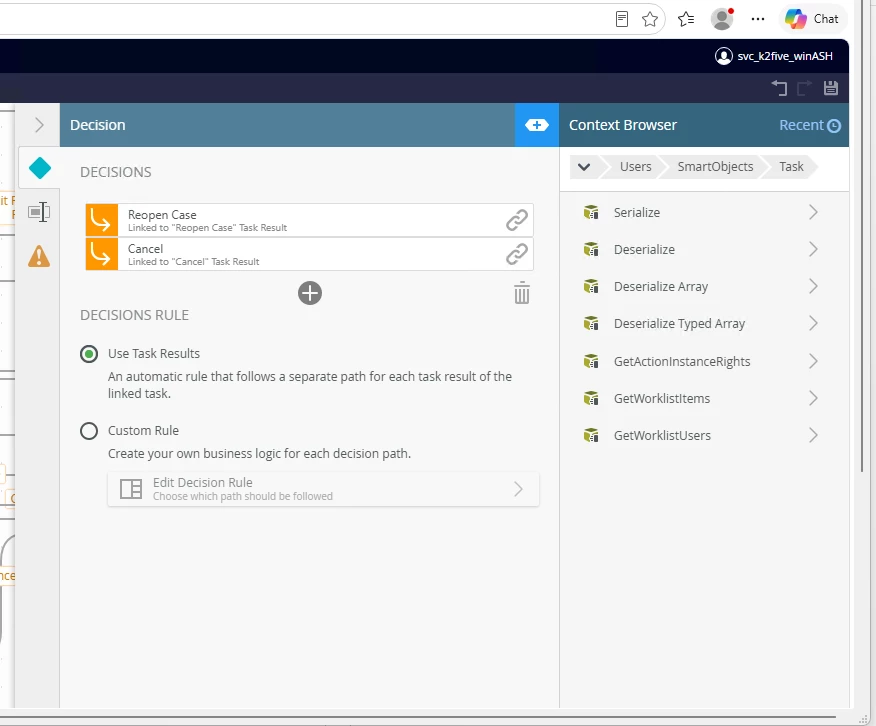
You might try System\Management\Users\SmartObjects and the Task smartobject.

It has the Redirect functionality and should allow you to do it if you have proper administrative permissions.


Forum|alt.badge.img+3
  • Author
  • Rookie
  • August 4, 2026

Thanks for the quick response. I am using the ODAT v4 endpoint.  I don’t find any method as RedirectWorkListItems. Is it referenced as different method name?


ScottCaseIT
Nintex Partner
Forum|alt.badge.img+4
  • Nintex Partner
  • August 4, 2026

Ahh, the key distinction here is that you didn’t specify you wanted to do this from inside the workflow. I was approaching it from the standpoint you were wanting to redirect from outside of the workflow. 

For starters, you cannot use an external call from within the workflow to act upon itself as that will cause deadlocks in the DB as creates what Dr. Who would call a paradox. 😁

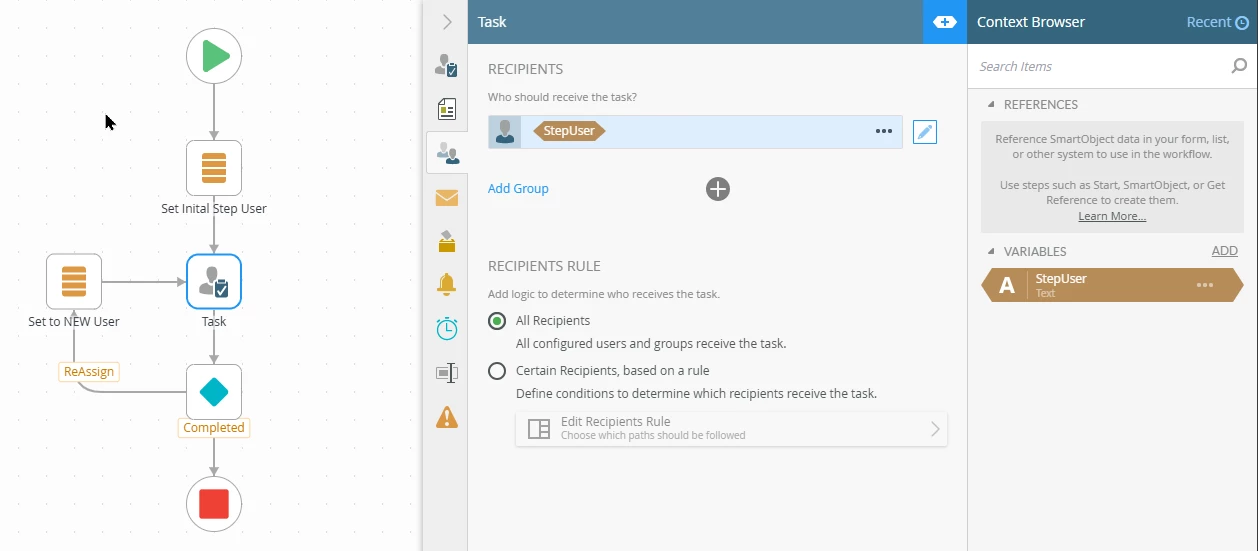
In this case, since you are already in the workflow, you can just design the reassign type of pattern into the workflow by having a line rule go back to the step you want to reassign as part of some action taken, no code is needed, really wasn’t needed before as it is standard functionality in the K2 workflow designer. 

You may need to tweak how you specify the target user in the step using some sort of updatable means like a workflow variable that you can change in the workflow. Kinds of like…


Forum|alt.badge.img+3
  • Author
  • Rookie
  • August 4, 2026

The real problem with the older approach to redirect is handled through code not with in the workflow. In the application once the user selects the particular user to take the ownership and then user click on the Take Ownership button which will call the below logic. My question is how we can migrate this to use the Smart Object OData endpoint


public int redirectUserWorkListItemsNew(string processID, string fromUserNTLogin, string toUserNTLogin)
        {
            int itemsRedirected = 0;

            SourceCode.Workflow.Management.WorkflowManagementServer managementServer = (WorkflowManagementServer)getK2ConnectionObject(K2ConnectionType.WorkflowManagementServer, null);
            string formattedFromUserNTLogin = string.Format("K2:{0}", fromUserNTLogin);
            string formattedToUserNTLogin = string.Format("K2:{0}", toUserNTLogin);

            // AH - 6/12/2015 - Updating this to lookup the process and get the folio name to filter on, rather than the K2FolioPartial and the processID.
            // Cases like the informal to formal, the folio gets called AMS_[OriginalProcessID]_Formalized
            //string processFolioName = getProcessFolio(int.Parse(processID));

            using (Connection connection = (Connection)getK2ConnectionObject(K2ConnectionType.ClientConnection, null))
            {
                var processFolioName = connection.OpenProcessInstance(int.Parse(processID)).Folio;

                // Add the filters for Folder\ProcessName and User
                string filter = $"startswith(Destination,'{formattedFromUserNTLogin.Replace("'", "''")}') and startswith(Folio,'{processFolioName.Replace("'", "''")}')";
                string worklistUrl = $"{K2SmartObjectODataApiUrl}/com_K2_System_Management_SmartObject_Task?Method=GetWorkListItems&$filter={Uri.EscapeDataString(filter)}";

                // Apply the filters for Folder\ProcessName and User
                HttpResponseMessage worklistResponse = HttpClient.GetAsync(worklistUrl)
                    .ConfigureAwait(false).GetAwaiter().GetResult();
                worklistResponse.EnsureSuccessStatusCode();

                string worklistContent = worklistResponse.Content.ReadAsStringAsync()
                    .ConfigureAwait(false).GetAwaiter().GetResult();

                var worklistResult = JsonConvert.DeserializeObject<K2WorklistResponse>(worklistContent);
                var WorkListItems = worklistResult?.Value ?? new List<K2WorklistItem>();

                // Loop through to identify the appropriate work list item based on the Serial Number
                foreach (K2WorklistItem wi in WorkListItems)
                {
                    string SN = (processID.Trim() + "_" + wi.ActInstDestID);
                    if (SN == String.Concat(wi.ProcInstID.ToString().Trim(), "_", wi.ActInstDestID.ToString().Trim()))
                    {
                        try
                        {
                            // Do the redirect
                            if (managementServer.RedirectWorklistItem(formattedFromUserNTLogin, formattedToUserNTLogin, wi.ProcInstID, wi.ActInstDestID, wi.ID))
                            {
                                itemsRedirected++;
                            }
                        }
                        catch (Exception e)
                        {
                            throw new ApplicationException(" Error Redirecting Worklist Item: " + e);
                        }
                    }
                }
            }
            return itemsRedirected;
        }


ScottCaseIT
Nintex Partner
Forum|alt.badge.img+4
  • Nintex Partner
  • August 4, 2026

I am not sure exactly what you are asking. You can use the Task smart object with the OData endpoint (links below for reference, you may have already checked them out but including them for posterity) to execute the redirection related method to redirect the task. 

I am not sure what the question that you are asking. Are you having an implementation challenge with the OData endpoint itself? Is it a question about the SmartObject usage?

For future reference:

One thing you may run into is that by default the auth setting on the endpoint is limited to Basic and you’d have to take a service account approach to the consumption of the endpoint. 

Have you tried using the SmartObject tester tool with the Smart Object directly test out what you are trying to accomplish with the OData call?