
Nintex Community Menu Bar
Question

Header in Style Profile

  • February 2, 2026
  • 3 replies
  • 14 views

Nicki
Forum|alt.badge.img+1

I've created a style profile and am trying to get a header with a logo that will be above the tabs in the form. I have created a.css file that links to a.png image that is also on the server. But when I want to link the.css file into the Style Profile, it says "We were unable to validate it because the file exists. Link anyway?"

We have K2 on Prem v.5.8

3 replies

ScottCaseIT
Forum|alt.badge.img+3
  • Novice
  • February 2, 2026

I've created a style profile and am trying to get a header with a logo that will be above the tabs in the form. I have created a.css file that links to a.png image that is also on the server. But when I want to link the.css file into the Style Profile, it says "We were unable to validate it because the file exists. Link anyway?"

We have K2 on Prem v.5.8

Hi Nicki,

Can you provide an example of the CSS you are using to link the image?


Nicki
Forum|alt.badge.img+1
  • Author
  • Rookie
  • February 2, 2026

Hi, Absolutely, 

.custom-header {
    width: 100%;
    background-image: url('\\Runtime\Styles\StyleProfileTrafikverketHeader\Logo2026.png');
    background-color: #ffffff;
    padding: 10px 20px;
    border-bottom: 1px solid #ccc;
    display: flex;
    align-items: center;
}

.header-logo {
    height: 50px;
}


ScottCaseIT
Forum|alt.badge.img+3
  • Novice
  • February 2, 2026

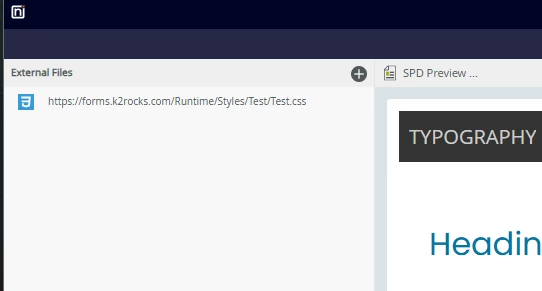
So I was able to take your code snippet and create a css file. I added the file to my SmartFormsRuntime/Styles directory which in my case is C:\Program Files\K2\K2 smartforms Runtime\Styles\Test

And then was able to add it without issues.


In my case I did use the fully qualified URL for the link using the DNS for my K2 farm.

Also, you might want to check your background image URL as those need to be relative, absolute or full paths to the image. I’d go relative if the image is collocated with the style sheet.