Nintex Community Menu Bar
Question

Calendar Control Validation

  • July 30, 2026
  • 3 replies
  • 30 views

Forum|alt.badge.img+15

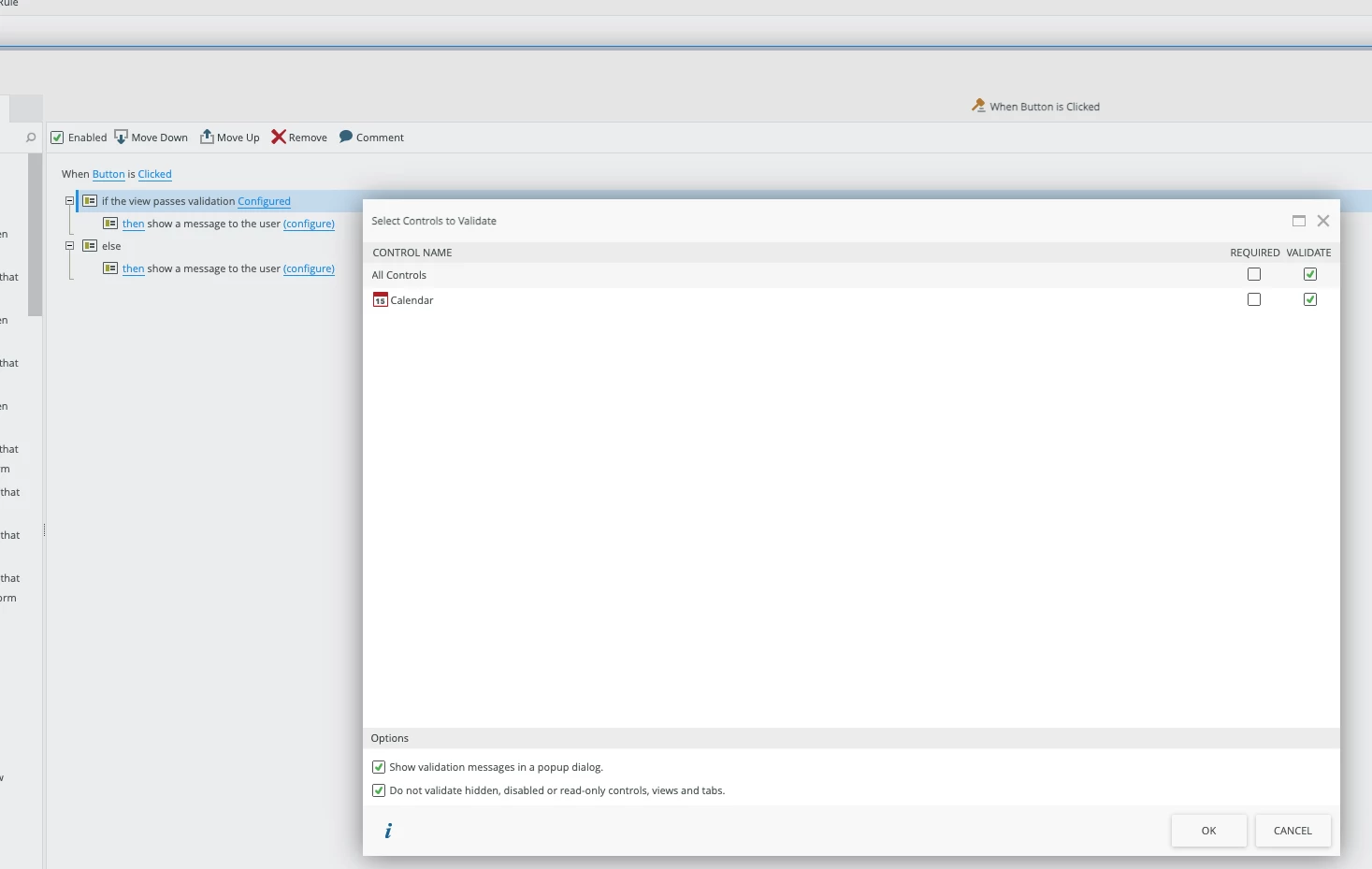
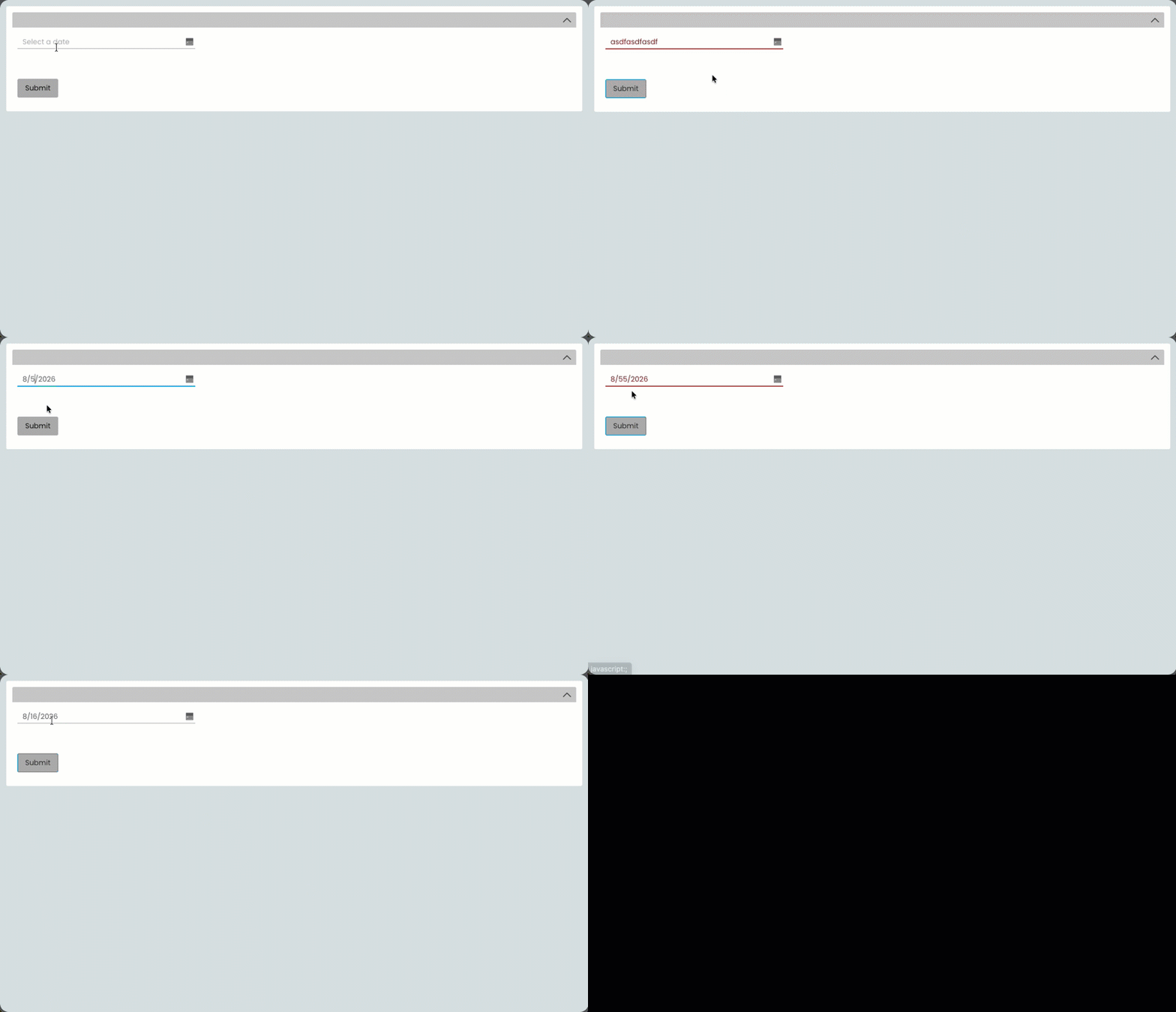
Hello Community - how do you all validate non-required calendar controls on your K2 forms? I’ve found that if the user manually types in an invalid date, the form does properly highlight it but it still passes the validate condition because the value behind the scenes in the control is blank. This is find for when the field is also required, but if it is not there is no way for the form rules to know that the control has invalid data. 

I’ve ended up building some javascript to see if any calendar control has that invalid class on it and set an is valid checkbox accordingly, preventing the user from saving/submitting if this check box is not checked. That seems like a strangely convoluted work around for what seems to be a simple issue. Am I overlooking something? Please share your solutions to this scenario. Thanks!
3 replies

JRoberts
Nintex Employee
Forum|alt.badge.img+12
  • Nintex Employee
  • July 30, 2026

I played around with it a little and it looks like the date value will be visible to the rules at runtime if a valid date is selected or hand entered correctly. If it’s entered in with a bad value, then the Calendar control does appear to evaluate to Empty when validating in a conditional rule. Try putting an advanced condition check on the Calendar and if it’s empty, then a date was either not selected or the value was entered incorrectly. 


Forum|alt.badge.img+15
  • Author
  • Nintex Partner
  • July 30, 2026

Thank you for the suggestion, but the issue is how to prevent the form from being submitted if there is an invalid value in the Calendar control and a value for the Calendar control field is not required. Since it evaluates to an empty value, it will pass the validation check and the user won’t know that the invalid value they entered will not be saved. Granted, the control does get a big red border around it but I would prefer to be able to pop a message box on Submit that lets the user know there are invalid values and prevent the submit from taking place until they correct it.


JRoberts
Nintex Employee
Forum|alt.badge.img+12
  • Nintex Employee
  • July 30, 2026

Oh, right. 😅 I rushed through that a bit too fast. I see what you mean. I’ll keep looking at it and ask around.