



SmartObjects are often the main point of access to business data within a K2 solution. While standard methods make it easy to retrieve records, many solutions also need methods that answer business questions. How many sales have been recorded? What is the total value of those sales? What is the average transaction amount? Traditionally, requirements like these would often be handled through a database view or stored procedure.
That approach works, but it introduces additional dependencies. Designers may not have direct access to the database, and even small reporting requirements can require involvement from database administrators or development teams.
With K2 5.10, SmartObject Advanced Queries bring these types of operations directly into the SmartObject Designer. Designers can create methods that perform calculations, aggregations, and other query operations without needing to create separate database objects. The result is a cleaner solution design in which more of the business logic remains within K2.
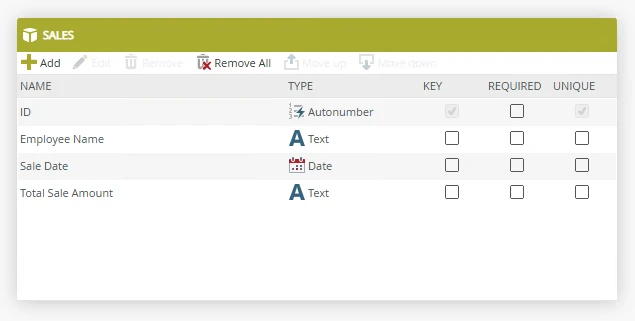
Let's look at a simple Sales SmartObject that stores quarterly sales information using properties like:
A business user is rarely interested in reviewing every sales record individually. More often, they want summary information that helps them understand overall performance.
For example, a sales manager might want to know:
- What is the average value of a sale?
- What was the highest sale recorded?
- What was the lowest sale recorded?
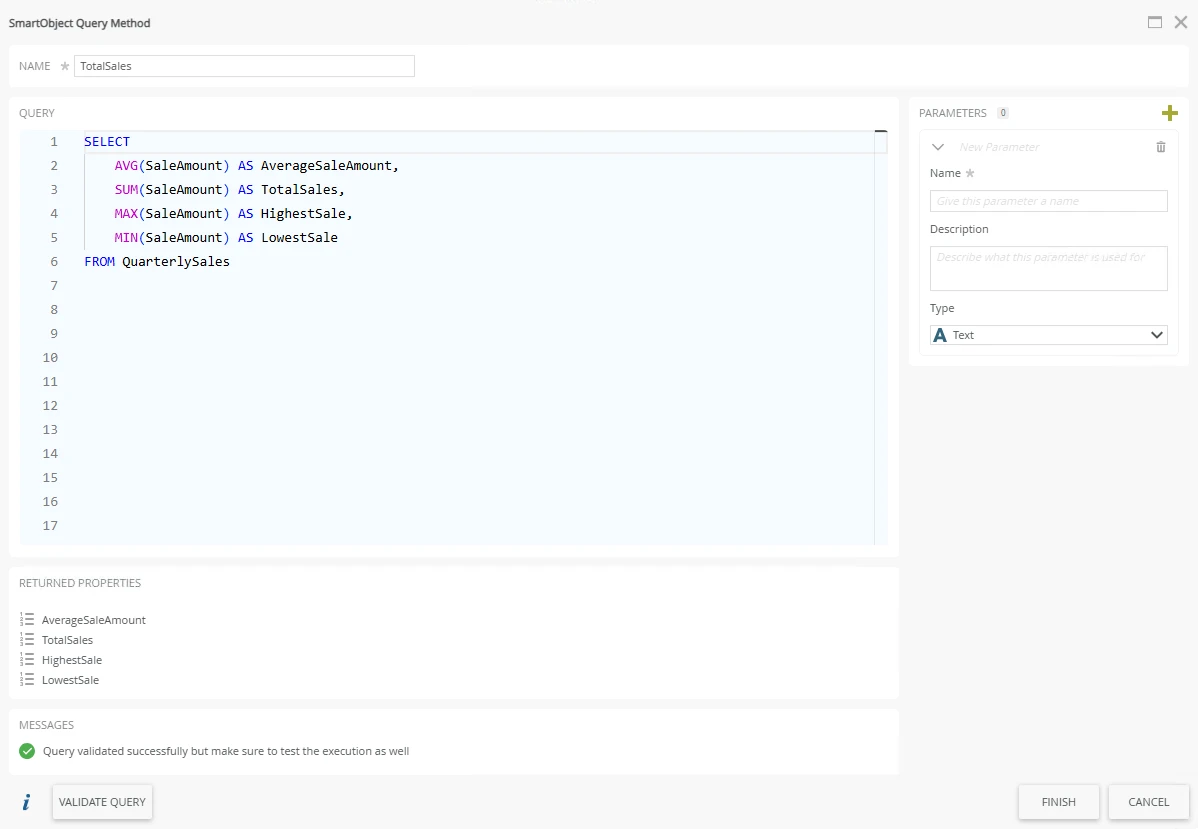
With SmartObject Advanced Queries, a designer can create a method within the Sales SmartObject that returns these same results without having to create and maintain a stored procedure. In this example, the query calculates the average sale amount, total sales, highest sale, and lowest sale directly from the sales data. The query definition is configured within the SmartObject Designer, making it easy to build reusable methods that can be consumed by forms, workflows, and reports throughout the solution.
A Practical Example
A sales dashboard is a good example of a use case where Advanced Queries can be useful. When a manager opens the dashboard, they don't need to review every transaction individually. What they're looking for is a summary of sales performance that highlights the metrics that matter most.
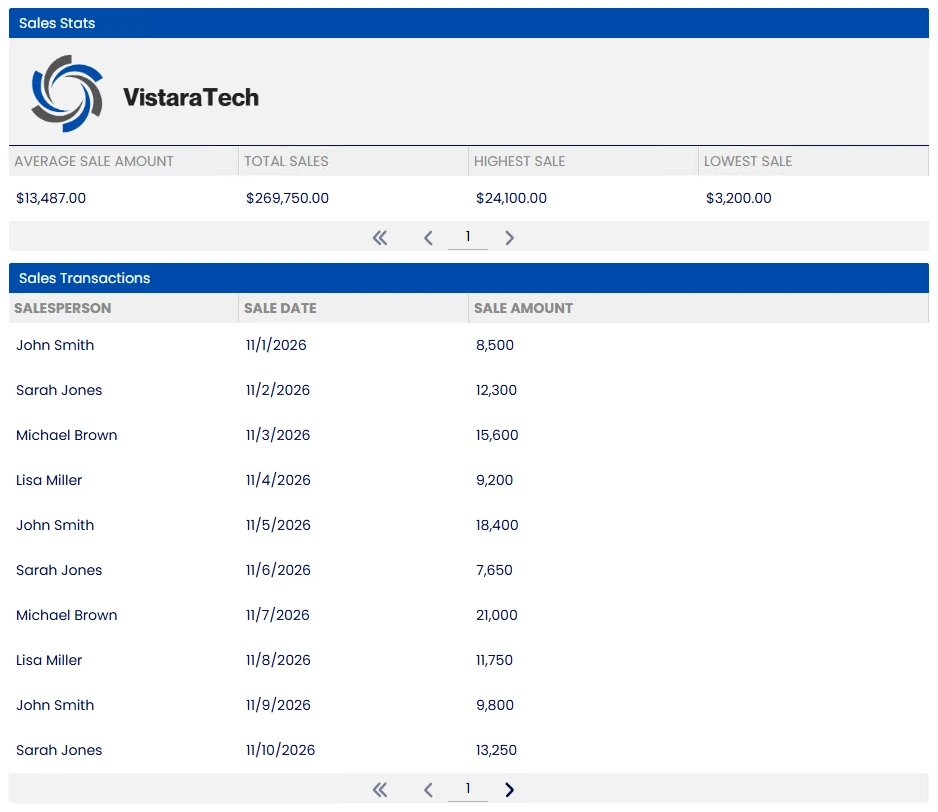
The dashboard can then display these values as soon as the form loads, giving managers an immediate overview of sales performance. Rather than reviewing individual transactions, they can quickly see key metrics such as total sales, average sale value, and the highest and lowest recorded sales.
While this example focuses on sales data and aggregate functions, the same approach can be used for a wide range of query requirements. Designers can create methods that perform calculations, return filtered datasets, apply sorting, limit results, or expose aggregated values, depending on the needs of the solution.
By defining this logic within the SmartObject, related query functionality remains easy to find and maintain. Whether a method is being used to drive a dashboard, support a workflow, populate a report, or return a specific subset of data, Advanced Queries give designers more flexibility when shaping how data is retrieved and presented.