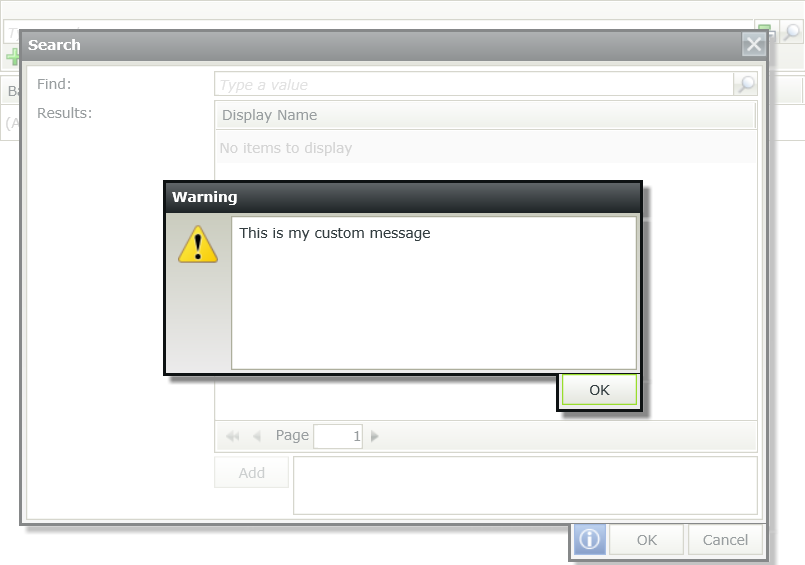
How to change the pop up validation message on a picker control
kbt152815
PRODUCTK2 smartforms
BASED ONK2 smartforms (all)
This article was created in response to a support issue logged with K2. The content may include typographical errors and may be revised at any time without notice. This article is not considered official documentation for K2 software and is provided "as is" with no warranties.
LEGACY/ARCHIVED CONTENT
This article has been archived, and/or refers to legacy products, components or features. The content in this article is offered "as is" and will no longer be updated. Archived content is provided for reference purposes only. This content does not infer that the product, component or feature is supported, or that the product, component or feature will continue to function as described herein.
Objective
Changing the pop-up validation message on a picker control:
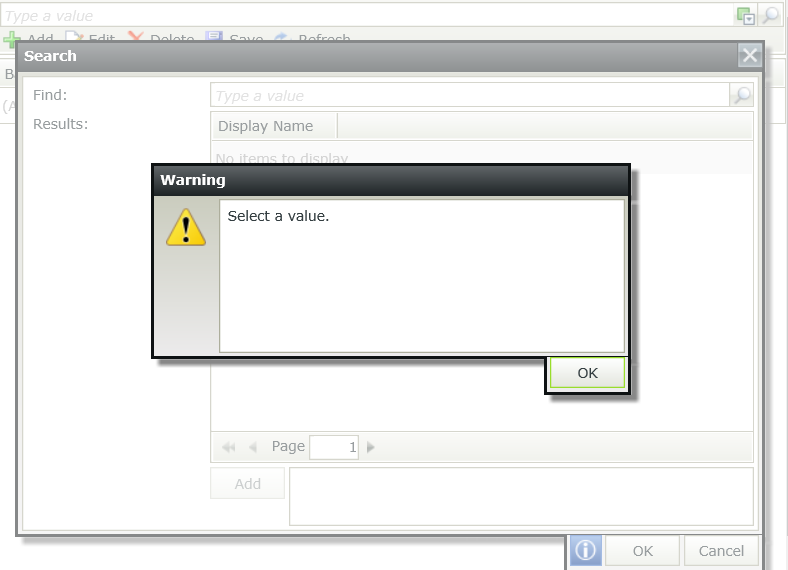
Before You Begin
If we are using the Picker Control, we unfortunately can't modify the pop-up message. You can log a feature request on https://ideas.k2.com/How-to Steps
Workaround
1. Add a data label on the form or view, and then check the 'Literal' option
2. Add an expression to the new control as below:
<script type="text/javascript">
$(window).load(function (){
$(document).ready(function(){
$(".wrapper").attr("data-searchmodalerrorselectavalue","This is my custom massage");
})
;});
</script>
3. Test: