



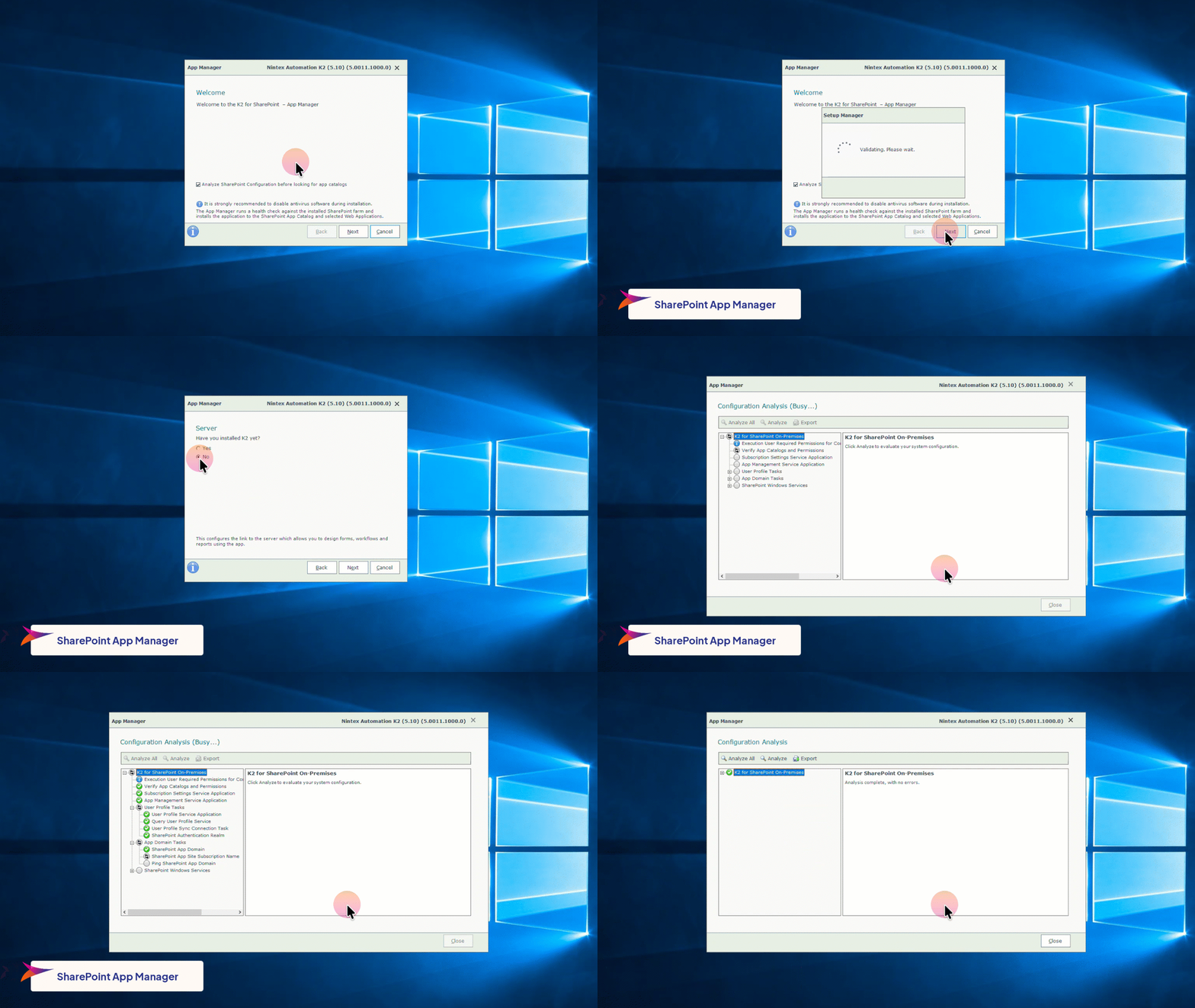
The K2 SharePoint App Manager is a standalone utility that helps you validate your SharePoint environment for K2. It runs a series of checks and points out anything that may need attention, giving you a clearer picture of the environment before you begin.
Configuration issues aren't always obvious until you're busy with an installation or troubleshooting session. Rather than manually hunting through SharePoint settings, the App Manager helps you quickly identify potential problems and provides additional information when something needs attention.
Before you begin
Before running the SharePoint App Manager, ensure that you have access to the SharePoint environment you want to analyze, including access to a SharePoint server and the necessary permissions to run SharePoint PowerShell commands. Microsoft .NET Framework 4.8 is required to run the SharePoint App Manager launcher.
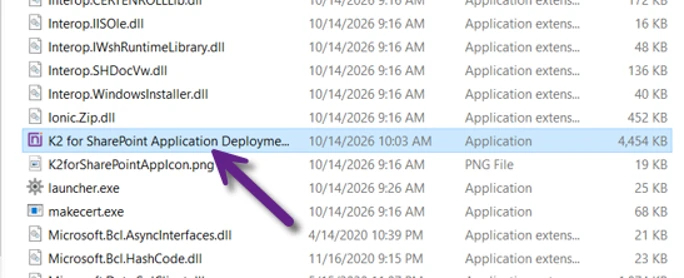
To access the tool, locate and extract the K2 for SharePoint Application Deployment.exe file.
After extracting the file, run appmanager.exe.
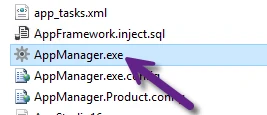
In a distributed environment, the executable can be copied to the appropriate SharePoint server. In a single-server environment, it can be run locally.
Scenario 1: Validate SharePoint Before Installing K2
The SharePoint App Manager supports a No K2 scenario, allowing administrators to run configuration analysis and validate the SharePoint environment before K2 is installed. In this mode, the SharePoint App Manager validates the SharePoint app infrastructure before a K2 deployment begins. This provides a way to identify and address environment issues before starting the installation process.
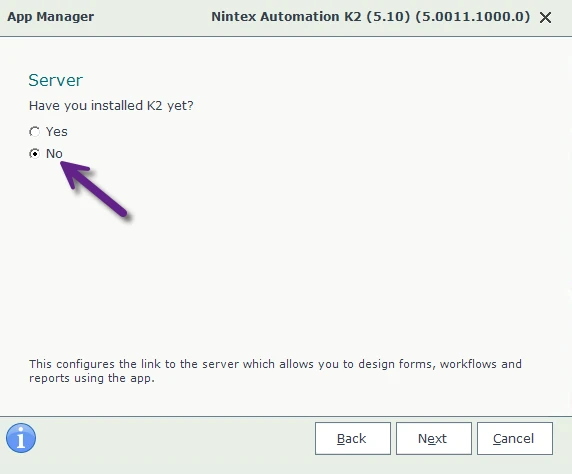
Once you've selected the No K2 option, the SharePoint App Manager automatically analyses the environment and displays the results. If any checks fail, you can review the additional information provided to help identify what needs attention.
Scenario 2: Validate an Existing K2 Environment
The SharePoint App Manager can also be used in environments where K2 is already installed. In this scenario, the tool performs configuration analysis against an existing K2 deployment. When running in this mode, the K2 URL must be provided before the analysis can begin.
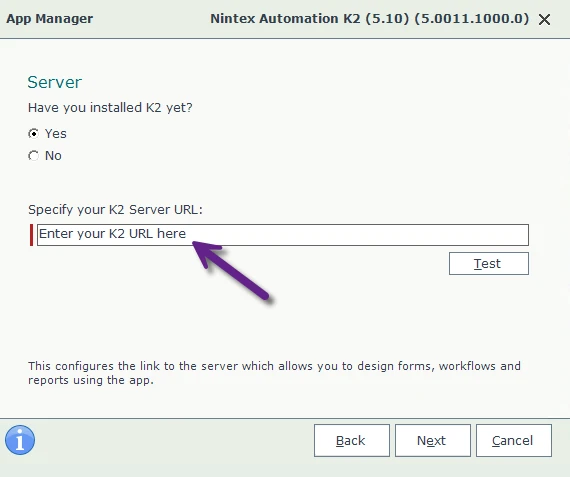
This scenario can be useful when validating an existing deployment or reviewing the environment after infrastructure or SharePoint changes have been made.
Understanding Configuration Analysis Results
At the core of the SharePoint App Manager is the Configuration Analysis feature. The analysis performs environment checks and validates the SharePoint app infrastructure required by K2.
The goals of the analysis are to:
- Provide a basic environment and health check.
- Provide clearer errors when something fails.
- Present results in a simple format that highlights whether the environment is healthy or requires attention.
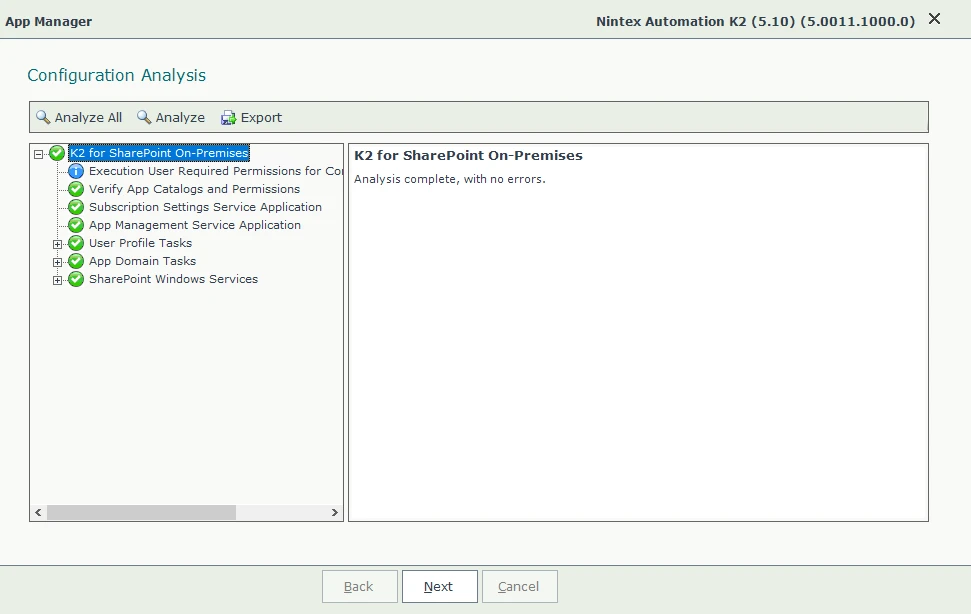
K2 5.10 also introduces additional validation checks, including checks related to the SharePoint authentication realm. This is particularly relevant in environments where SharePoint Subscription Edition upgrades or SharePoint database changes have occurred.
Troubleshooting Failed Checks
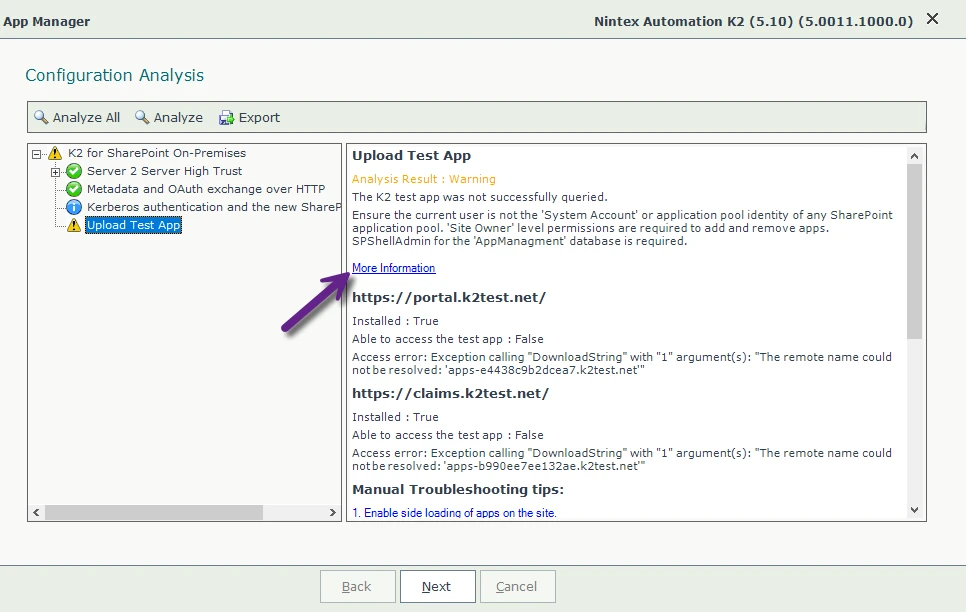
When a validation check fails, the SharePoint App Manager provides additional information to help investigate the issue. Each failed check includes a More Info option that links to documentation explaining what needs to be done. This allows administrators to review guidance and supporting documentation directly from the tool.
Exporting Results
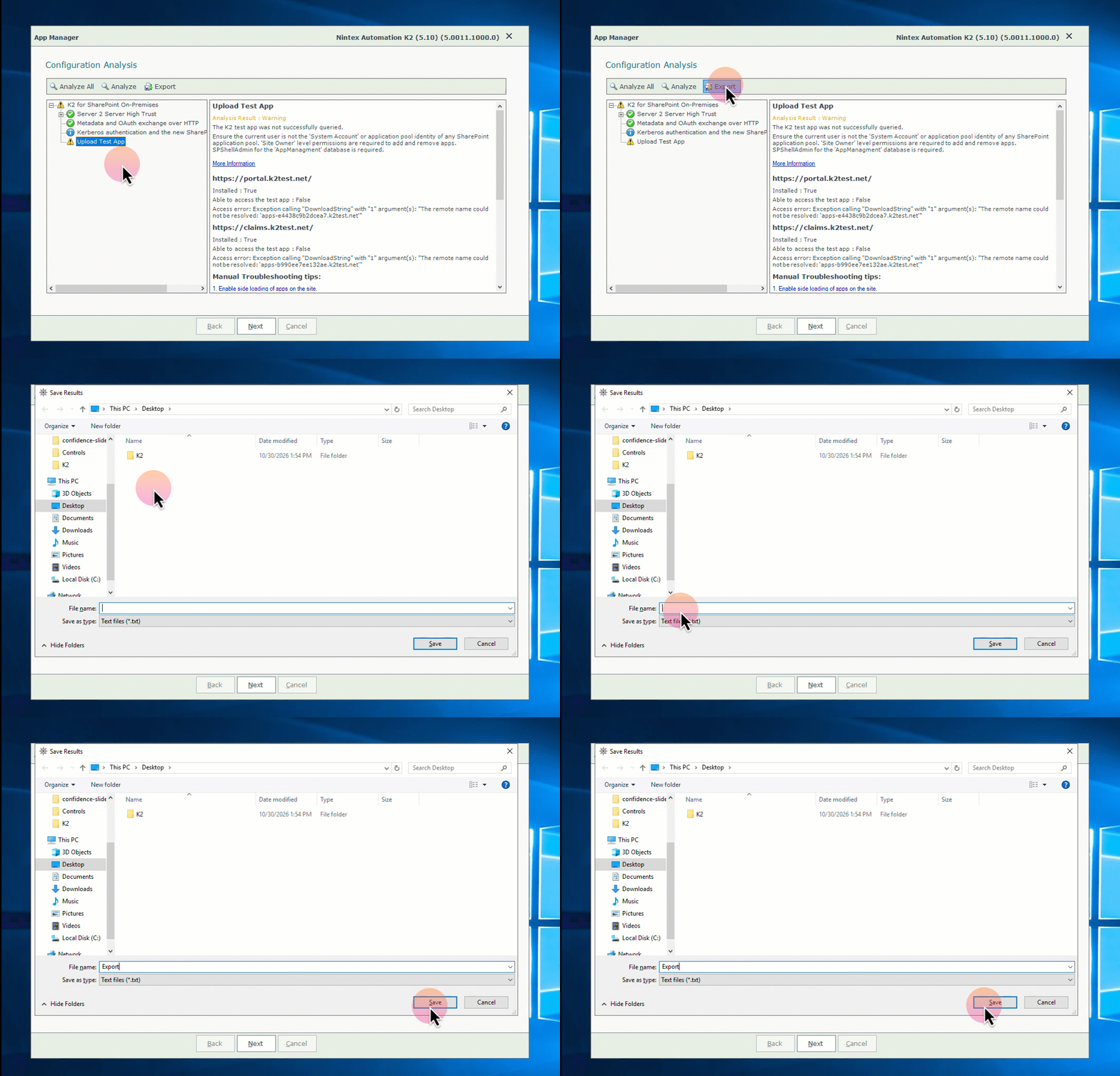
The results of the configuration analysis can be exported directly from the tool. Selecting Export generates an output file containing the results of the executed checks. This provides a record of the analysis that can be reviewed later or shared with other administrators when investigating environment issues.
Closing
The K2 SharePoint App Manager provides a way to validate SharePoint environments both before and after K2 installation. Whether preparing for a new deployment or verifying an existing environment, the tool helps administrators identify configuration issues, review environment health, and access guidance when corrective action is required.