



K2 Five 5.10 introduces JSON Property support for SmartObjects, making it possible to store structured JSON data as a SmartObject property. Prior to this update, SmartObjects have been built around a fixed set of properties, with values such as customer names, order values, departments, and statuses stored individually.
That works well when the structure of the data is known and unlikely to change, but it can become less practical when working with complex datasets, external services, or requirements that evolve over time. In these situations, storing the data as JSON provides more flexibility while still keeping it structured.
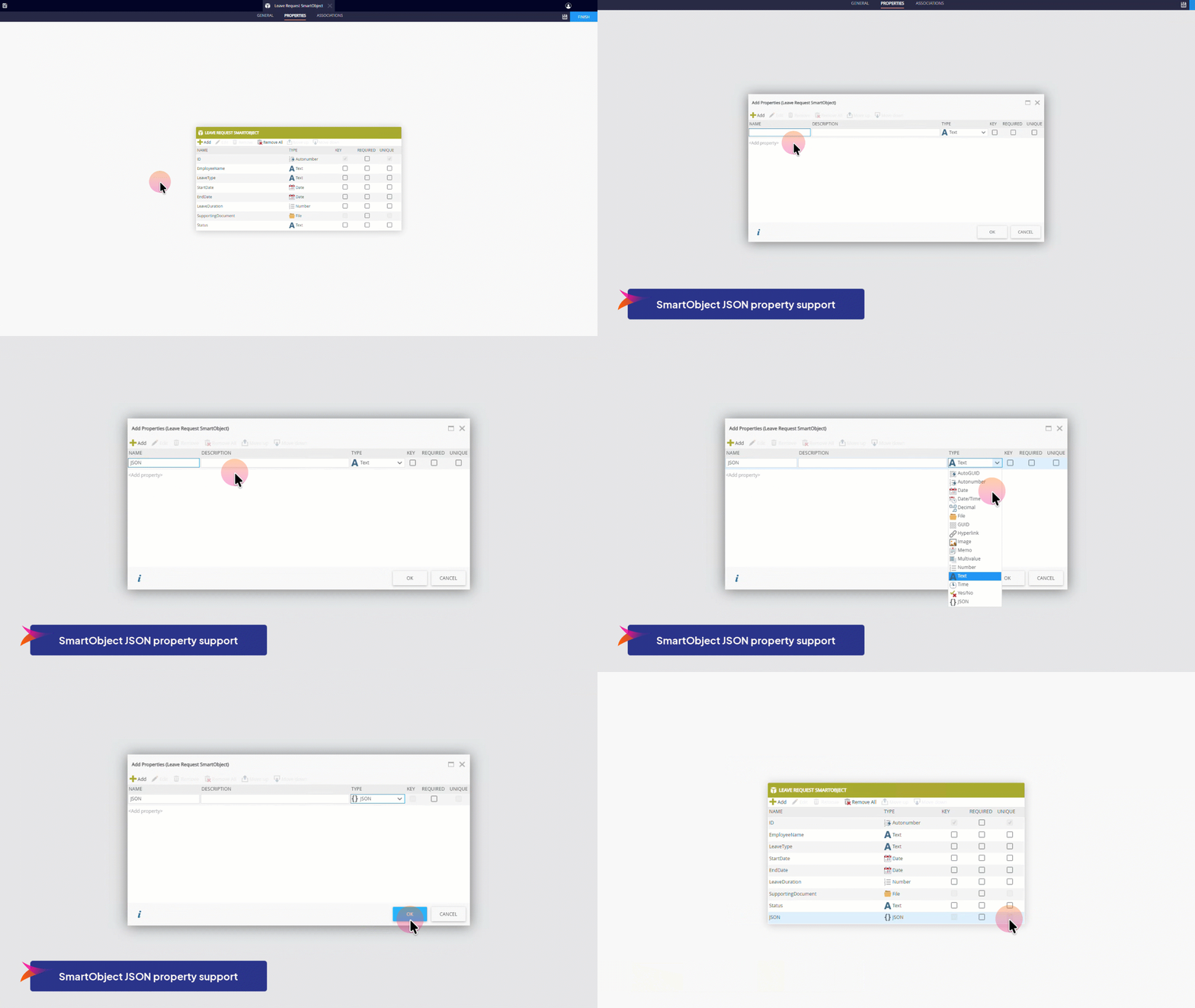
Rather than creating a SmartObject property for every individual value, a complete set of related information can be stored in a single JSON Property. This keeps the data together as a structured document and makes it easier to work with information that comes from external systems. Since many modern services already exchange data as JSON, responses from REST APIs, cloud applications, and AI services can be stored without first mapping every value to a separate SmartObject property. When specific values are needed, they can be retrieved directly from the JSON structure.
Storing Structured Data
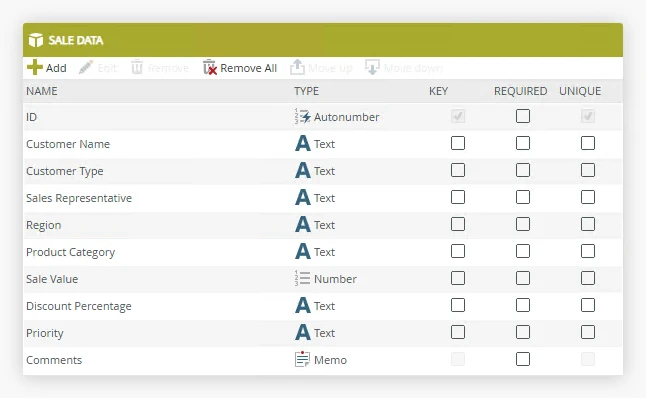
Let's take a sales discount request as an example. A sales representative submits details about the customer, the sale, and any approvals needed. In a traditional SmartObject, you would typically see properties like:
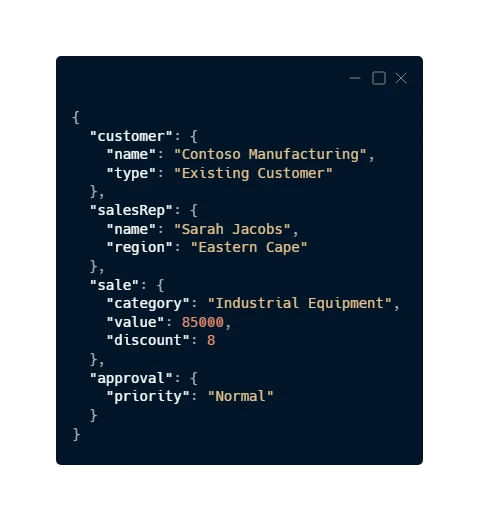
With JSON Property support, the same information can be stored in a single property:
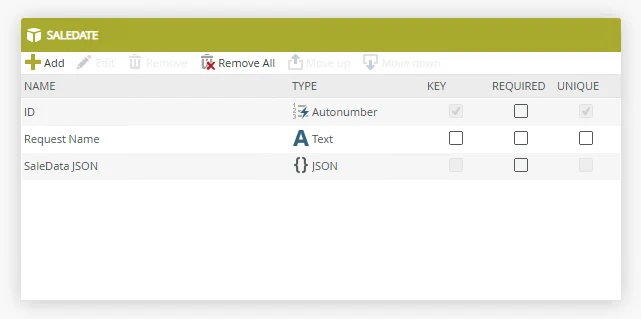
The SmartObject itself now becomes much simpler:
Adapting to Change
Business processes rarely remain static. A sales approval process that starts with customer and pricing information may later require competitor pricing, delivery information, contract details, or additional approval metadata. With a traditional SmartObject design, those changes typically require additional properties to be added and maintained. With a JSON Property, the structure can be extended without changing the overall SmartObject design.
For example:
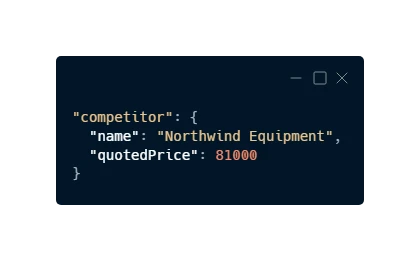
The existing structure remains intact, while additional information becomes available within the same JSON document.
Simplifying Integrations
Another place JSON Properties can be useful is when working with data returned from external services. For example, a customer support process might send an incoming enquiry to an AI service to help classify it before it's assigned to a team.
The response could look something like this:
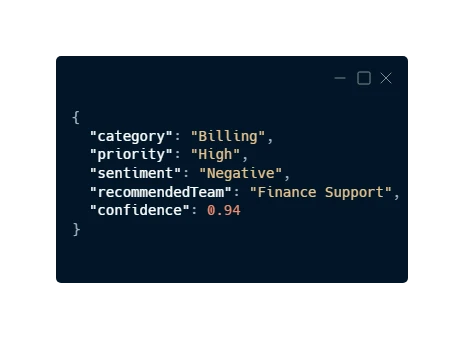
The response can be stored in a JSON Property and used throughout the solution. A support form might display the category and priority, while a workflow could use the recommended team to route the inquiry to the appropriate queue.
Completing the JSON toolkit
These examples are fairly simple, but the same approach works for much larger JSON documents. Alongside Get Value and Set Value, Complex Functions also include:
-
Add Key Value - Adds a new property to a JSON object or updates an existing one.
-
Remove Key - Removes a property and its value from a JSON object.
-
Path Exists - Checks whether a path exists within a JSON document.
-
Is Valid JSON - Verifies that content is valid JSON before it's processed.
-
Get Array Length - Returns the number of items in an array.
-
Pretty Print - Formats JSON to make it easier to read.
-
Minify - Removes formatting and whitespace from a JSON document.
These functions work particularly well with the new JSON Property support for SmartObjects introduced in K2 5.10. JSON Properties make it possible to store complex data structures directly within a SmartObject, while Complex Functions make it easier to work with that data once it reaches a form or workflow.
It doesn't really matter where the JSON comes from. Once it's available in your solution, forms and workflows can read, validate, and update values directly within the document. For solutions that work with nested objects and arrays, that can remove a lot of the effort previously involved in accessing and updating data.