



JSON is showing up in more and more K2 solutions. It might come from a REST service, an external application, an AI service, or even a JSON Property stored within a SmartObject. Getting the data into K2 is usually the easy part. The challenge often starts when you need to work with individual values inside that JSON. Take shipment tracking information as an example. A delivery system returns information about a package, including the tracking number, destination, and current delivery status.
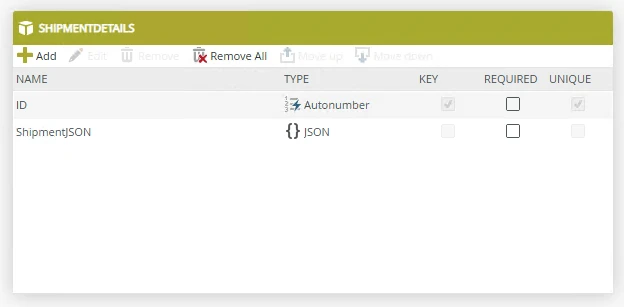
Reading the JSON is simple enough. But what happens when you need to use the delivery status in a workflow decision, display it on a form, or update it as the shipment moves through the process? For straightforward JSON structures, there have always been ways to get at the data. The problem is that JSON rarely stays simple. As integrations grow, payloads often become much larger, with nested objects and arrays spread throughout the document. Accessing a single value can require multiple serialization and deserialization steps before the data is available where it's needed. K2 5.10 introduces complex functions for SmartForms and workflows, making that process much easier.
Rather than converting JSON into intermediary structures, complex functions allow SmartForms and workflows to work directly with the JSON document. Values can be retrieved, updated, validated, and manipulated using a path that points to the exact location of the data.
A Practical Example
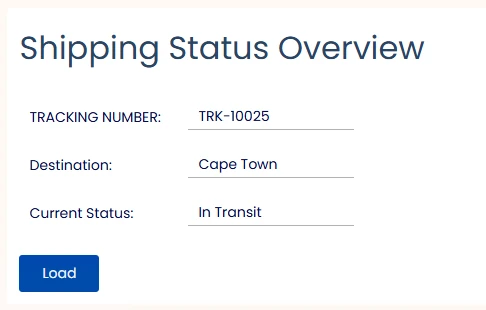
Let's use the shipment example again. Imagine a service desk form that displays information about a shipment received from an external delivery system.
The shipment information is stored as JSON:
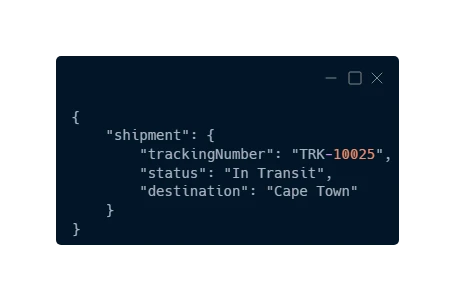
When a user opens the form, one of the first things they may want to see is the current shipment status. Instead of deserializing the JSON and exposing the value through another structure, the status can be retrieved directly from the JSON document using the Get Value function:
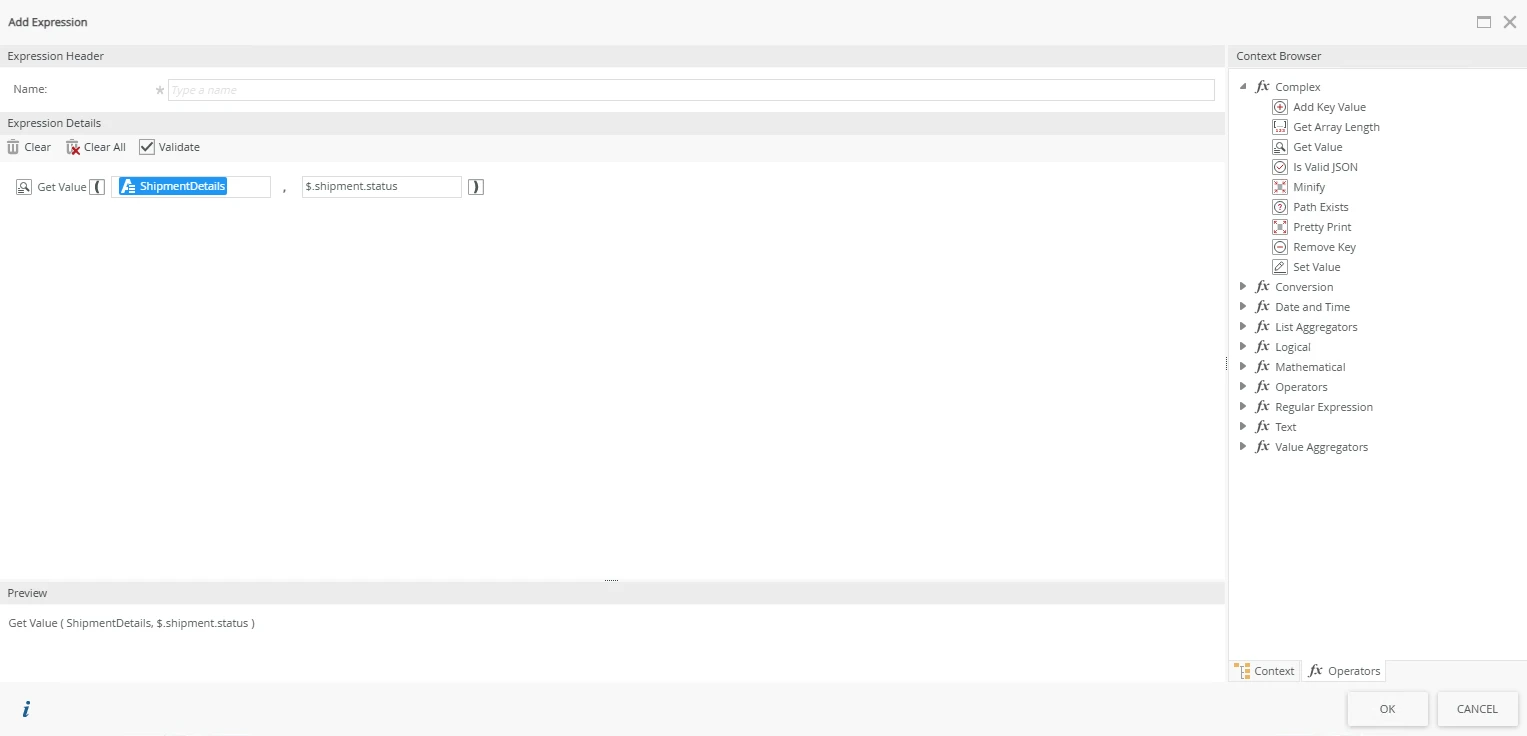
The same JSON can then be used later in a workflow. For example, after a shipment update is received, the workflow can retrieve the current status from the same JSON document and use it to determine the next step in the process. If the returned value is Delivered, the workflow could send a delivery confirmation to the customer. If the value is In Transit, the workflow could continue monitoring the shipment and wait for the next update.
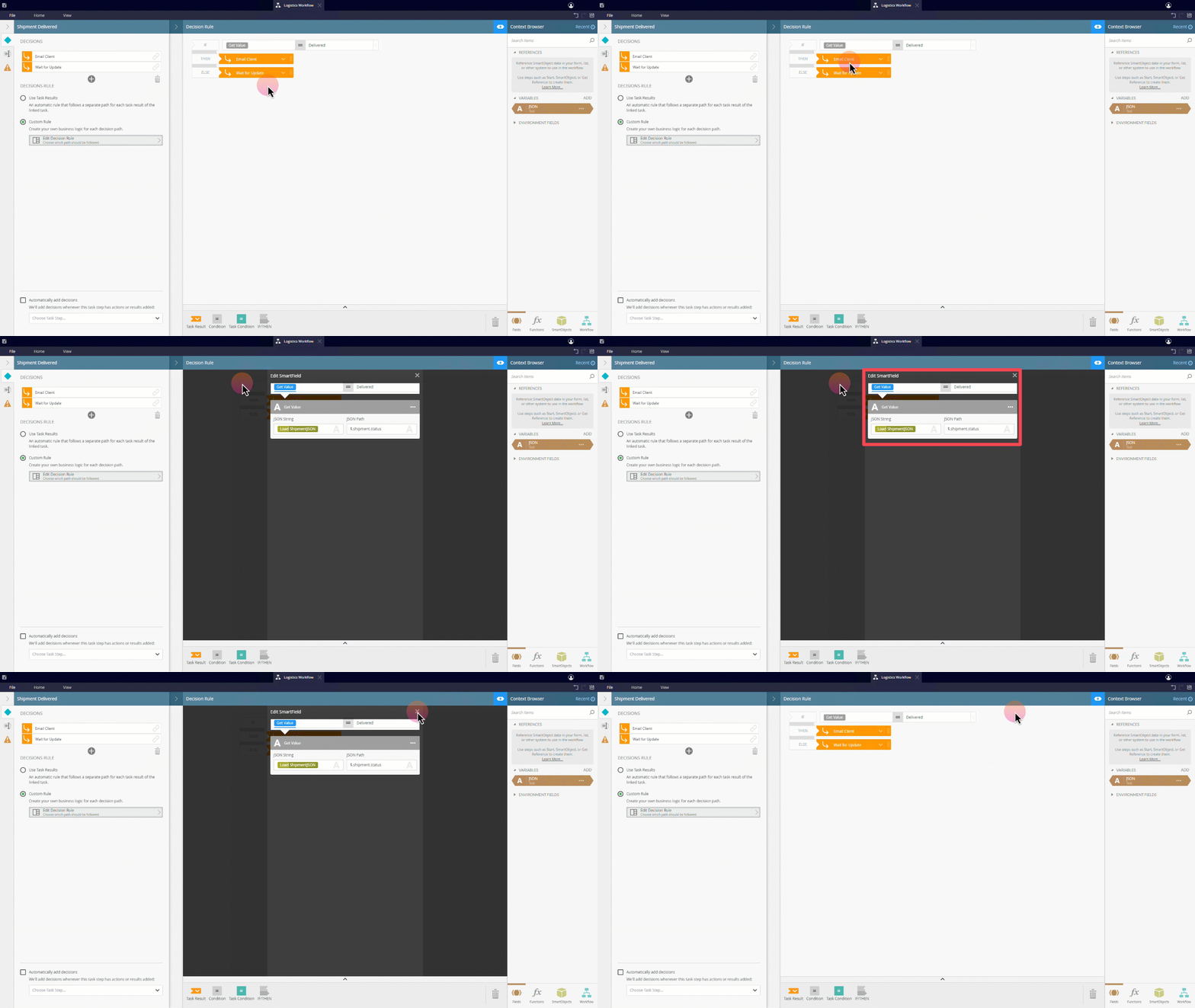
This is a relatively simple example, but it demonstrates the benefit of complex functions in both SmartForms and workflows. The form can retrieve and display information directly from the JSON, while the workflow can use the same data to make decisions and update values as the process progresses. No additional SmartObjects are required, and the JSON can remain in its original format throughout the solution.
The feature also includes functions for validating JSON, adding and removing properties, checking whether a path exists, counting items within arrays, and formatting JSON for readability.
These functions work particularly well alongside JSON Property support for SmartObjects introduced in K2 5.10. JSON Properties make it possible to store structured business data within a SmartObject while preserving its original format. complex functions make it easier to work with that data once it reaches a form or workflow.
As integrations continue to become a larger part of solution design, JSON is increasingly becoming part of the information moving through K2 applications. Complex functions provide a simpler way to interact with that data, making it easier to retrieve and update values without the extra processing that was often required in the past.