Hi everyone,
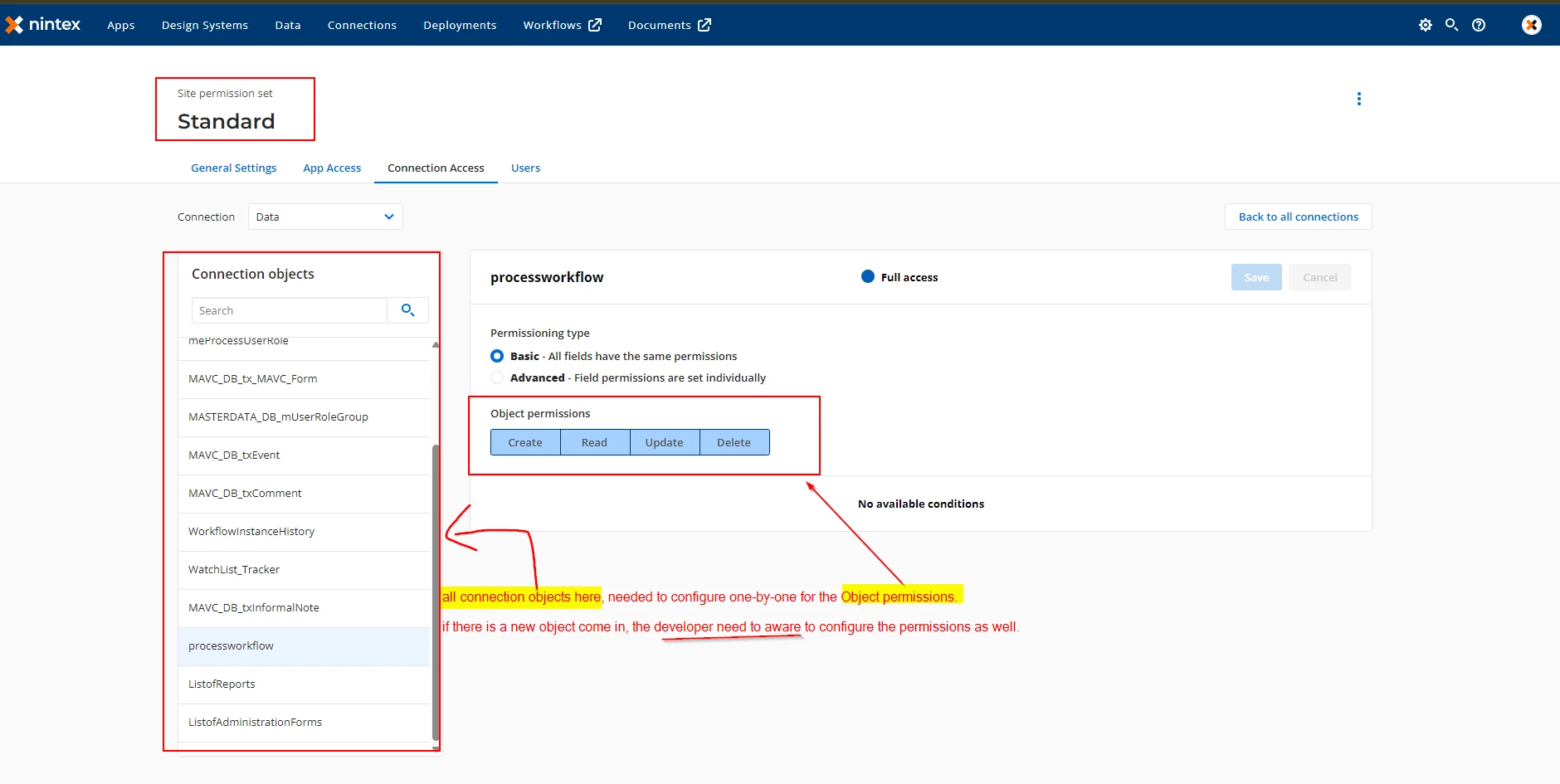
I’m currently working on a Nintex App where I have a large number of Connection Objects (tables/views), where most end-users are assigned to the Standard Site Permission Set.
Currently, under Site Settings > Connection Access, I have to manually select every single object and configure the "Object Permissions" (Create, Read, Update, Delete) one by one. This is becoming very tedious as the project grows. If a new object is added, the developer has to manually remember to go back into the Site settings to enable it, or the App fails to pull data.
My Question: Is there a way to "Enable All" by default or bypass this specific Site-level permission check?
I am already managing my security and access control via App Permissions. I would prefer for the Site Connection to simply "trust" the App's permissions rather than requiring this secondary, granular configuration for every individual object.
Has anyone found a workaround, a "Select All" toggle, or a way to set the permission type to a more global "Full Access" that doesn't require individual object maintenance?
you may refer the image below for reference of what i mentioning about:-