



AI agents are great at getting work done. But once they're in production, a different question emerges:
How do you know they're doing the right work, and doing it reliably?
Think about a typical scenario: You've built a support ticket triage agentflow. A support request is submitted, an agent summarises, categorizes them, assigns priority, and another routes it to the right team. Everything works great during testing, so you publish it and make it available to your customers.
A week later, the real questions start:
-
How often is the agentflow being used?
-
Is it completing successfully?
-
Are failures occurring?
-
Why did a specific ticket get routed incorrectly?
-
How many AI tokens is the agentflow consuming?
Answering these questions requires two capabilities: monitoring and observability.
Monitoring: Understanding agentflow activity and health
Monitoring gives you a high-level view of how your Agentflow is performing over time.
For a support ticket triage agentflow, you might want to understand:
-
How many agentflow instances have run?
-
How many actions executed?
-
Were there any failures or timeouts?
-
What is the agentflow's token consumption?
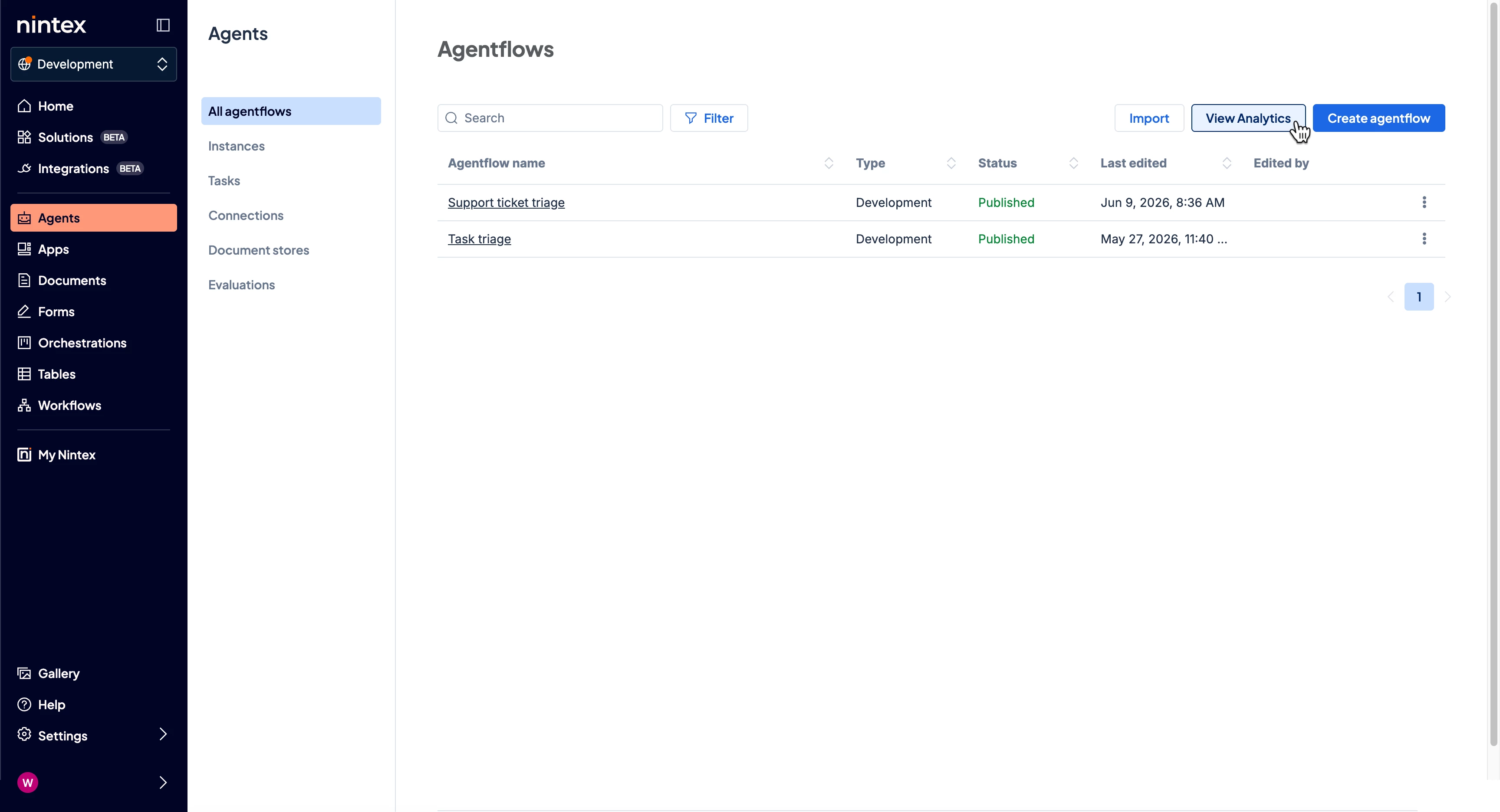
With monitoring, also known as Agentflow Analytics, you can quickly review these operational metrics and get a pulse on usage and performance. Analytics can be viewed at two levels:
-
Tenant-wide, providing visibility across all agentflows in your environment
-
Agentflow-specific, allowing you to drill into the performance and consumption of an individual agentflow
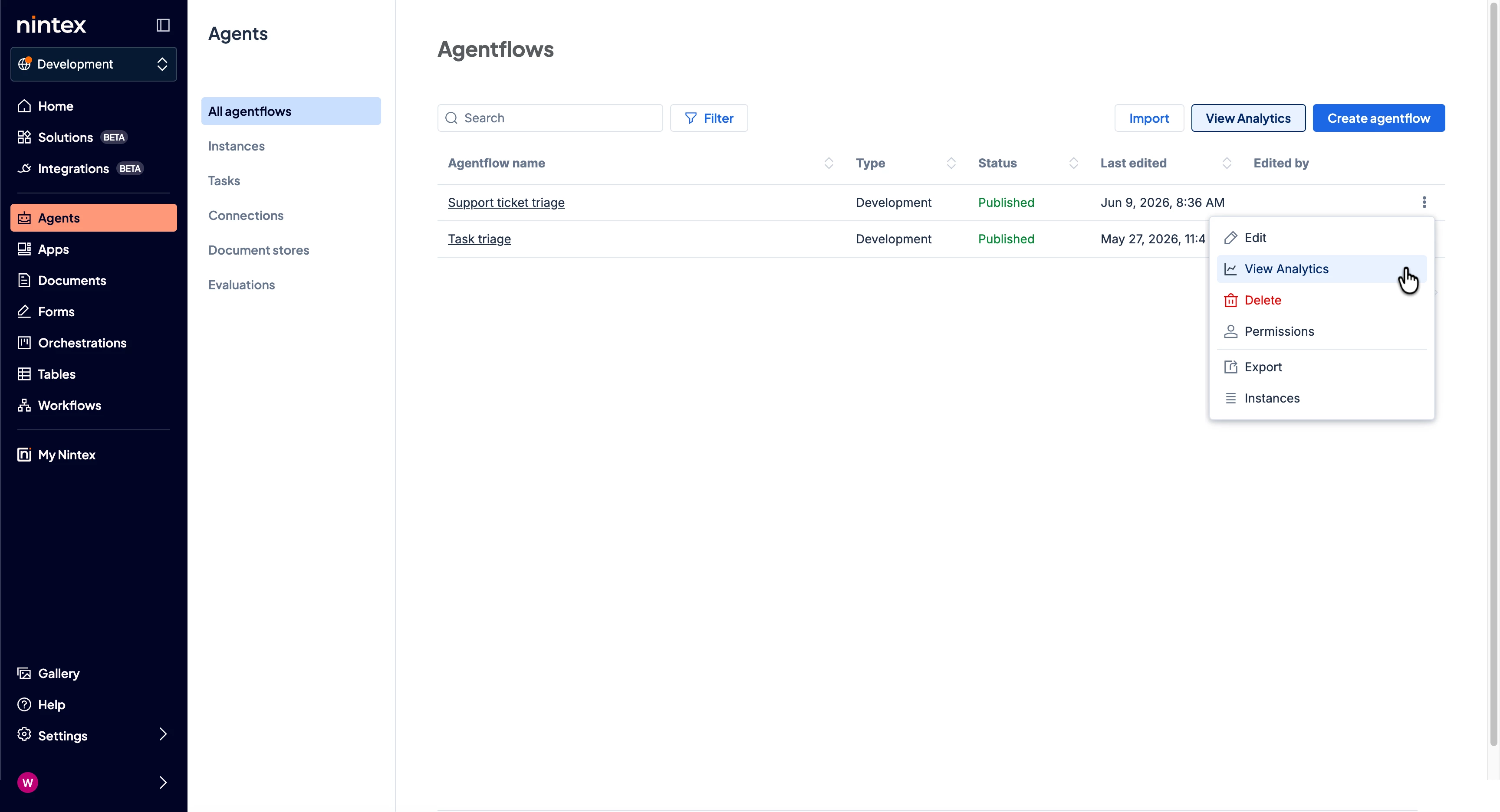
This helps teams understand both overall adoption trends and the health of specific business processes.
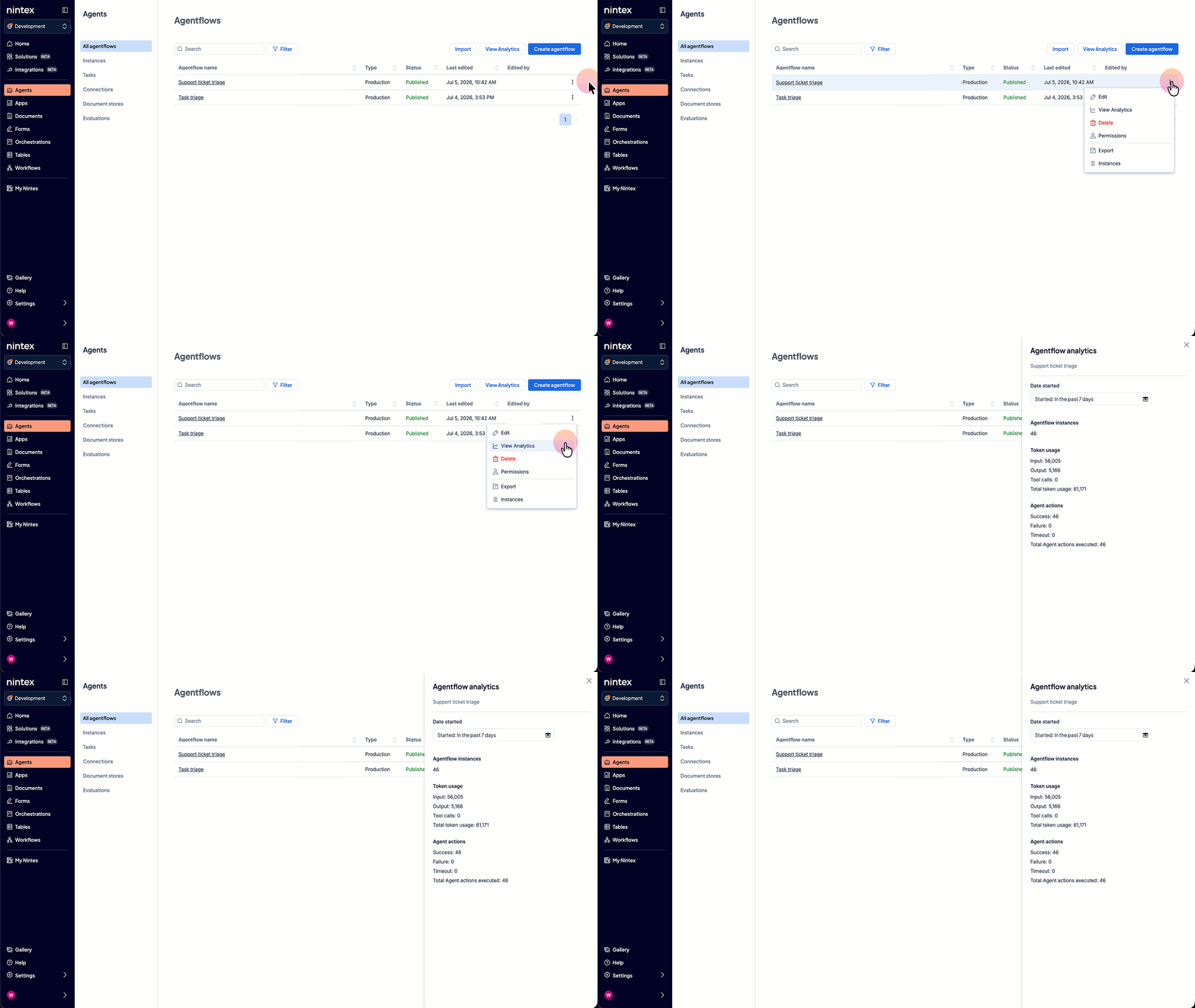
For example, after your support ticket triage agentflow has been running for several days, Agentflow Analytics lets you quickly understand:
-
The number of agentflow instances that have run during the specific period
-
AI token usage across inputs, outputs and tool calls
-
A breakdown of successful, failed, and timed-out agent actions
These insights help you validate that your agentflow is operating as expected and identify areas that may warrant further investigation through observability.
Observability: Understanding what happened
You now know that monitoring tells you something happened. Observability then helps you understand why it happened.
Let's say your support ticket classification agent categorizes a feature request as a bug or routes a ticket to the wrong support team. The agentflow may have completed successfully, but you would still want to understand how the agent arrived at that outcome.
By reviewing the agent's execution history, you can trace what happened during that specific run:
-
The prompts and inputs provided to the agent
-
The steps the agent took during execution
-
The tools and actions the agent invoked
-
The responses returned by those tools
-
The final output generated by the agent
-
A detailed breakdown of token consumption, including input, output, and tool-call usage
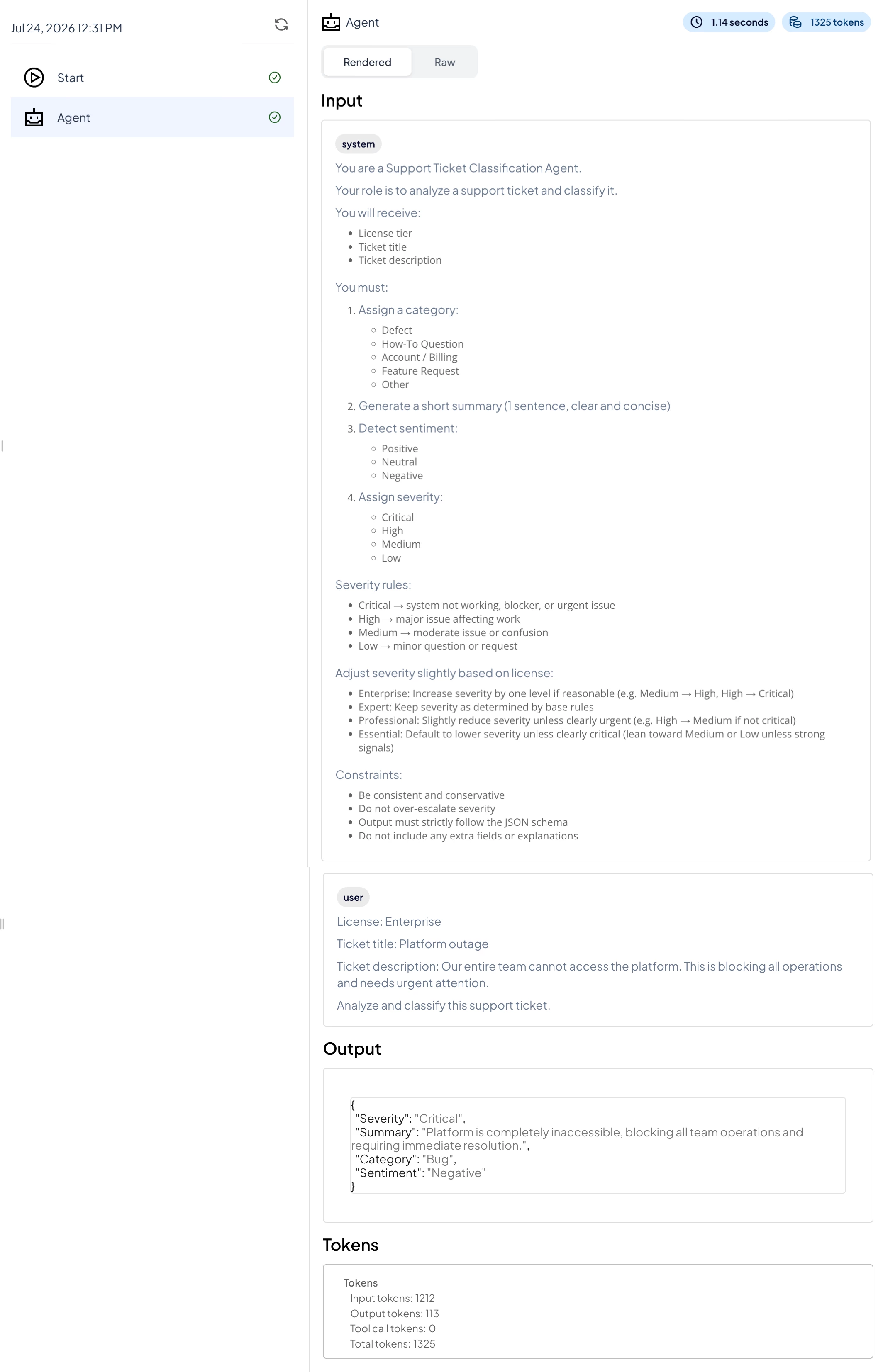
This level of visibility helps you understand why the agent reached a particular classification or decision, allowing you to validate outcomes and make improvements if and where needed.
Building trust in your agentflows
| If you want to…. | Use... |
|---|---|
| Understand how frequently your agentflows are being used | Monitoring |
| Review AI token consumption | Monitoring |
| Check execution activity and outcomes | Monitoring |
| Understand how a specific result or decision was reached | Observability |
| Review the prompts, inputs, tools, and outputs involved in a run | Observability |
| Validate and refine agent behaviour over time | Monitoring + Observability |
As organizations deploy agentflows across support, HR, finance, operations, and other use cases, having visibility into both usage and execution becomes increasingly important. Monitoring helps you understand how your agentflows are performing at-a-glance, while observability provides the detailed context needed to understand outcomes and optimize agent behaviour.
Together, they give automation teams the confidence that their agentflows are operating as intended and the visibility needed to continuously improve them.