



AI agents are changing how organizations automate work. Unlike traditional automation, agents can interpret context, generate responses, use tools, and make decisions dynamically.
That flexibility is what makes agents so powerful, but it also raises an important question:
How do you know your agent is performing as intended?
A successful demo is a great start, but real-world environments are far more dynamic. Agents can support a wide range of user requests, business data, tools, and workflows, making it important to evaluate performance across representative scenarios.
That's where agent evaluations (now generally available in Nintex Workflow), come in.
What are agent evaluations?
Agent evaluations provide a structured way to assess and measure agent performance. Rather than relying on ad hoc testing or subjective opinions, teams can define what success looks like, create representative test cases, run evaluations, and review results against consistent criteria.
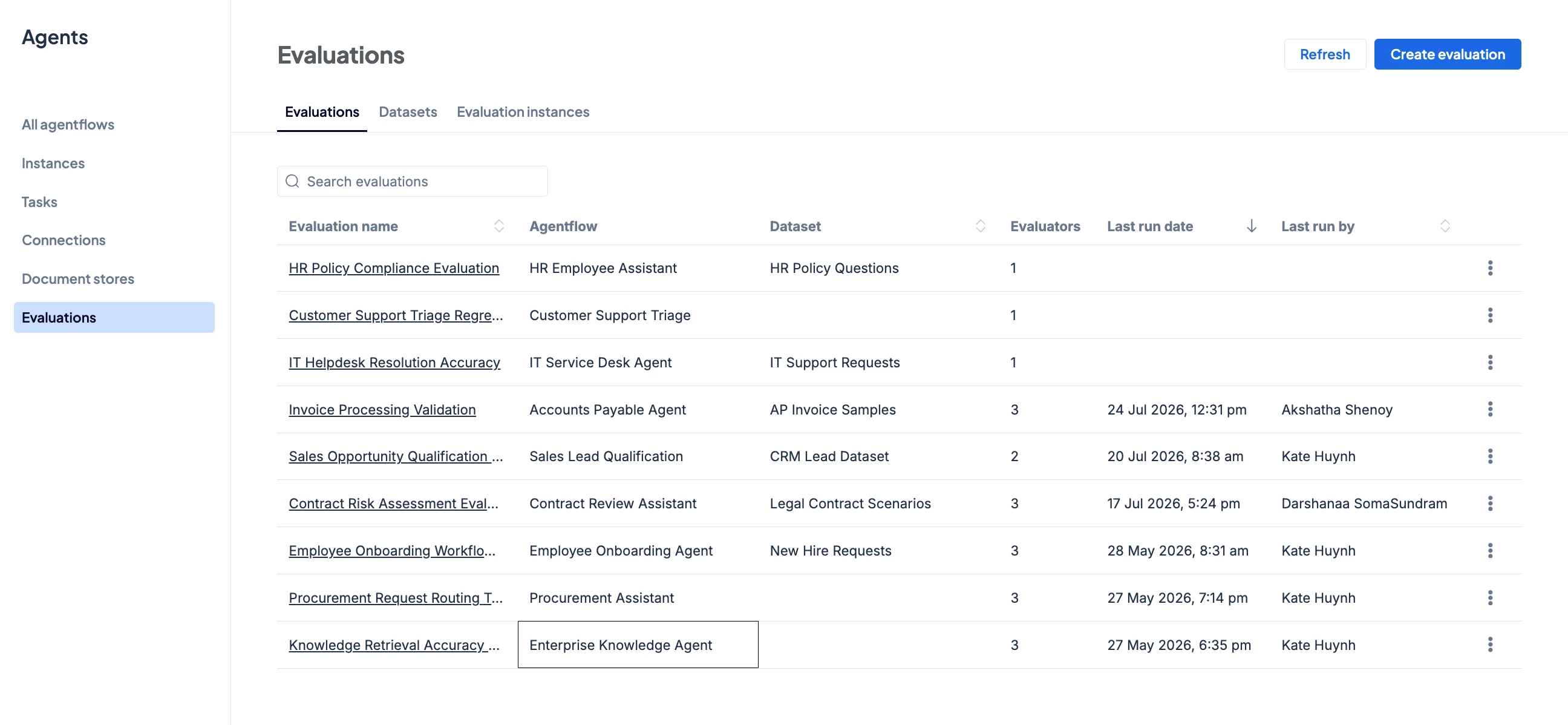
With an evaluation framework, teams can:
-
Validate agent performance before deployment
-
Compare results across different agent versions
-
Detect regressions after making changes
-
Track improvements over time
-
Expand evaluation datasets as new scenarios emerge
Instead of treating testing as a one-time checkpoint, evaluations make quality measurement part of the agent lifecycle.
Why agent evaluations matter
Agent development is an iterative process:
Build → Test → Deploy → Monitor → Improve
Evaluations strengthen each stage of that lifecycle. During design, they help teams determine whether an agent meets expected quality thresholds. Before deployment, they provide evidence that the agent performs appropriately against defined test scenarios. As teams learn from real-world usage, they can update their evaluation datasets and validate future agent changes before deployment.
This continuous feedback loop is important because an agent can change even when its overall purpose remains the same. A team might update a prompt, switch models, modify a tool, adjust a knowledge source, or change the surrounding workflow. Each update can improve one aspect of performance while unintentionally reducing another.
Evaluations give teams a disciplined way to understand those trade-offs.
Common ways teams use evaluations
Organizations use evaluations in different ways depending on their goals, but several scenarios are especially common.
- Validate agents before deployment
- Pre-deployment validation allows teams to run an agent against a defined collection of test cases before making it available in a production environment. This creates a more consistent readiness check than relying only on individual demonstrations or ad hoc testing.
- Detect regressions after changes
- An update to a prompt, model, tool, or workflow should improve the agent without degrading behavior that already works. Regression testing helps teams compare results across versions and ensure same or better outcomes before publishing an update.
- Optimize prompts and models
- Teams often need to compare multiple design options. Evaluations can provide a consistent basis for comparing outputs across prompt or model variants, helping teams make more informed decisions about quality and cost.
- Support safety and compliance testing
- For agents involved in governed or sensitive processes, teams may need to look for anomalies, sensitive outputs, or policy violations. Evaluations allow these expectations to become explicit test criteria rather than informal assumptions.
- Evaluate multi-agent systems
- Some outcomes depend on coordination across multiple agents or steps rather than the response from a single prompt. Evaluating the complete Agentflow helps teams assess end-to-end execution and outcomes across more complex agent workflows.
From subjective impressions to measurable quality
One of the biggest benefits of evaluations is creating a shared understanding of what "good" looks like. Without defined criteria, people may describe an agent as accurate, effective, or ready for production, but those words can mean different things to different stakeholders. Evaluations encourage teams to define success explicitly.
For example, they may assess whether:
-
The response addresses the user's request
-
Information is grounded in the available context
-
Required details are included
-
Business rules and policies are followed
-
Tools and workflow steps execute successfully
-
The overall Agentflow produces the intended outcome
The right criteria will vary by use case, but the goal remains the same: establish measurable standards and evaluate against them consistently.
An integrated approach to evaluating Agentflows
Many evaluation products focus primarily on individual prompts or model outputs. The Nintex approach is differentiated by its integration with Agentflows, first-class support for evaluating agent workflows, and access to detailed results and execution telemetry.
That matters because the success of an enterprise agent often depends on more than the quality of one generated response. It may depend on how an agent uses tools, exchanges information, executes workflow steps, and contributes to an end-to-end business outcome.
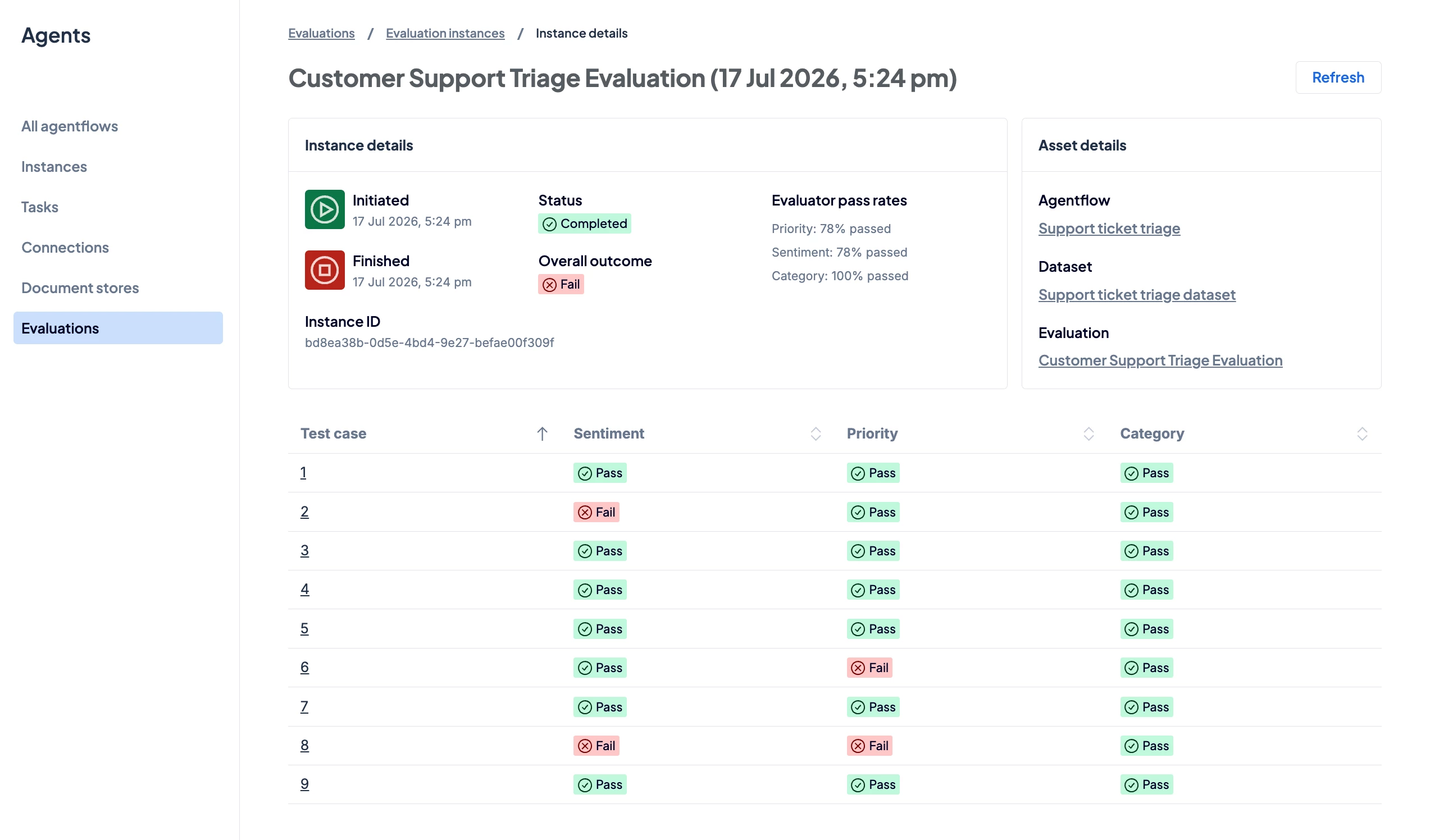
Evaluating the Agentflow, not just an isolated prompt, gives teams a more complete view of how the solution performs.
Confidence is built through verification
Confidence comes from being able to define expectations, evaluate performance consistently, and verify outcomes as agents evolve.
By embedding evaluations throughout the agent lifecycle, organizations can move beyond promising prototypes and toward AI-powered processes that are measurable, repeatable, and continuously improving.
Learn how Nintex Agent Evaluations can help your team test Agentflows, compare design changes, and build greater confidence before and after deployment. Watch the video below and explore the help documentation to get started.