



Introduction
In this blog I am going to go through the recently released restore deleted workflows feature for Nintex Workflow CE.
Restore Deleted Workflows
With a recent update in Nintex Workflow CE, we now have the ability to restore a deleted workflow as long as it was deleted in the past 30 days.
To restore a deleted workflow, click on Filter at the top of the workflows tab.

Then from the Filter type dropdown, select Status
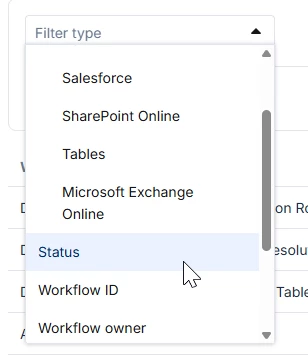
And then in the status type dropdown, select deleted.
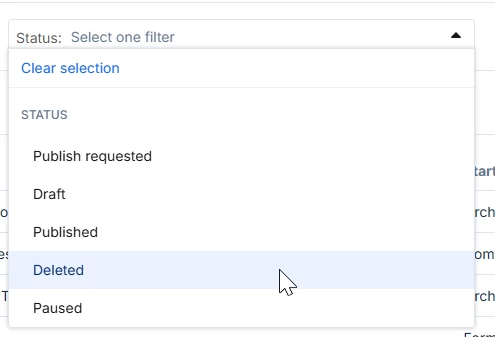
Click apply and you will see the list of deleted workflows that can be restored.
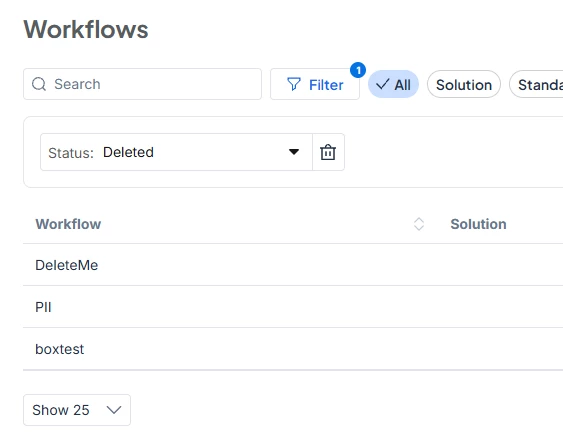
Find the workflow that you would like to restore and click on the three dots on the far right, and click restore
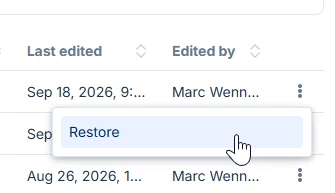
The workflow will then be restored and added back into the list of workflows in the tenant
Only workflows deleted in the past 30 days can be restored.
