




“User cannot be found error” from an InfoPath process
LEGACY/ARCHIVED CONTENT
This article has been archived, and/or refers to legacy products, components or features. The content in this article is offered "as is" and will no longer be updated. Archived content is provided for reference purposes only. This content does not infer that the product, component or feature is supported, or that the product, component or feature will continue to function as described herein.
You may receive a “User cannot be found error” from an InfoPath process that is configured to update a SharePoint task list. To resolve this issue the destination user of the client event must be given explicit permissions to the SharePoint site where the task list is located.
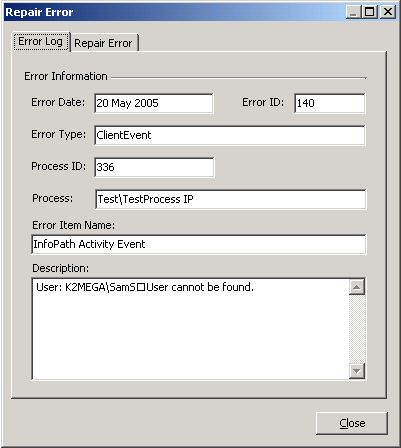
| You may receive the following “User cannot be found” error from an InfoPath process that is configured to update a SharePoint task list. The error occurs when the InfoPath client event attempts to assign a SharePoint task to the destination user; however the user does not have permissions on the SharePoint site. If the destination user belongs to a User group that does have permissions to the site, the user still requires explicit permissions rather than Group Level permissions. Group level permissions cannot be resolved through the SharePoint API. |
|
| Shown below is an example “Repair Error” dialog which illustrates the error. |
|
 |
|
|
To resolve this issue you must grant the destination user(s) explicit rights to the SharePoint site where the task list is located.
|
|
| For information on SharePoint security please access the SharePoint Administrators Guide. |