




KB001714 - Known Issue - Error on Runtime Forms when changing Generated Hyperlink Type to Hyperlink
KB001714
PRODUCTK2 blackpearl 4.6.7 to 4.6.11
BASED ONK2 blackpearl 4.6.7
LEGACY/ARCHIVED CONTENT
This article has been archived, and/or refers to legacy products, components or features. The content in this article is offered "as is" and will no longer be updated. Archived content is provided for reference purposes only. This content does not infer that the product, component or feature is supported, or that the product, component or feature will continue to function as described herein.
Introduction
When adding a new item or editing an existing item in a SharePoint List containing a Hyperlink, an error may occur.
Issue
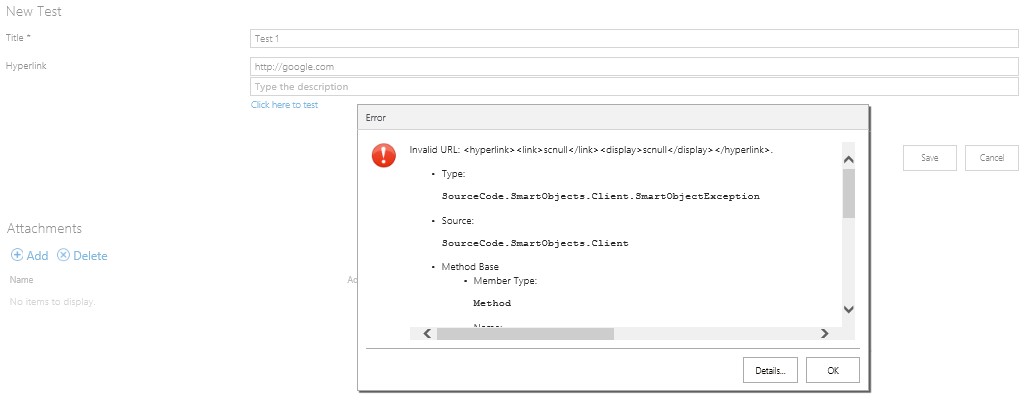
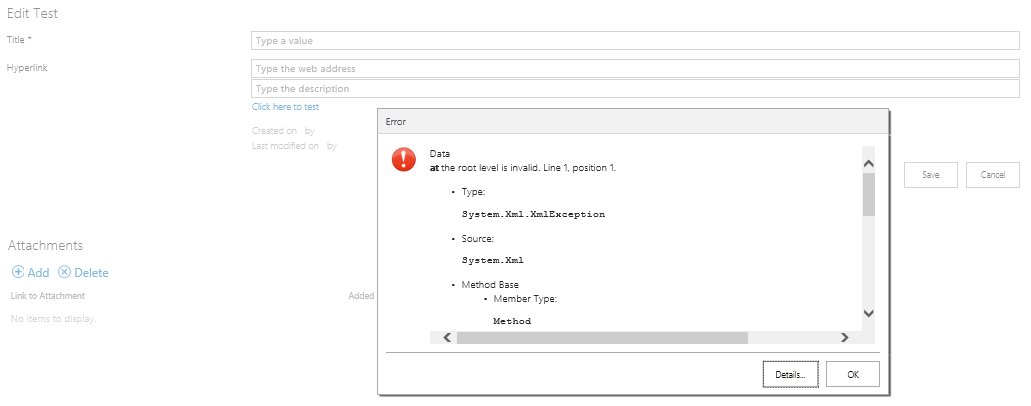
When a SharePoint List with a Hyperlink property is created and the list is Appified, the hyperlink column in the SmartObject is of type Text. If you edit the SmartObject and change the type to Hyperlink, the following runtime errors occur and the item cannot be saved:
New item error:
Edit item error:
To resolve these errors, edit the SmartObject and change the Hyperlink Type back to Text.
 | Note: Changing the Hyperlink Type from Text to Hyperlink is not recommended - the underlying K2 SharePoint integration is designed to handle all Hyperlink columns as Text. |