Unable to configure filter for a worklist control on K2 Designer in IE 11
kbt146548
PRODUCTK2 blackpearl 4.7
K2 smartforms 4.7
BASED ONK2 smartforms 4.7
TAGSIIS
This article was created in response to a support issue logged with K2. The content may include typographical errors and may be revised at any time without notice. This article is not considered official documentation for K2 software and is provided "as is" with no warranties.
LEGACY/ARCHIVED CONTENT
This article has been archived, and/or refers to legacy products, components or features. The content in this article is offered "as is" and will no longer be updated. Archived content is provided for reference purposes only. This content does not infer that the product, component or feature is supported, or that the product, component or feature will continue to function as described herein.
Issue
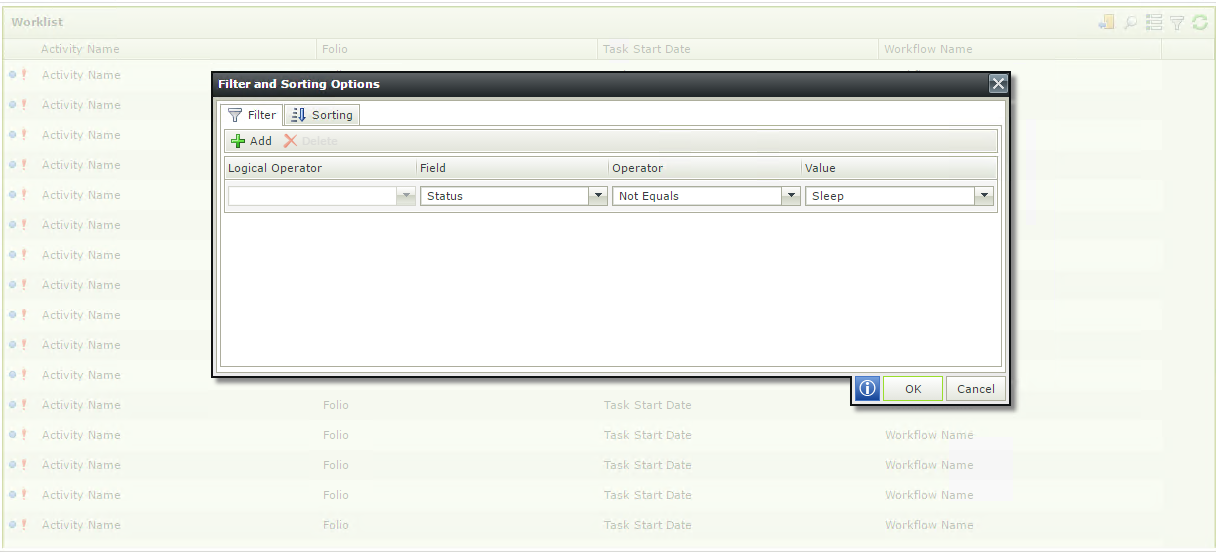
You are unable to click on anything on the Filter and Sorting Options screen for a worklist control on K2 Designer when it is loaded in IE 11.
Symptoms
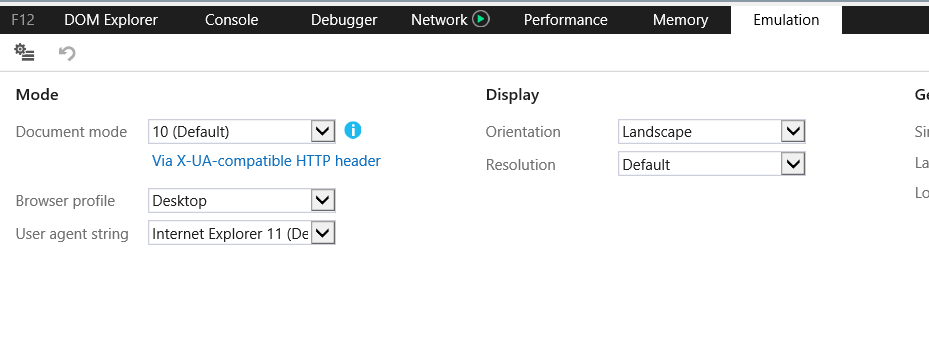
Using F12 Developer Tools, it was determined that Document Mode 10 was being set on load.
Troubleshooting Steps
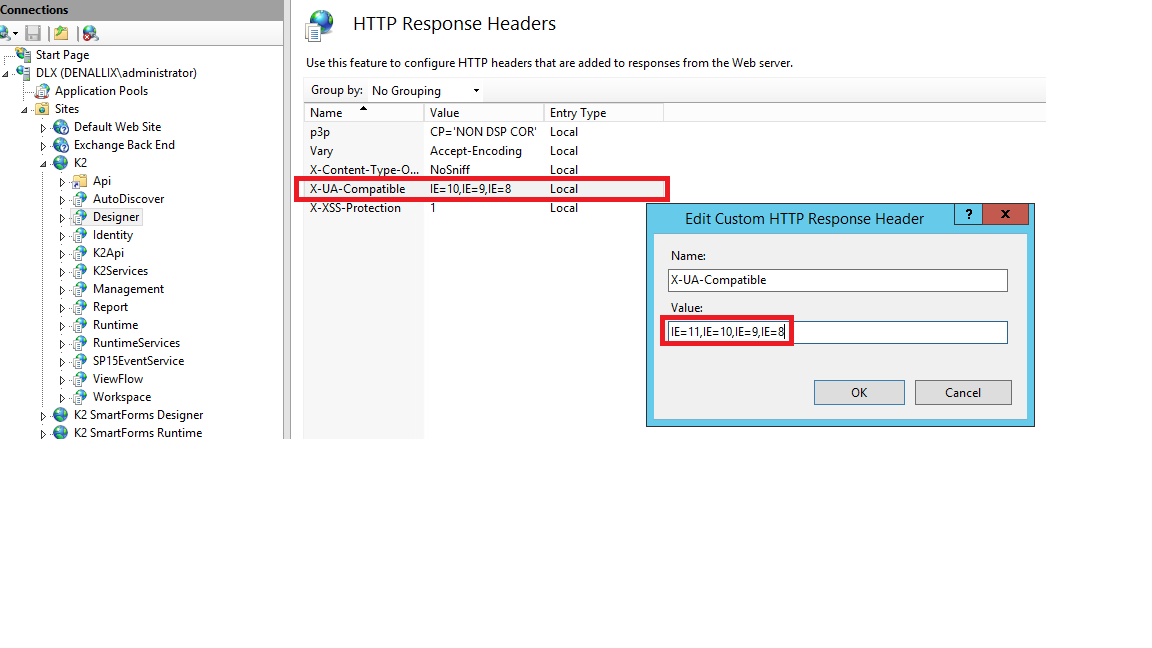
Kindly follow the steps below to set Document Mode 11 as the default.
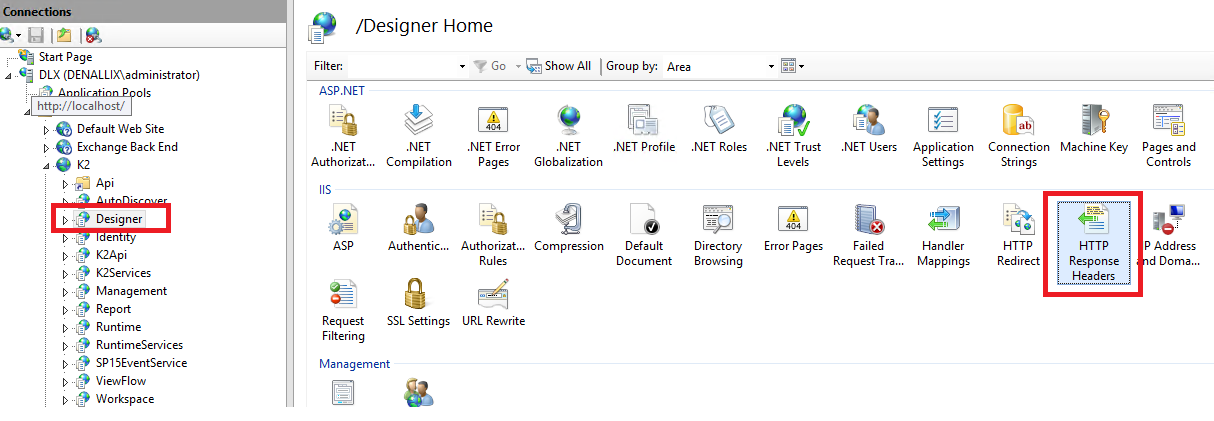
1. Open IIS manager and navigate to the K2 site > Designer > HTTP Response Headers.
2. Edit the 'X-UA-Compatible' HTTP Response Header and add in 'IE=11'.