




Reuse K2.net™ 2003 ViewFlow component

LEGACY/ARCHIVED CONTENT
This article has been archived, and/or refers to legacy products, components or features. The content in this article is offered "as is" and will no longer be updated. Archived content is provided for reference purposes only. This content does not infer that the product, component or feature is supported, or that the product, component or feature will continue to function as described herein.
Typically in cases where developers extend and integrate reports with custom applications they want to also make use of ViewFlow to display a graphical view of the process.
| The following steps illustrate the use of K2.net 2003 ViewFlow in a custom application (Windows or Web application): | |||
| 1. | Open VS.NET | ||
| 2. | Click "Tools | Add/Remove Toolbox Items..." | ||
| 3. | Click 'Browse ...' and browse to the following file: <drive>:Program FilesK2.net 2003K2WSWorkspaceK2MISViewProcessInstance.dll | ||
| 4. | You’ll see that the ViewControl is now selected and will be available in your Toolbox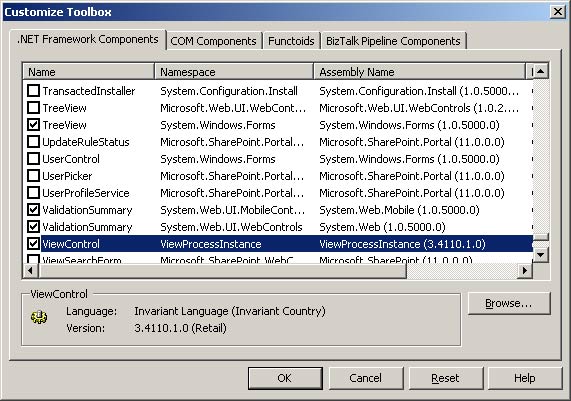 | ||
| 5. | Click 'Ok' | ||
| 6. | You can now drop the ViewControl onto any form | ||
|
| |||
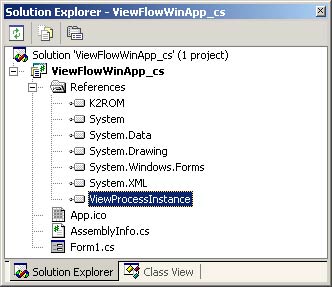 | |||
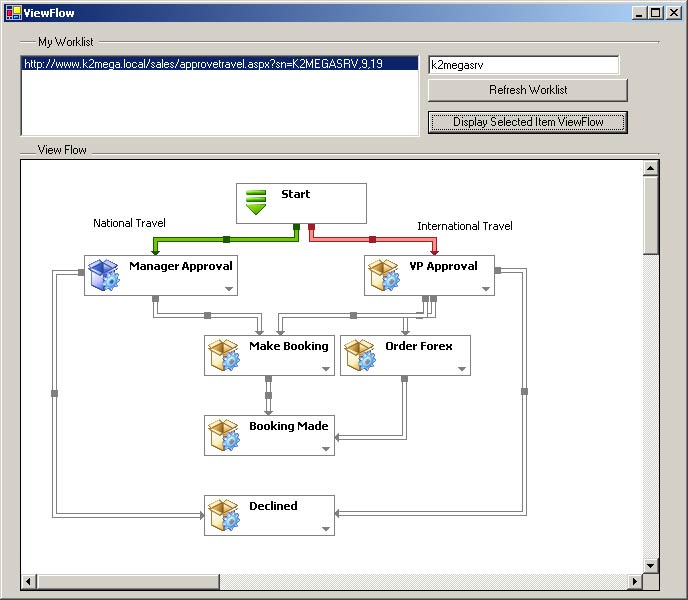
| The included sample project makes use of K2ROM to get an XML representation of the process by calling the ViewProcessInstance method. The result is then passed to the ViewControl which will generate a graphical representation of the process. This control is exactly the same control that is used for ViewFlow in the K2.net™ 2003 Workspace. | |||
 | |||
