Incorrect Hyperlink on SmartAction Notification (Worklist item link)
kbt141766
PRODUCTK2 blackpearl
This article was created in response to a support issue logged with K2. The content may include typographical errors and may be revised at any time without notice. This article is not considered official documentation for K2 software and is provided "as is" with no warranties.
LEGACY/ARCHIVED CONTENT
This article has been archived, and/or refers to legacy products, components or features. The content in this article is offered "as is" and will no longer be updated. Archived content is provided for reference purposes only. This content does not infer that the product, component or feature is supported, or that the product, component or feature will continue to function as described herein.
Issue
User tasks are not creating the correct links in emails. (Worklist item link)
The workflow using the Worklist Item Link from the context browser will show the following URL:
http://form/User+Request+Form/?_State=_base&SerialNo=3813_83&ID=595
Symptoms
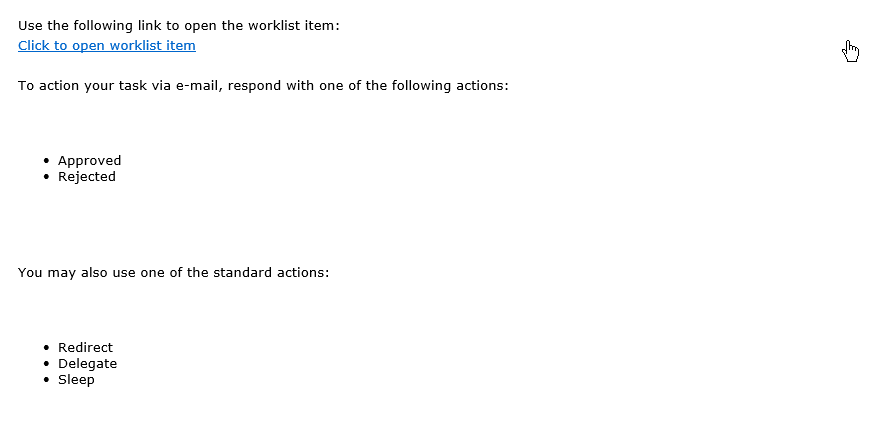
An incorrect hyperlink gets created on the SmartAction email. When clicking on the link to action, a page cannot be displayed message appears.
Troubleshooting Steps
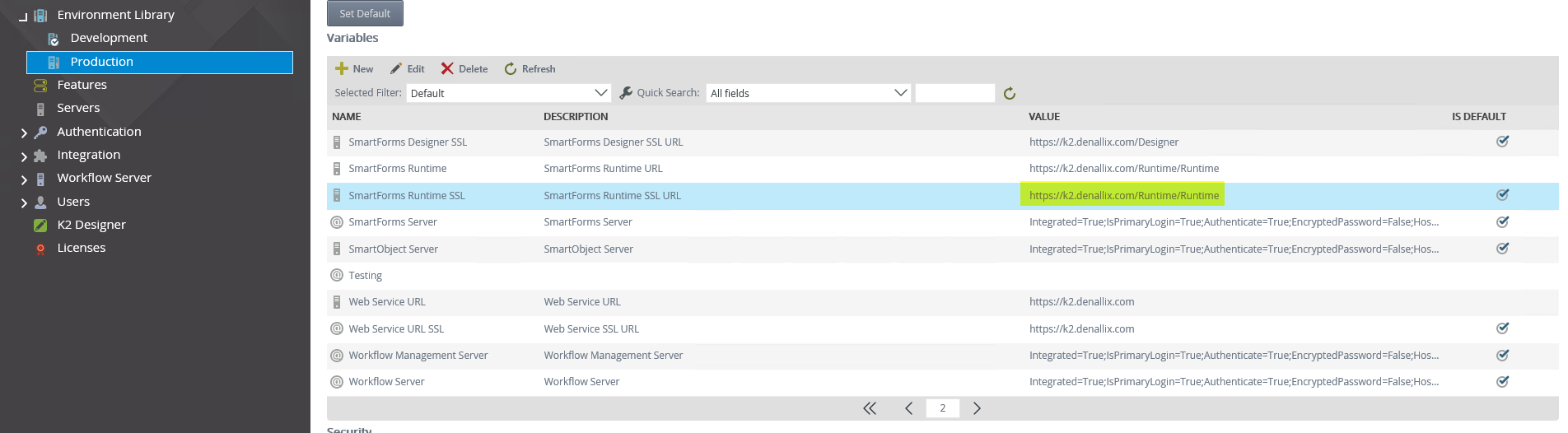
Navigate to the K2 Management Environment Library and confirm if the URL is correct on the Smartforms Runtime.