




Group Search when configuring Participants in a Task is case-sensitive
kbt138861
PRODUCTK2 blackpearl
This article was created in response to a support issue logged with K2. The content may include typographical errors and may be revised at any time without notice. This article is not considered official documentation for K2 software and is provided "as is" with no warranties.
LEGACY/ARCHIVED CONTENT
This article has been archived, and/or refers to legacy products, components or features. The content in this article is offered "as is" and will no longer be updated. Archived content is provided for reference purposes only. This content does not infer that the product, component or feature is supported, or that the product, component or feature will continue to function as described herein.
Objective
No results appear when configuring the Participants in a Task and you are unable to select a SharePoint Group.
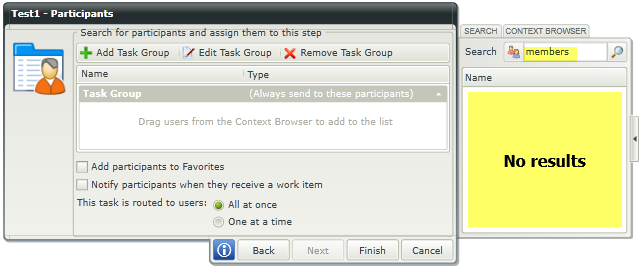
No results returned when searching with incorrect casing.
Before You Begin
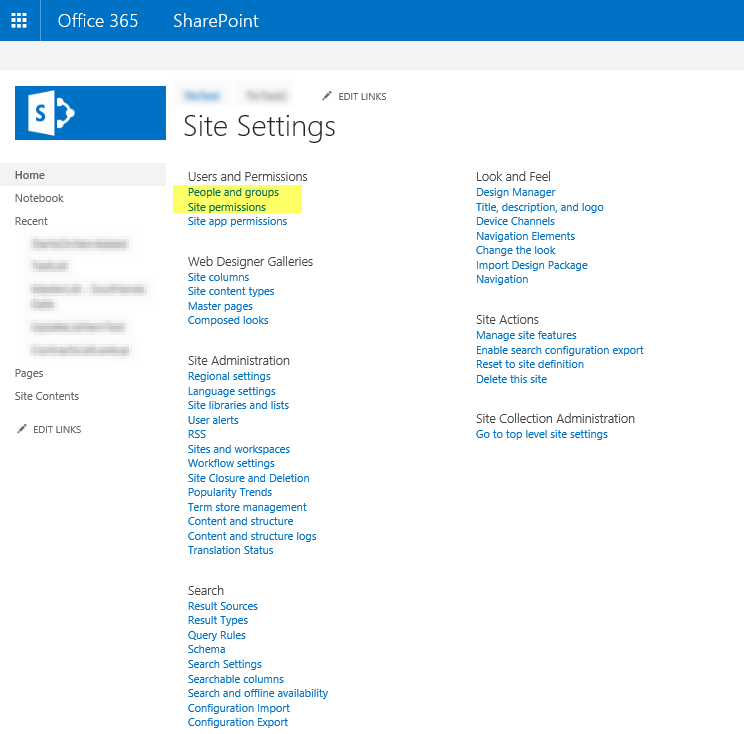
You can verify the spelling/casing of the SharePoint Group in question via [Site Settings > User and Permissions > People and Groups] or [Site Settings > User and Permissions > Site Permission].
How-to Steps
Ensure that the spelling/casing matches the SharePoint Group that you are searching for.
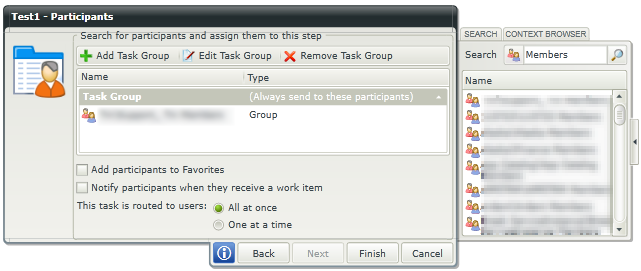
Results are returned and can be selected when casing is correct.