Nintex Community Menu Bar
Question

K2 Forms Array

  • January 12, 2026
  • 6 replies
  • 24 views

Forum|alt.badge.img+2

Hello support Team,

I would like to know how I can save values in an array in a K2 SmartForm. I didn’t find a way to do that.

Best regards

Matthias

6 replies

Forum|alt.badge.img+15
  • Scholar
  • January 12, 2026

Can you please elaborate on the scenario? What sort of fields are you using and what sort of SmartObject method?


Forum|alt.badge.img+2

Thanks for the response! 


I have a SharePoint list which contains items. I get the items via  SmartObject with the method “Get all items” and then put it in the checkbox.

I would like to make the selected items in a checkbox in a datalabel.

I don’t know how to perform it. I hope you can help me.

Best regards

Matthias


Forum|alt.badge.img+15
  • Scholar
  • January 21, 2026

Once that checkbox is populated, you can do a “for each” condition to loop through all of the selected items and concatenate their value into the data label. Let me know if that puts you on the right track, I realize that is pretty vague.


MillaZ
Nintex Employee
Forum|alt.badge.img+22
  • Nintex Employee
  • February 2, 2026

Hi ​@Matthias Amazing Tech has your question been answered? 


Forum|alt.badge.img+2

Hello MillaZ,

I tried that before. Could give me an example how I can concatenate the values. There is where I am struggeling.

Best regards


Matthias


Forum|alt.badge.img+2

Hello together,

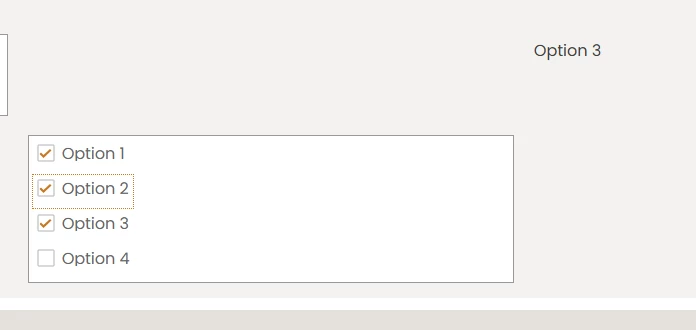
here is my example: I have a checkbox control. I can select different checkboxes. I want that if a checkbox has been selected that the values will be saved in a data field.

Then the data field should look like that: 

Option1 - Option 2 - Option 3

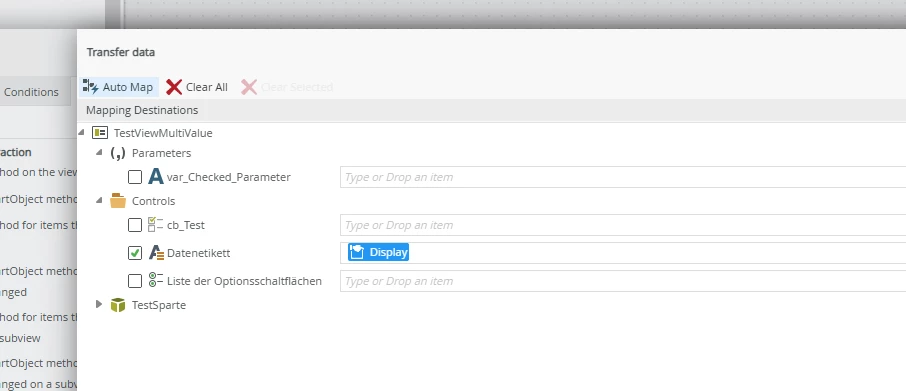
But I always get only one option. The last one I have selected. How can I concatonate those values with a function.

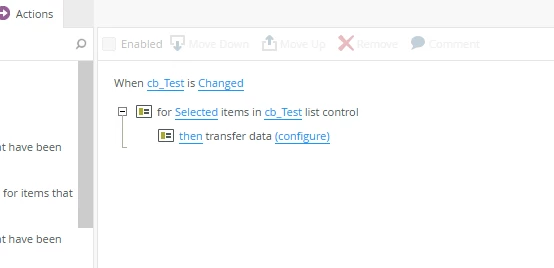
Here is my rule:


Maybe there is a function which can I use to concatenate all the checked values.

Best regards

Matthias