



Issue
{{!##{Name:"SignerDate", SignatoryEmail: “Signer1”, InputType: “signatory”, SignatoryInputType: “Prefill”, ValidationType: “DateDDMMYYYY_CurrentDatePrefill”, FontName: “TimesNewRoman”,FontSize: “Twelve”, FieldType: “Typed”, Height: “0.025”, Width: “0.25”}##!}}
Error Code
There is not an error code that generates, there's simply no jotblock rendered.
Resolution
Dynamic Jotblocks need to have a continuous "name":"value", pairs string in order to work properly. Any spaces between the "name":"value","name":"value",etc will result in the jotblock being ignored, as it's not been formed properly. To correct the above example, the below call would work and render the jotblock:
In the template, place a date jotblock and add settings as preferred. Make sure to note the Jotblock Name (in the example below, Date1):
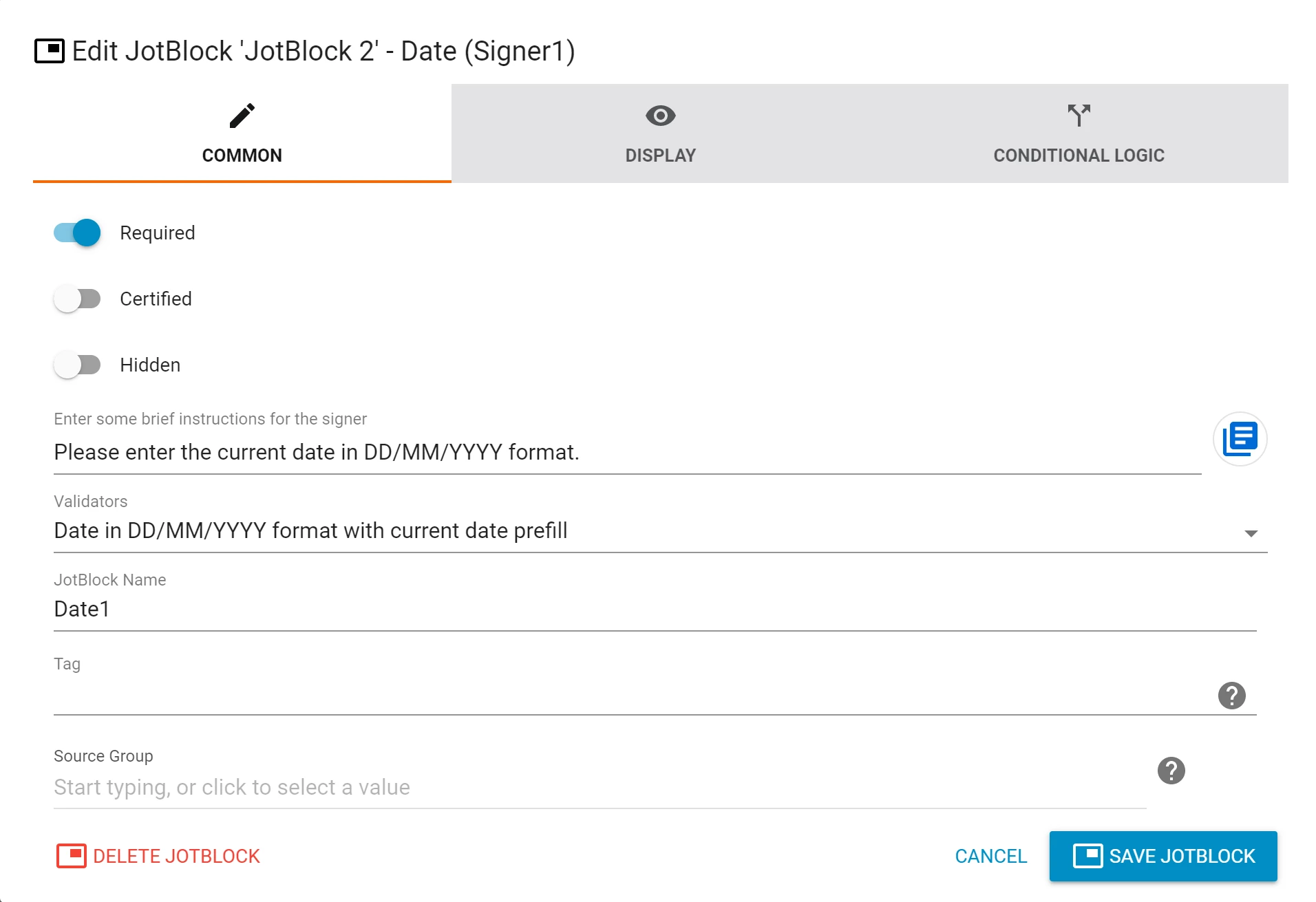
The jotblock can be placed anywhere on the template - the location does not matter, as it will be placed it in the correct location with the Dynamic Jotblock call.
In the document, place this hash where you want the Date1 Jotblock to be located:
{{!##{Name:"Date1"}##!}}
It will look like this: 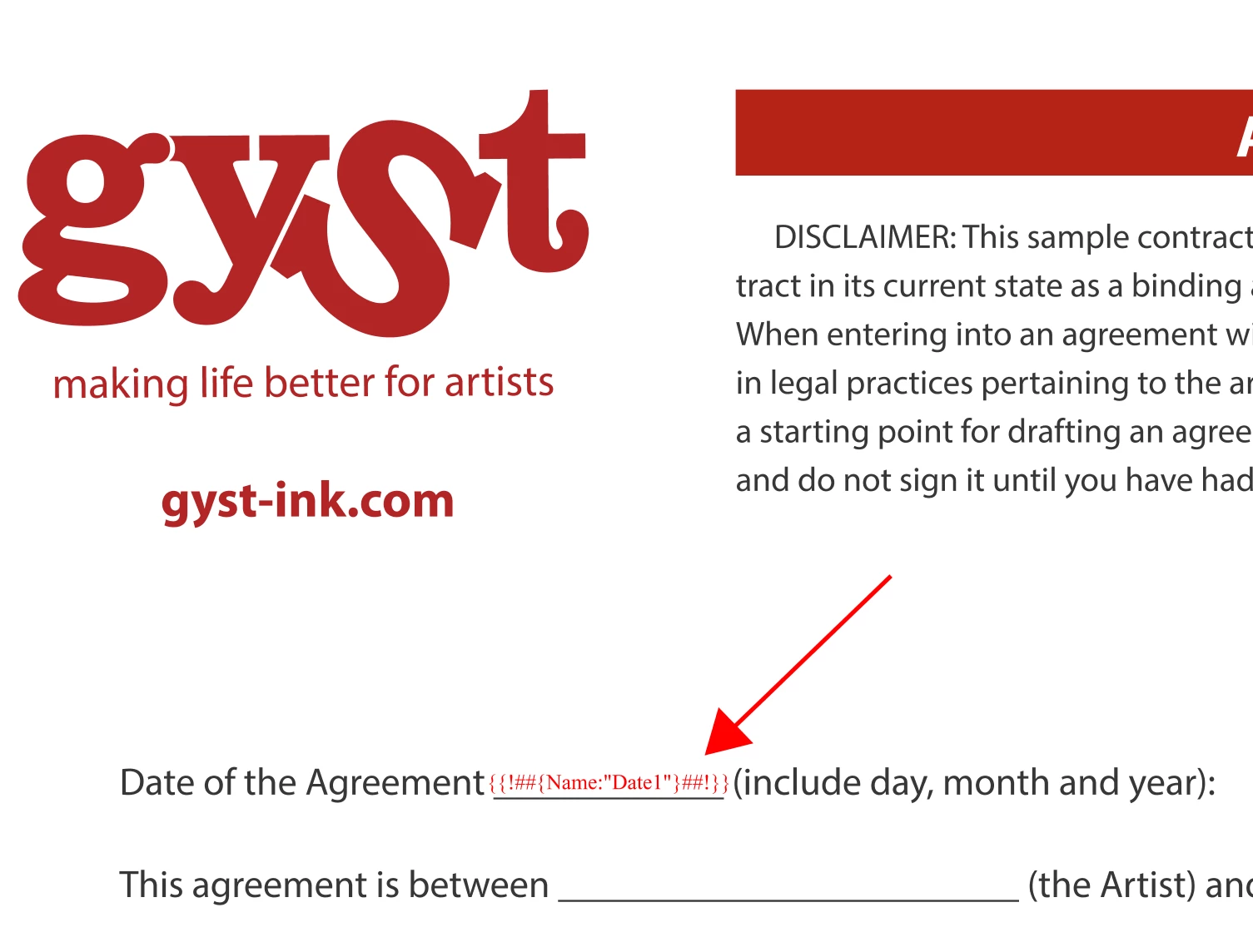
Be sure to flatten the document if you're using a pdf file format so the parsing will happen correctly.
Additional Information
- Understanding Dynamic JotBlocks
- Creating a Dynamic Signature or Initials Block
- Dynamic JotBlock Properties
- Submitting a Document Containing Dynamic JotBlocks
Related Links