



Topic
A manually created user for Nintex Apps, yet in a Nintex Workflow Cloud (NWC) tenant, authenticates via Single Sign-On (SSO), and encounters errors (invalid user, failure to retrieve tables, and unsuccessful connection attempts). This occurs when the user record in Nintex Apps lacks a Federation ID.
Instructions
Resolution
Manually populating the Federation ID field in the affected Nintex Apps user profile with the corresponding User ID found in Nintex Workflow Cloud fixes the issue.
Problem Details
A customer reported several errors when accessing Nintex Apps after being manually added as a user in Nintex Workflow Cloud. The errors are listed below:
- When the user logs in: (Invalid_request: Invalid User
Request to connection "SkuidDataService" failed: Unable to retrieve tables to sync: Federation ID is empty)
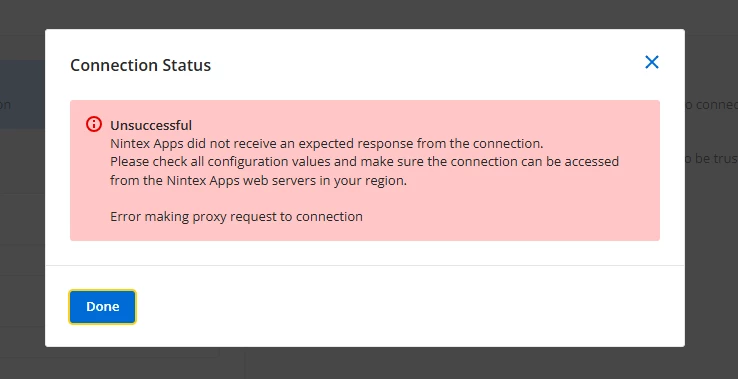
- When trying to connect to Microsoft SQL Server: (Unsuccessful Nintex Apps did not receive an expected response from the connection. Please check all configuration values and make sure the connection can be accessed from the Nintex Apps web servers in your region. Error making proxy request to connection)
- An unspecified "There was an error" message when attempting to create Nintex Data.
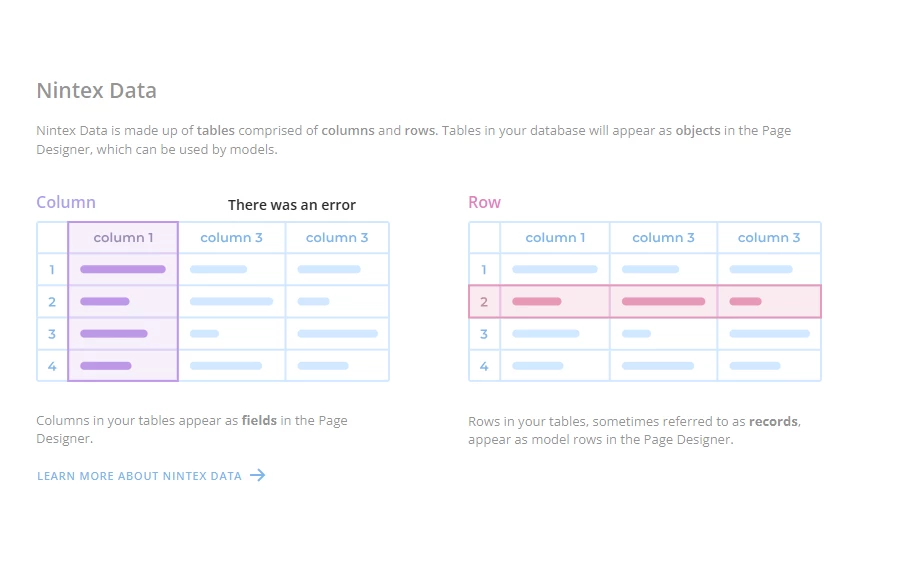
The issue was specific to Nintex Apps, as the user could successfully access Nintex Workflow Cloud and create new workflows. It was also noted that the affected user belonged to a different domain than the primary client domain.
Resolution Process
The initial investigation revealed that the errors pointed towards an issue with user identification and authentication within Nintex Apps, specifically the Federation ID. The following steps were taken to diagnose and resolve the issue:
- Analysis of Error Messages: The error "...Federation ID is empty" in the SkuidDataService connection failure indicated that the user's identity was not being properly recognized by the NAC services used by Nintex Apps.
- Domain Verification: While the user's different domain was noted, the core issue was identified as the missing Federation ID rather than the domain itself.
- Internal Dev Team suggestions: The Nintex dev team confirmed that for NWC integrations (like accessing tables and workflows within Nintex Apps), a Federation ID is mandatory for user authentication. They further explained that this ID is automatically provisioned when a user accesses Nintex Apps from Nintex Workflow Cloud or through a direct Nintex login. Manually created users in Nintex Apps, or users whose Federation ID has been removed, will lack this crucial identifier. To get a user without a federation ID, they suggested manually creating the app user or deleting the federation ID used to authenticate back to NWC services. They also clarified that the NWC user ID serves as the federation ID for authenticating within Nintex Apps.
- Providing Manual Steps to Populate the Federation ID: Based on this information, the following steps were given to the customer to manually add the federation ID in Nintex Apps, which would resolve the issue:
1. Navigate to the Workflow tab in the Nintex Apps navigation bar.
2. Click on the Settings tab to access the Tenant and user details page.
3. Locate and copy the user ID.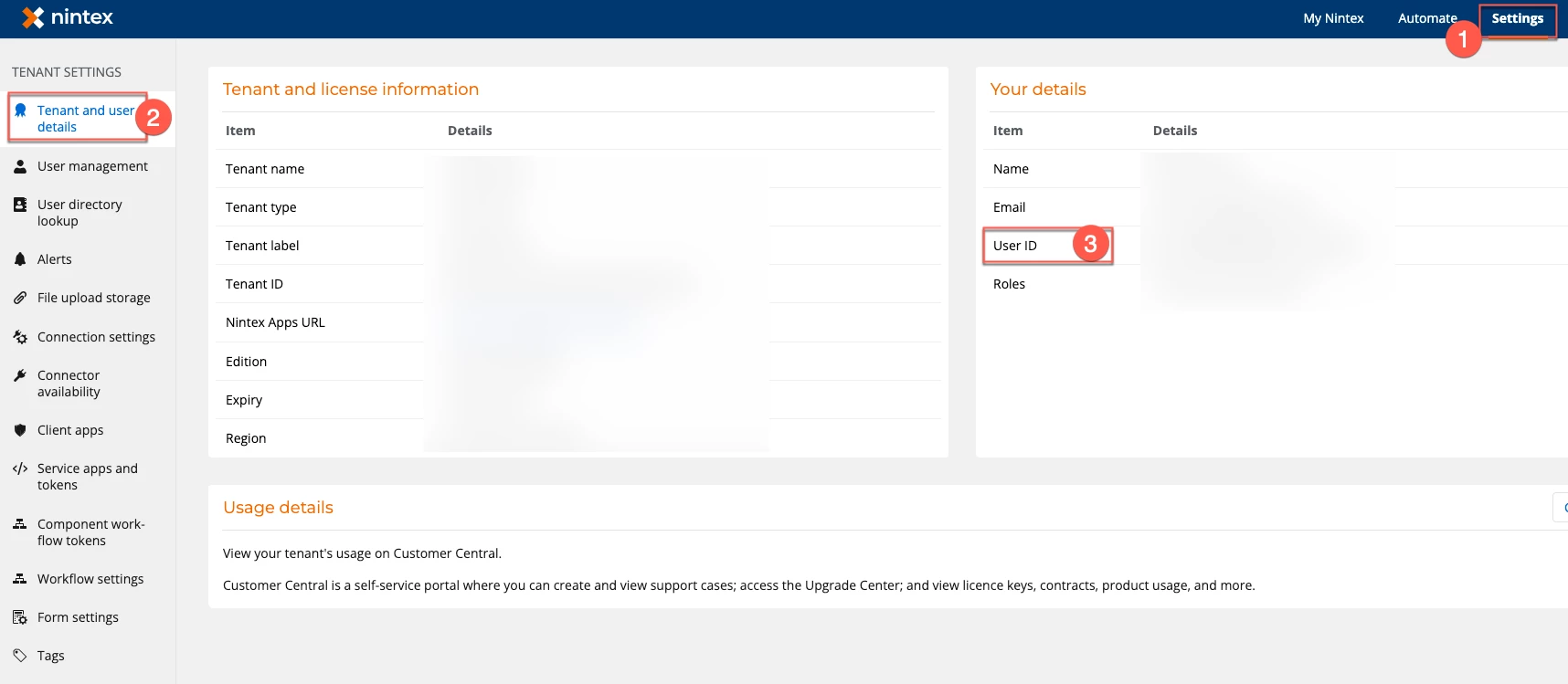
4. Navigate back to the user profile in Nintex Apps.
5. Paste the copied user ID into the Federation ID field.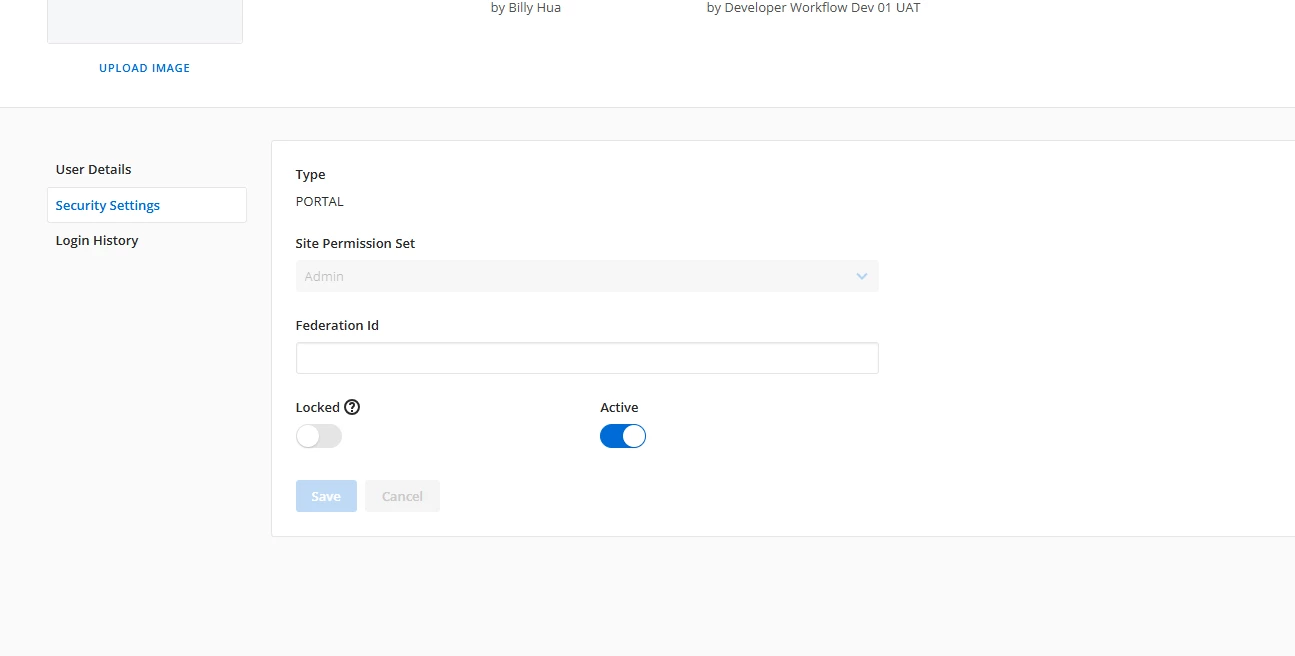
Outcomes
By manually adding the correct Federation ID (which matches the User ID from Nintex Workflow Cloud) to the affected user's profile in Nintex Apps, the issue was resolved.
Takeaways
- For users authenticating via SSO and interacting with NWC data and services through Nintex Apps, the Federation ID in the Nintex Apps user profile is critical for proper authentication and functionality.
- Please note that users automatically provisioned through access from NWC or direct Nintex login will have their Federation ID populated automatically. Manually NWC-created users might require manual entry of this ID.
- The user ID found within the user details in Nintex Workflow Cloud serves as the required federation ID for Nintex Apps.