
Topic
This article describes how to configure SAML for HA-deployment.
Instructions
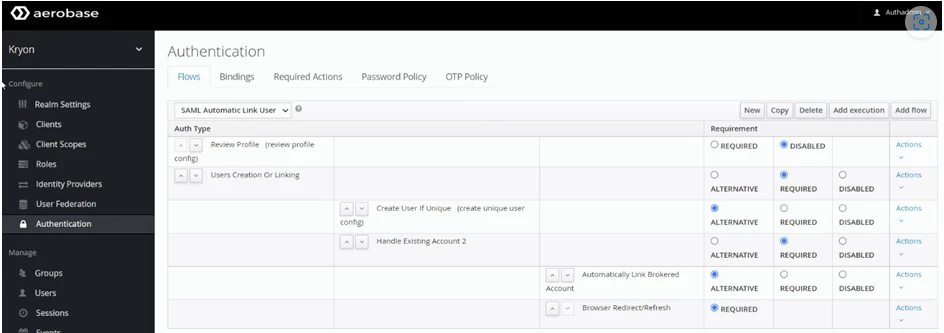
1. Define Authentication flow as shown below:
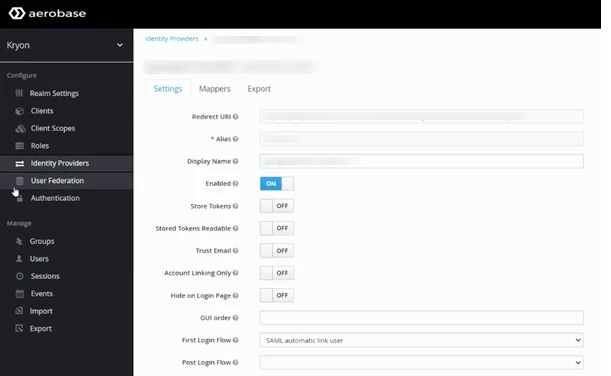
2. Create two identity providers
- Alias - has to be identical in Keycloak and on the customer side
- Redirect URI - generated automatically according to the current server name
- Display Name – the FQDN of the current server
- First Login Broker – select from the combo-box the name created in step 1
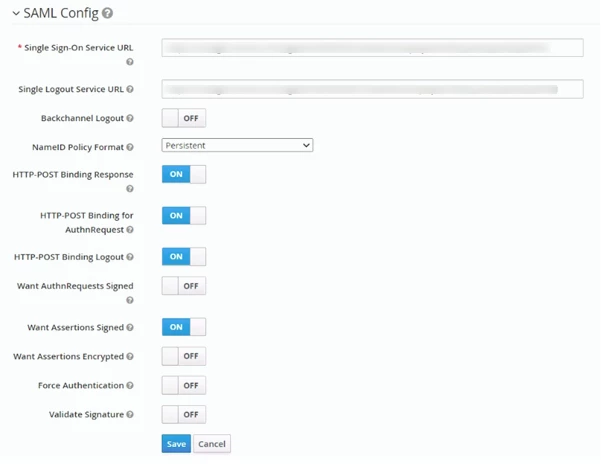
- Single Sign-On Service URL – to be provided by the customer
- Single Logout Service URL – to be provided by the customer
- Other settings – configured in accordance to the customer’s IT requirements
3. Create mappers for each created identity provider as shown below (User Attribute Value is in camelcase format)

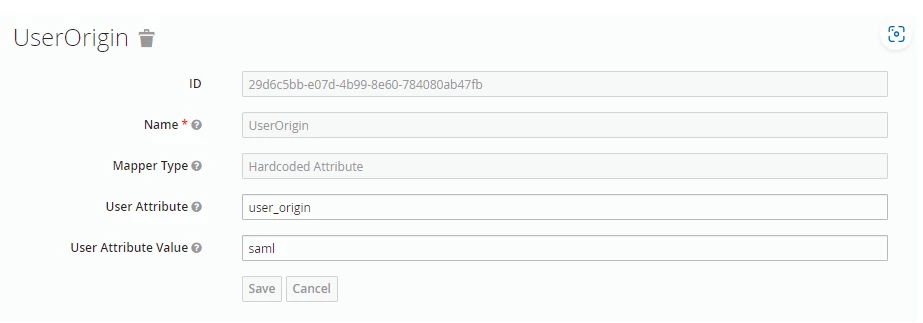
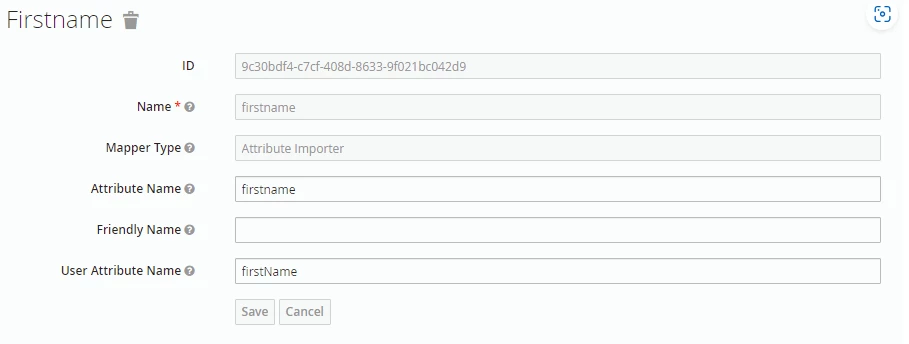
4. Mark all the federations as WRITABLE
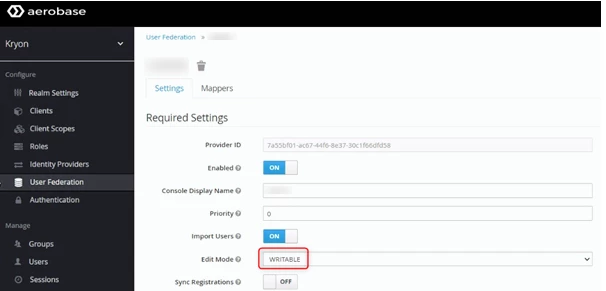
5. Modify "\Kryon\IDP\Aerobase\Data\aerobase-server\themes\kryon\login\login.ftl" file as shown below (line 64)

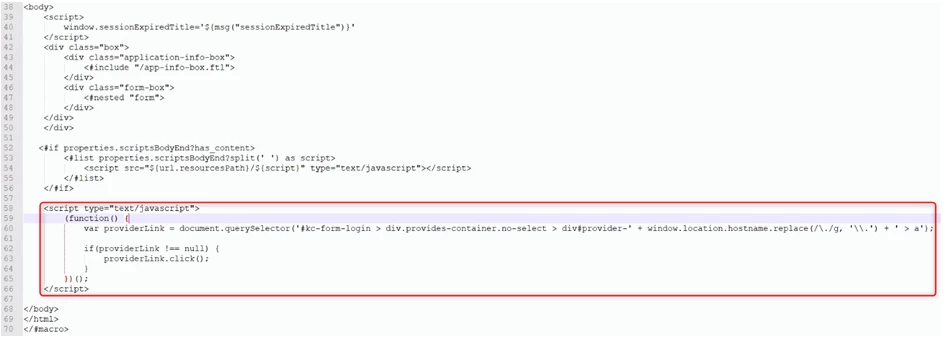
6. Modify "\Kryon\IDP\Aerobase\Data\aerobase-server\themes\kryon\login\template.ftl" file as shown below (line 58)