
Topic
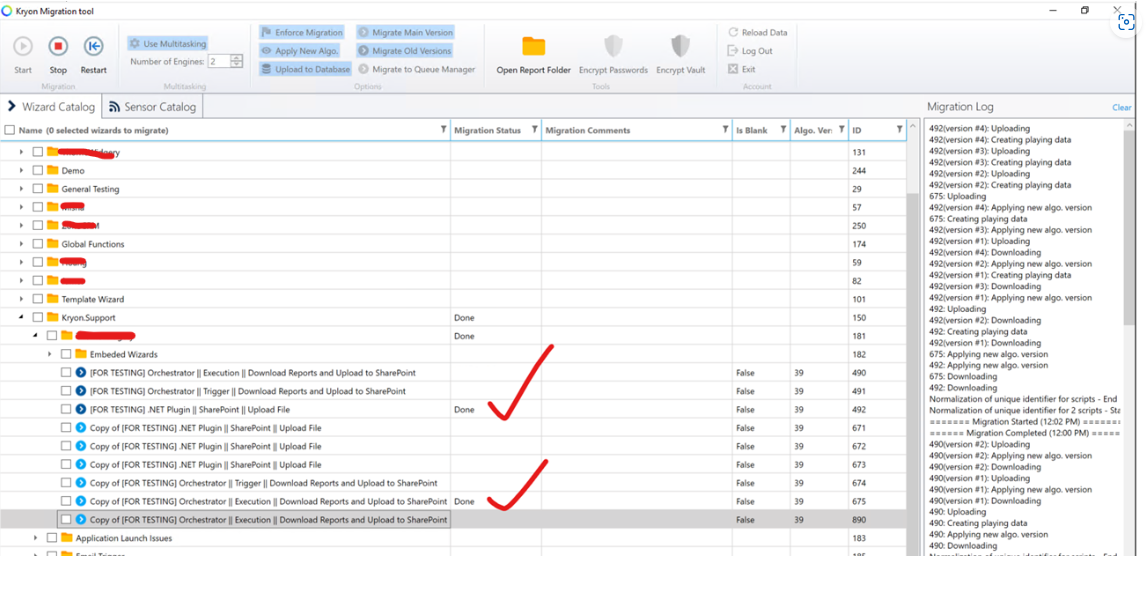
While migrating wizard, receive .NET plugin error message: "Done with error."
This can happen with multiple wizards with .NET plugin embedded in them.
Instructions
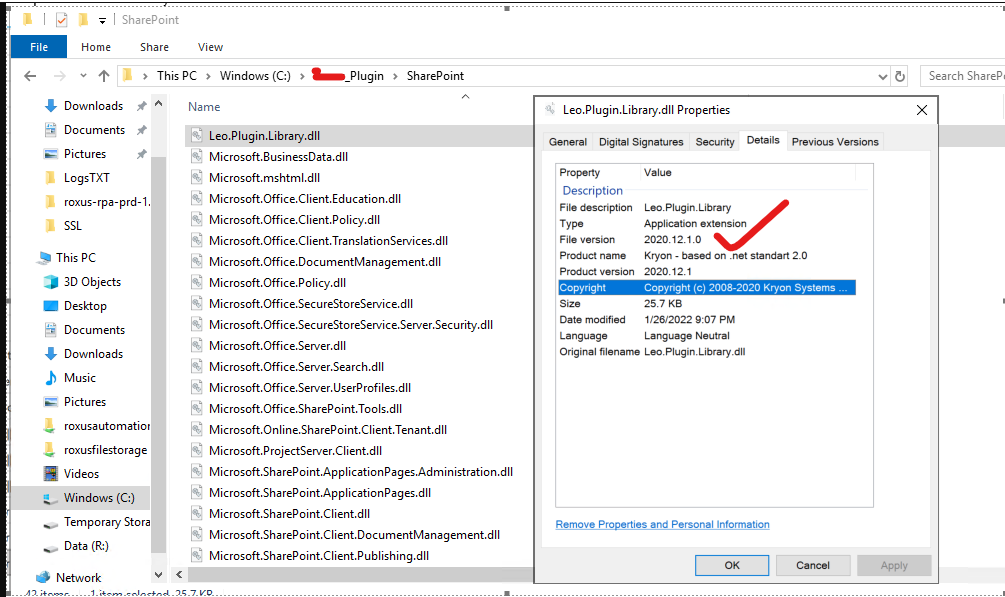
Update Leo.Plugin.Library in existing developed plugin, e.g. if you upgraded to RPA 21.10.2 then latest File version is 2020.12.1.0
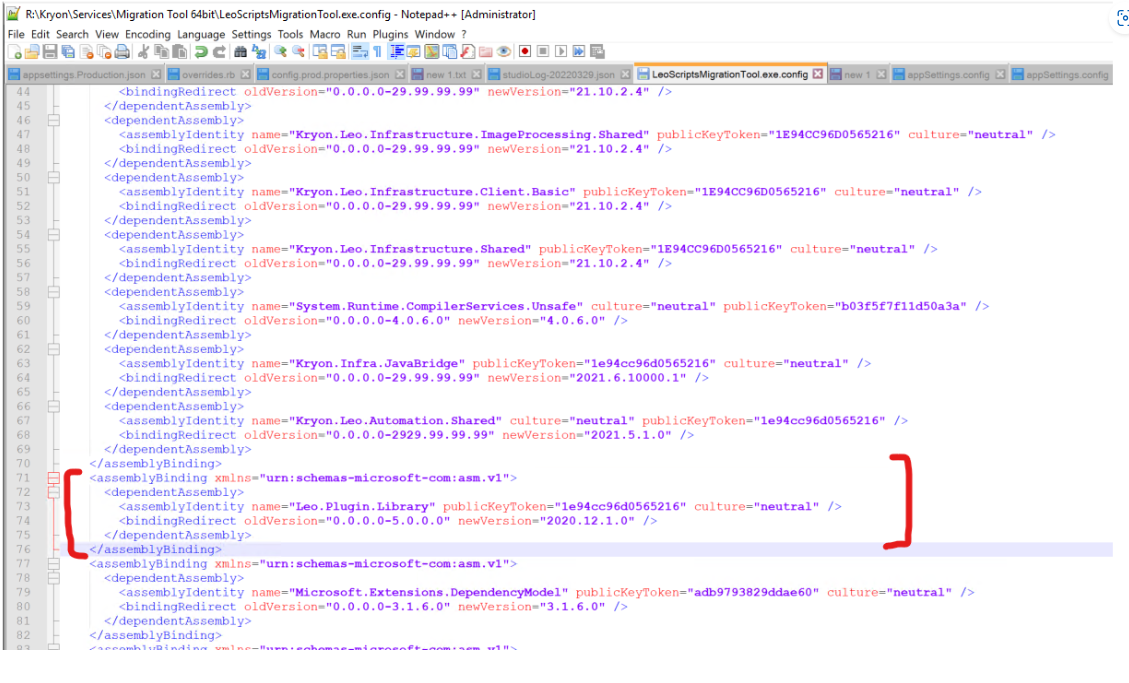
Edit and add Leo.Plugin.Library assembly in the LeoScriptMigrationtool.exe.config file:
<assemblyBinding xmlns="urn:schemas-microsoft-com:asm.v1">
<dependentAssembly>
<assemblyIdentity name="Kryon.Leo.Infrastructure.Shared.Helpers.PowerCollections" publicKeyToken="1E94CC96D0565216" culture="neutral" />
<bindingRedirect oldVersion="0.0.0.0-5.0.0.0" newVersion="2020.12.1.0" />
</dependentAssembly>
</assemblyBinding>
Start Migration tool from:
C:\Kryon\Services\Migration Tool 64bit\LeoScriptsMigrationTool.exe and try to migrate now.
Note: To login, use your Studio credentials