Steps for adding of new libraries:
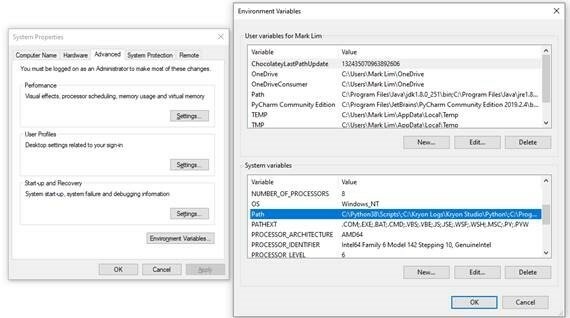
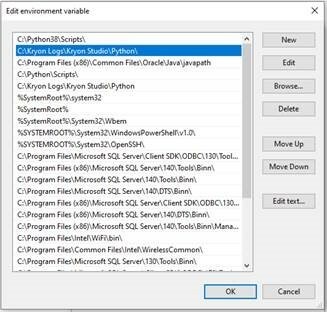
Step 1: Update the environment variable to reflect your Kryon Studio Python Folder
Step 2: Download and extract the python library installation files to any location. (For this example, I am using dnspython which was downloaded at https://pypi.org/project/dnspython/#files)
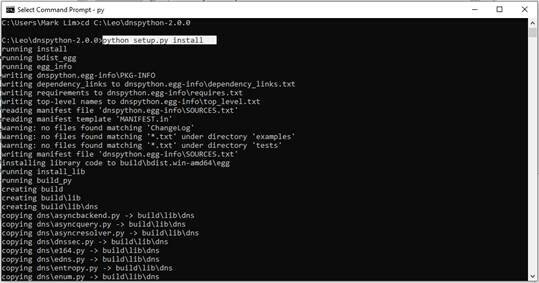
Step 3: Launch a command prompt window and go to the location of the extracted python library installation files.
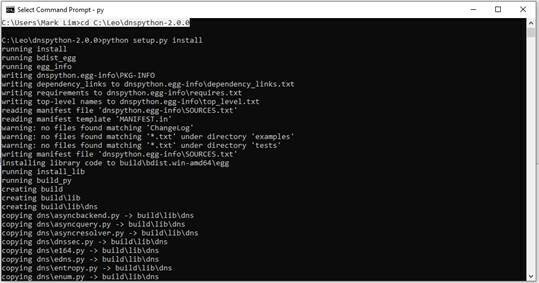
Step 4: Install the python library by running the following command: python setup.py install (Note: if using the tar.gz file, you may need to find another command to run the installation)
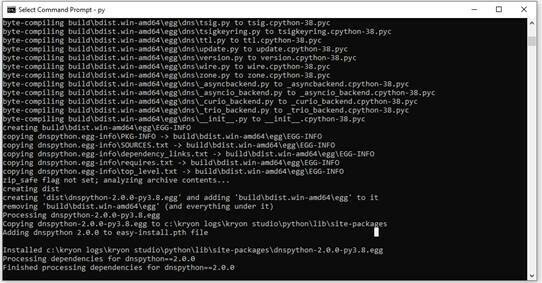
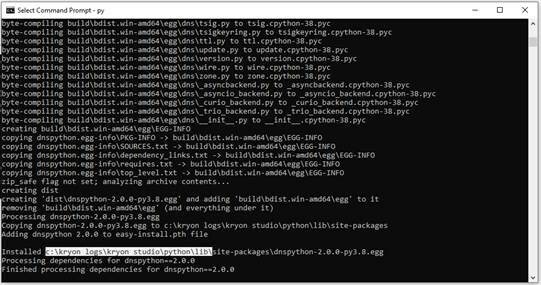
Step 5: Ensure that the library has been installed to the correct folder.
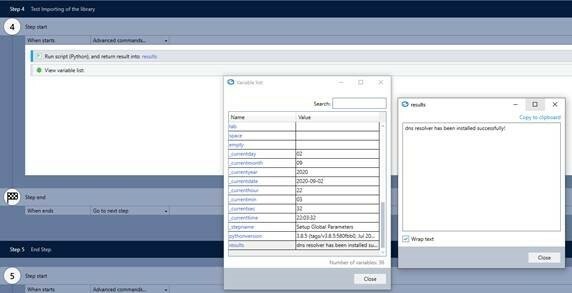
Step 6: Relaunch your Kryon Studio and create a wizard to test importing of the new library.
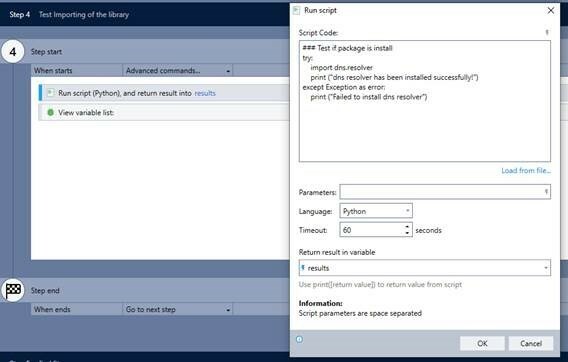
Step 7: Finally, check the results of your import.