




Topic
How do I bulk export documents in Nintex Promapp?
Instructions
There is no direct way to export all documents, however, you can generate a minimode link to get a list of all documents.
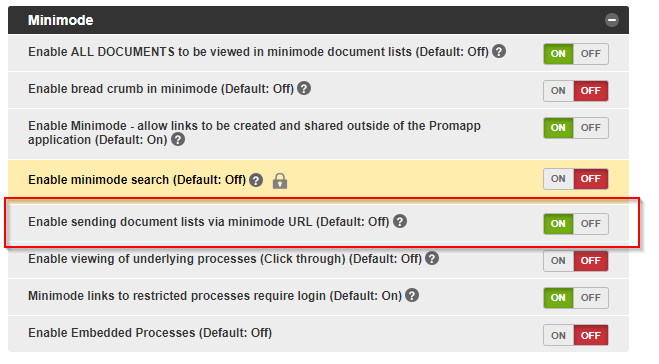
1. Ensure you have the correct settings enabled under Admin > Configure:
2. Enable sending document lists via minimode URL (Default: Off) - Switch it ON
3. Navigate to the Documents Library
4. Click the mail icon in the top-right
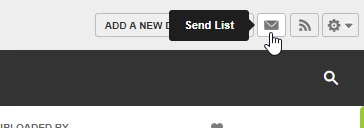
This will open a new window that will include a link to all the documents on your site.
1. Ensure you have the correct settings enabled under Admin > Configure:
2. Enable sending document lists via minimode URL (Default: Off) - Switch it ON
3. Navigate to the Documents Library
4. Click the mail icon in the top-right
This will open a new window that will include a link to all the documents on your site.
Additional Information
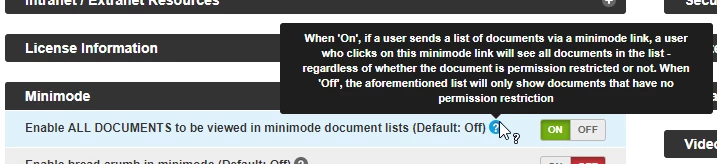
The link will only include documents that the user has permission to view. If you want this link to include all restricted documents you need to enable the option - Enable ALL DOCUMENTS to be viewed in minimode document lists (Default: Off)
Example screenshot:
Example screenshot: