Nintex Community Menu Bar

Operators to use to dynamically select templates

  • January 28, 2020
  • 4 replies
  • 13 views

Hello,

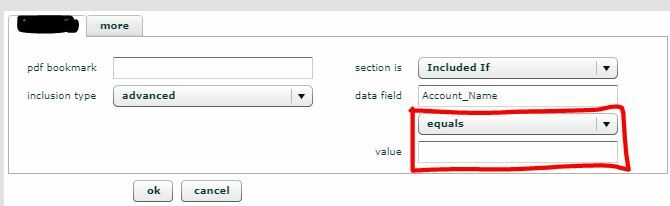
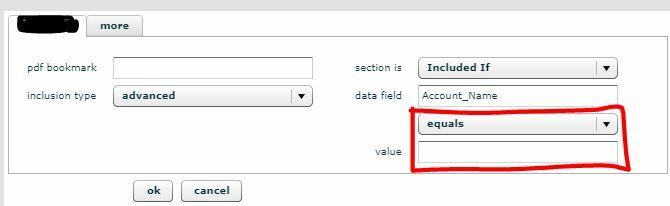
When setting up templates for dynamic selection, how should I complete the section outlined in red below (i.e. what is the operator and what is the value)? I have two scenarios:

1) select template A when Account_Name equals blank.

2) select template B when Account_Name does not equal blank.
6274i6A477F9D116985C0.jpg


Thanks!

4 replies

Forum|alt.badge.img+14
  • Nintex Employee
  • January 28, 2020

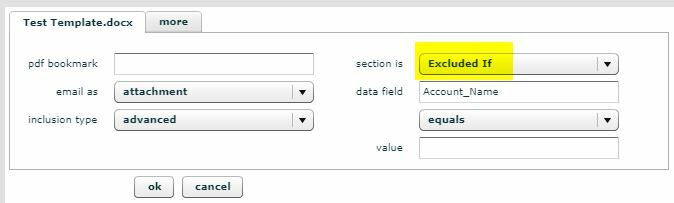
@Yes If you want to test a value being blank you just leave the value blank, like in your picture. For the second you can also leave it blank with the same operator and change included if to excluded if. 


  • Author
  • January 28, 2020

Hello @leighburke. Thanks for your response. I tried it and set the two templates to show as follows. However, when I test the package, template B is selected in both scenarios.  What am I doing wrong? Thanks!

Scenario 1:  select template A when Account_Name equals blank.


Scenario 2:  select template B when Account_Name does not equal blank.


Forum|alt.badge.img+14
  • Nintex Employee
  • January 28, 2020

@Yes Without seeing the data it is hard to say, I would contact the support team and they will be able to look and confirm the issue.


  • Author
  • February 6, 2020

@leighburke  Thanks, I went a different direction and created a new package. Thanks.