Nintex Community Menu Bar

Workflow task list: Title column redirect page

  • December 18, 2019
  • 3 replies
  • 37 views

Forum|alt.badge.img+1

Hello,


I have been working with Nintex Workflows for a couple of months now and something that has bothered me for quite some time is that clicking the title of a task in the "Workflow Tasks" list redirects the user to different windows depending on the workflow action used to assign the task. Please see example below:

I have assigned myself one "flexi task" and one "request data"-task:
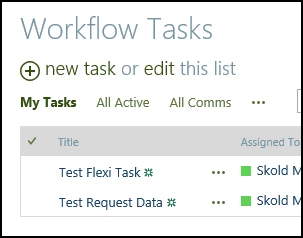
6000i723F60983325D7D8.png


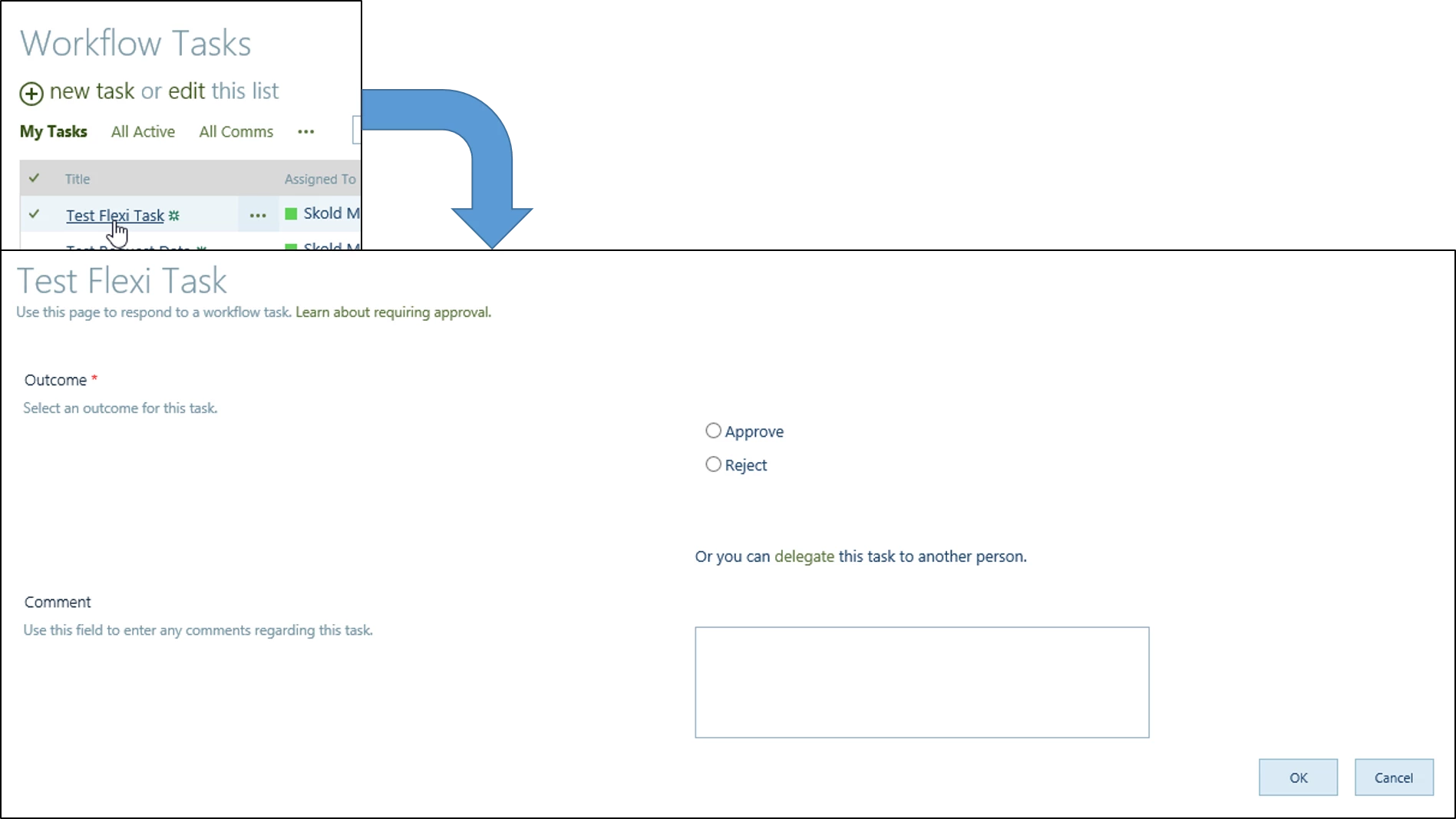
If I click the title of the "Test Flexi Task" I get redirected to the "edit item"-view of this task:
6001i6F58BC71F946D491.png


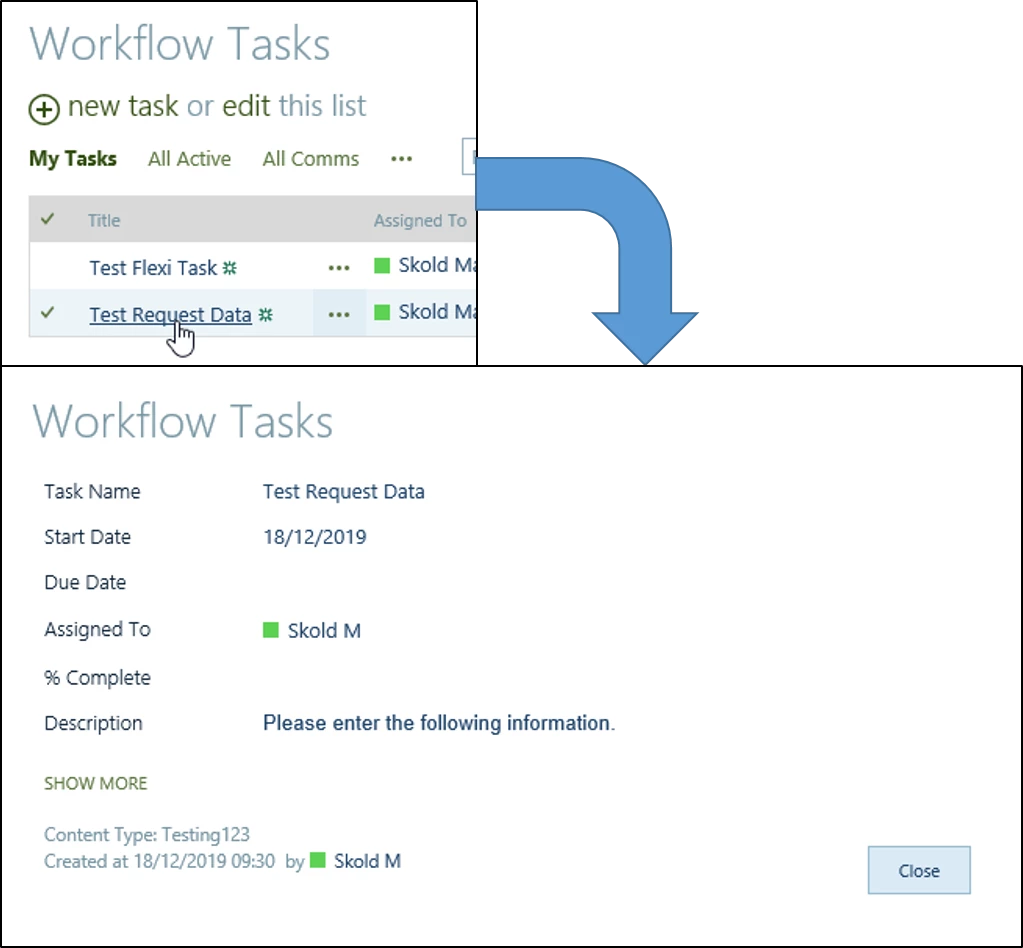
However, when I click the title of the "Test Request Data" task I get redirected to the "view item"-view of the task:
6002i439D8F0595E31920.png


Is there a way to always forward the user to the "edit item"-view of the task when clicking the task's title, irregardless of what type of task it is?


Thanks in advance!

3 replies

Forum|alt.badge.img+12
  • Scholar
  • December 18, 2019

@MrSkold ....You can try creating a workflow in your task list which will trigger when an item is created and update the Title column value from Display.aspx to Edit.aspx.


You will need RegEx to change the URL and using update list item action update the URL. Make sure you select URL when you're updating the Title column (click on 3 dots and select URL from drop down)


Forum|alt.badge.img+1
  • Author
  • December 18, 2019

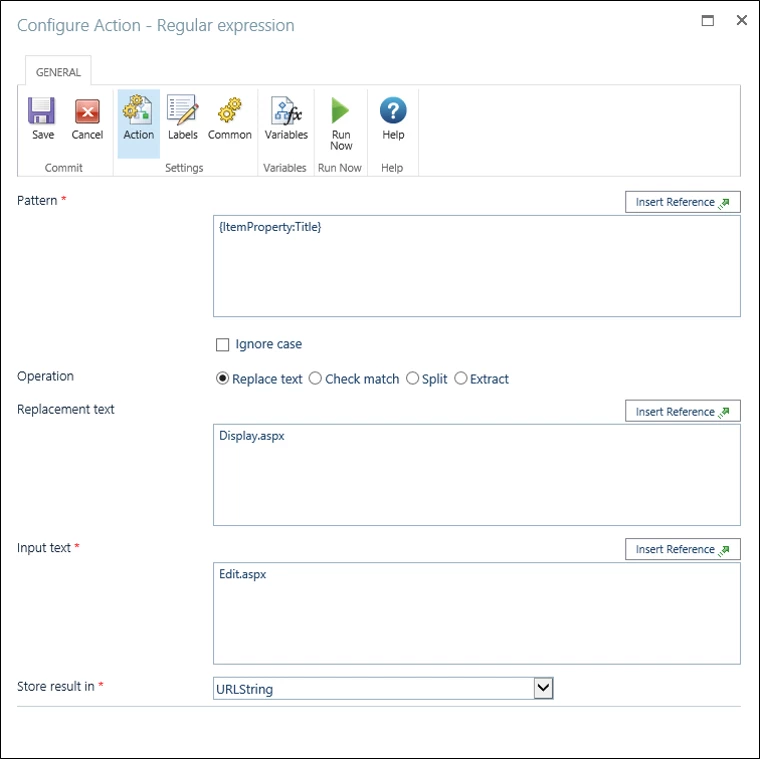
@kunalpatel interesting workaround, although I have never used the regular expression task in Nintex before so could you please elaborate on how I should set it up? I'm not convinced what I've done is correct...

6010i27836CB304E51908.png


Forum|alt.badge.img+12
  • Scholar
  • December 18, 2019

@MrSkold .....If inserting as item property gives you the URL then yes you're doing correct if not then you may need to get the URL. I think the Item URL might also work for you.


After RegEx, store it in a variable and using log history action, you can see what's the outcome of your RegEx.