Nintex Community Menu Bar

Workflow multiple approvers based on list item

  • May 8, 2019
  • 9 replies
  • 76 views

Forum|alt.badge.img+1

Dear all, 

I am trying to configure a workflow in which multiple approvers are assigned. I developed a form in which multiple questions are mandatory. I included one drop-down question, indicating which area of a sharepoint the initiator would like to access. The initiator has 4 choices.

Now I would like to connect an approver to each of these options.
So for example choice A --> Approver A, Choice B --> Approver B, Choice C --> Approver C, and Choice D --> Approver D. 

Now I do not now if I have to build in a run-if statement or a condition statement, that runs if a certain value is inserted.

My current setup does not work, please have a look:
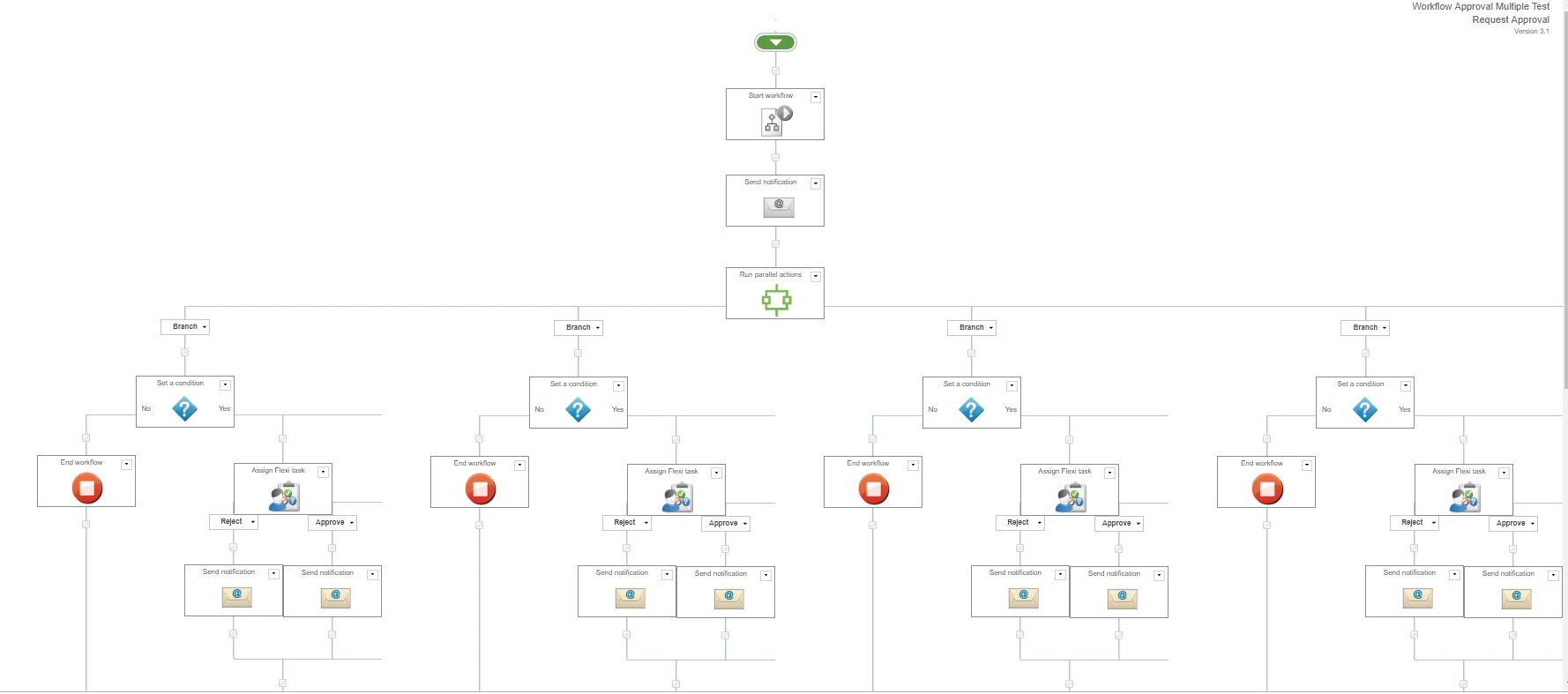
1827i7687E6334D3065BC.png
Thanks in advance!

9 replies

Forum|alt.badge.img+11
  • May 8, 2019


Hi


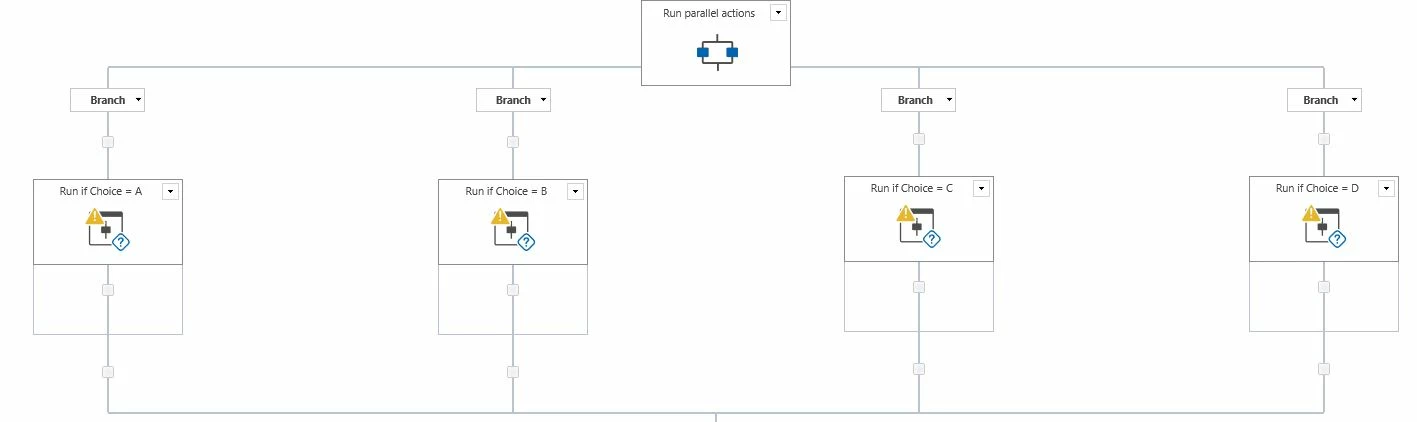
My advise would be to use the RUN IF function instead of Conditinal Statement because it will then go other route if the condition is not met; in which case you added a STOP function every time.


Whereas the RUN IF function is run only if it's true :)
So, you would have 4 x Run If functions


1848iD0C444267068255A.jpg

Of course within the Run If function you can also add other values to validate against.


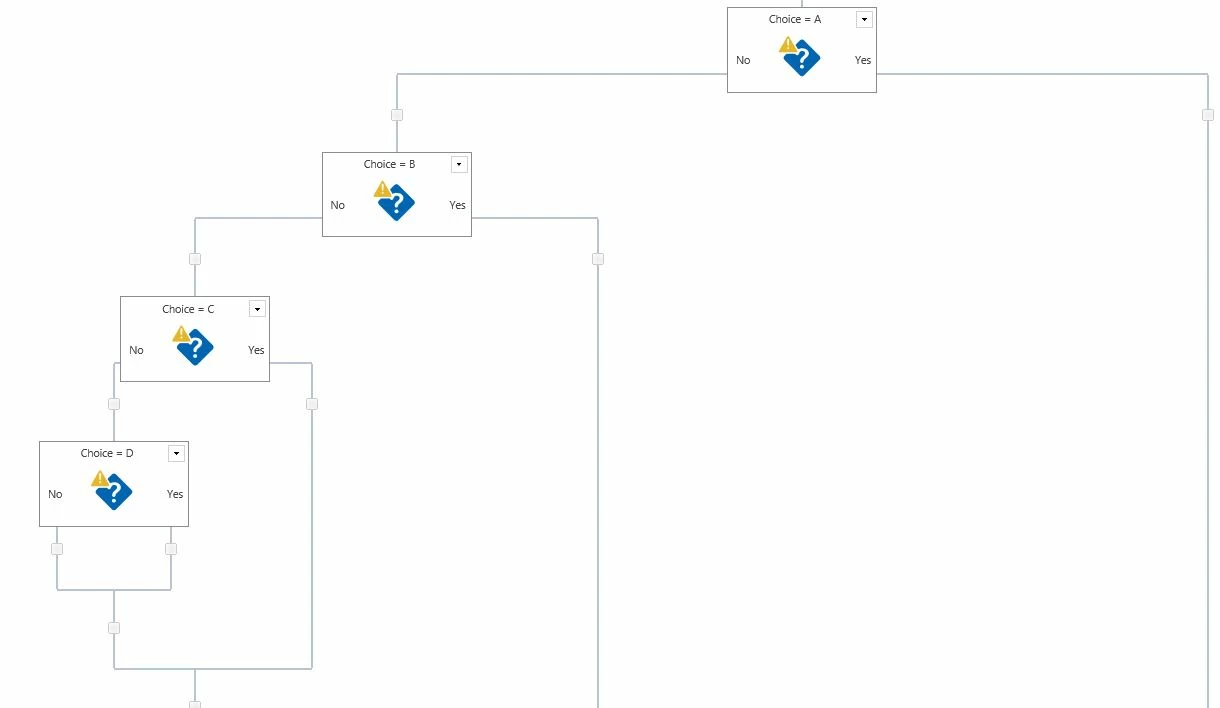
With the Conditional, then it would be like this:


1849i6B47A74EC77E83C7.jpg


Forum|alt.badge.img+16

I would have only one approval task and use a variable for the assignee.  You can set the variable assignee to be the approver for the selected option?


Forum|alt.badge.img+11
  • May 9, 2019

@cassymfreeman                    


hmmmmm I like to know how this can be done :)

May need this in the future ....


please do show a demo. if possible.


Cheers


Forum|alt.badge.img+1
  • Author
  • May 9, 2019

Thanks for your reply. 

I have managed to build in a run-if function instead of the conditional function. However, now it sends all the approvers an approval task, instead of sending the taks only if a certain value is satisfied. Do you happen to know why this happens?


Cheers


Forum|alt.badge.img+11
  • May 9, 2019
Can you demonstrate what you have used in the RUN IF, what are the conditions?

Forum|alt.badge.img+1
  • Author
  • May 9, 2019

Sorry for the delay!
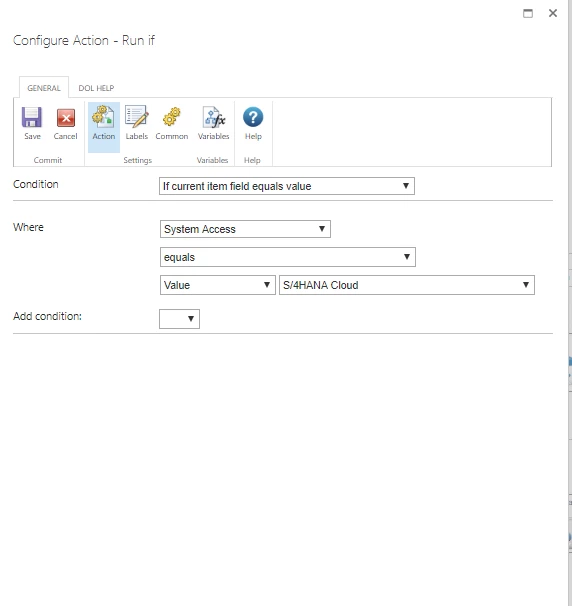
So S/4HANA Cloud is on of the dropdown options in a form I created. So this should be allocated to Approver A. 
1889iF81D6EE89F2B0A71.png

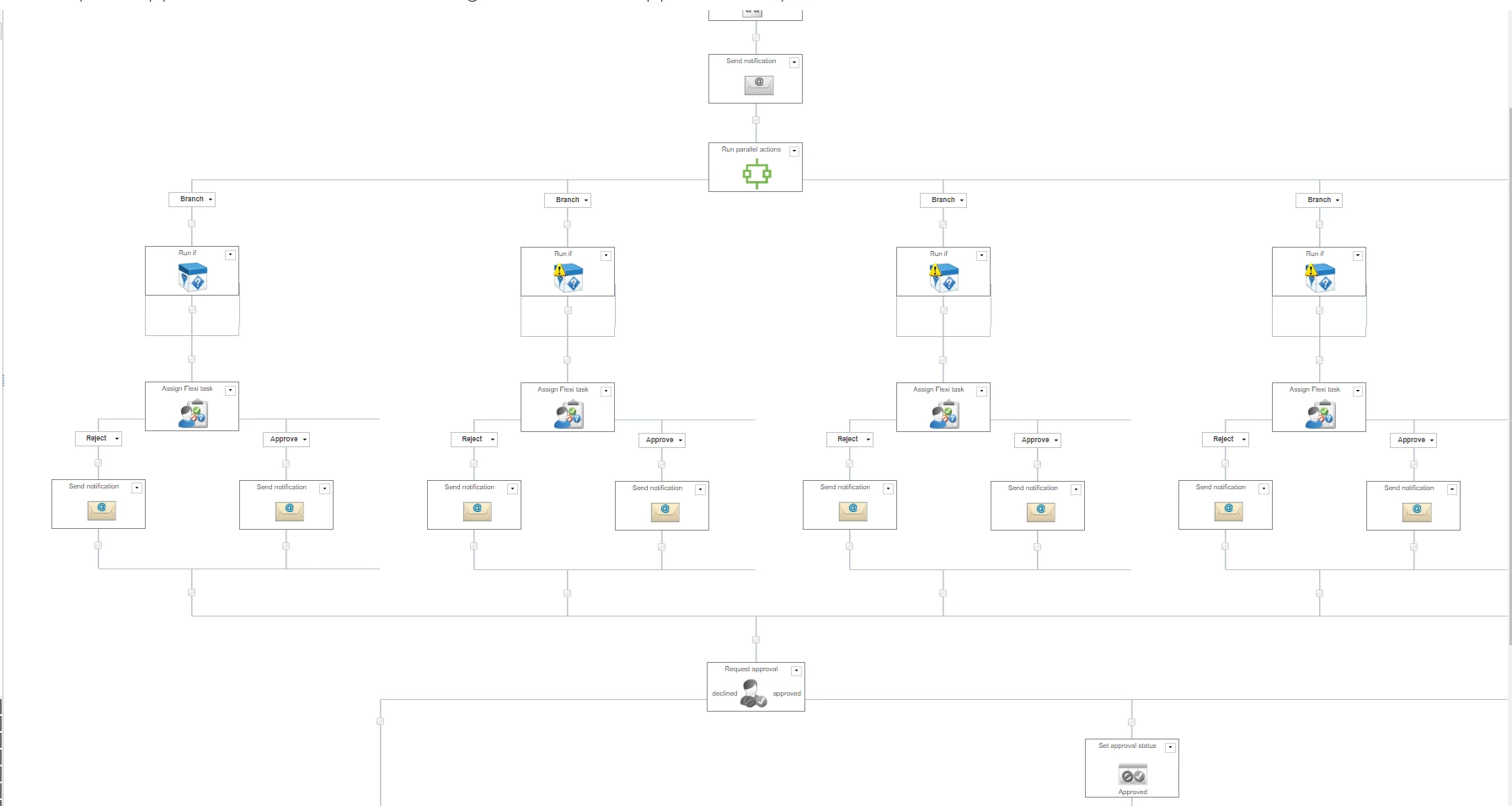
This is how the workflow looks at the moment:

1890i2E4FDA32438FB16C.png


Forum|alt.badge.img+11
  • May 9, 2019
Hi

Make sure the Approval Process is included within the Run If function, not outside!
Also, I can see there is a yellow explanation mark which means there is no condition defined or not properly set.

Forum|alt.badge.img+16

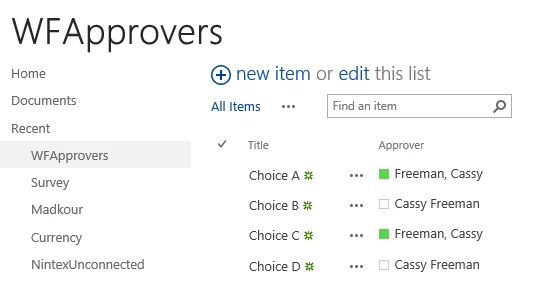
Have a separate list of approvers linked to each choice:

1894i73128B8000E2F554.png


On your main list, have a choice column that matches the options in the above table.

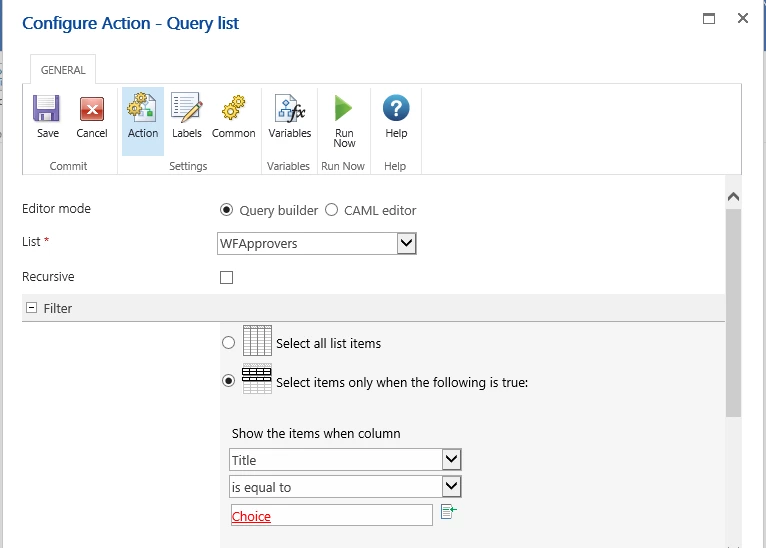
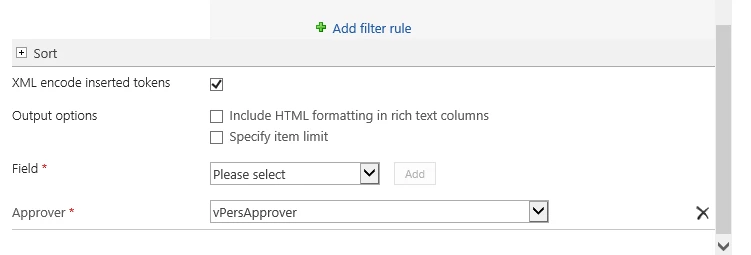
In the workflow, query the list WFApprovers where Title = Choice selected on main list.  Choose to return the Approver storing it in a variable of type Person or Group.

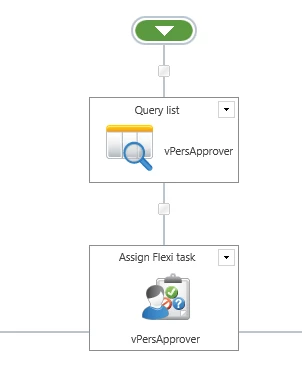
Use the variable to assign the flexi task to:

1898i28CA3CC512FCB9A3.png

1896i35F245F4F486894B.png


1895i19C2F77CE2187633.png


Forum|alt.badge.img+1
  • Author
  • May 10, 2019

I would like to thank you both for reaching out!

Great help!