Nintex Community Menu Bar

When Dropdownlist is changed then populate dropdownlist2 list control with data

  • December 24, 2016
  • 2 replies
  • 16 views

Forum|alt.badge.img

Hello All,


could you please give me one complete example on populating the dropdownlist 2 based on dropdownlist 1 changed.
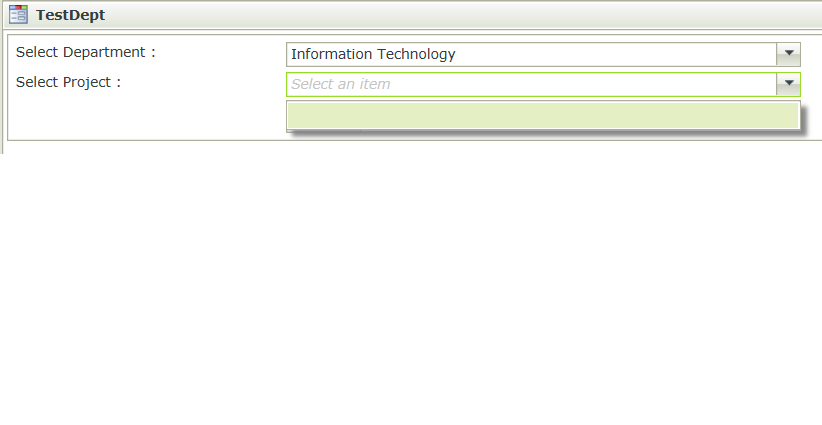

13460iB7ACD396DBC71432.png

2 replies

Forum|alt.badge.img+10
  • Nintex Partner
  • December 24, 2016

Sure.  Here is one.  There are others as well.  Just search on cascading dropdown list.  The key is configuring the option to filter the data based on another contro.l


http://www.dotnetsharepoint.com/2016/06/create-cascading-drop-down-list-in-k2.html


Forum|alt.badge.img+8

Dear,


Since i got no k2 machine right now to give you the demonstration with photos , but ill try to demonstrate it as much as i can and explain how to accomplish your request properly with an example.


lets say i have 2 drop down lists , first is for countries and second for cities .

for the first one, you simply configure the data source as smart object to retrieve the countries .

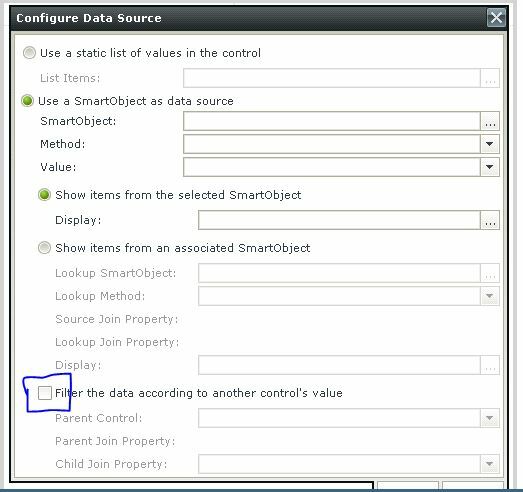
for the second drop down list you will configure the data source as smart object for cities , but one more thing to configure is "filter data according to another control"

16222i4A5FE2F686E73113.jpg


and you will set the first drop down list as parent control .

parent join property should be the ID for first drop down list .

and child join property should be the foreign key referencing the first drop down list ID

Countries (ID:1 , Name:Jordan ; ID:2, Name:United States)

Cities (ID:1, Name:Amman, ParentID:1 ; ID:2, Name:California, ParentID:2)


so when you choose Jordan from first drop down list , the second drop down list will be populated with amman and any other cities you got in that smart obejct.

so basicly configuring these steps will generate a rule automatically saying "when drop downlist is changed" which is for the first drop down list , then inside that rule u will find an action saying "populate second drop down list".


Hope it helps!

Regards.