Nintex Community Menu Bar

#Value! in Nintex form

  • October 22, 2019
  • 8 replies
  • 35 views

Forum|alt.badge.img+5

I created a form which has a calculated value as below:

userProfileLookup(Current User,"PreferredName")
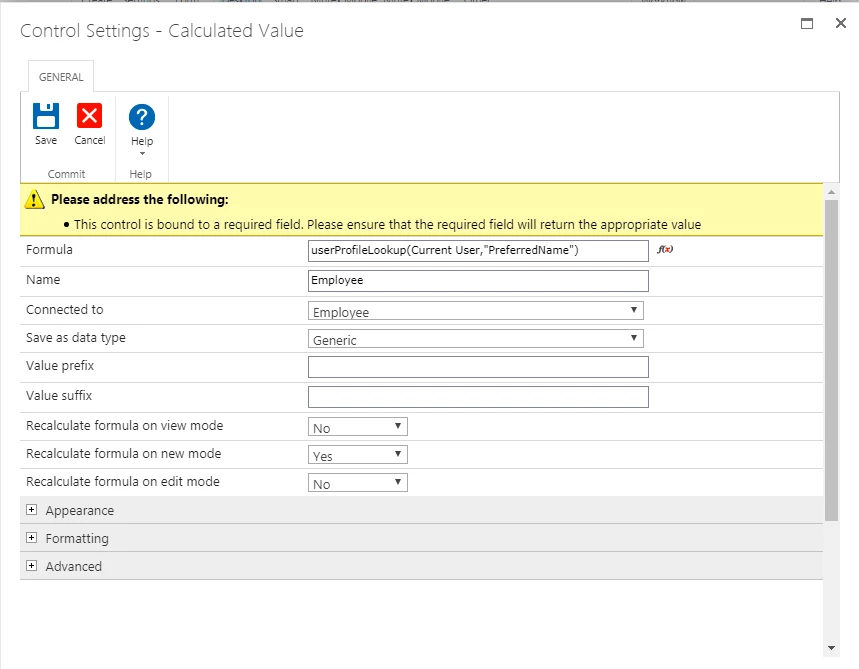
5021i2336B15C5CB9B43E.png

The issue is that when we create new item, the name sometime appear as #Value! while sometimes it is working fine.


Please advise why this is happening.

 

8 replies

MegaJerk
Forum|alt.badge.img+14
  • Scholar
  • October 22, 2019

That's because you've just typed in the text "Current User" instead of using a Reference. 

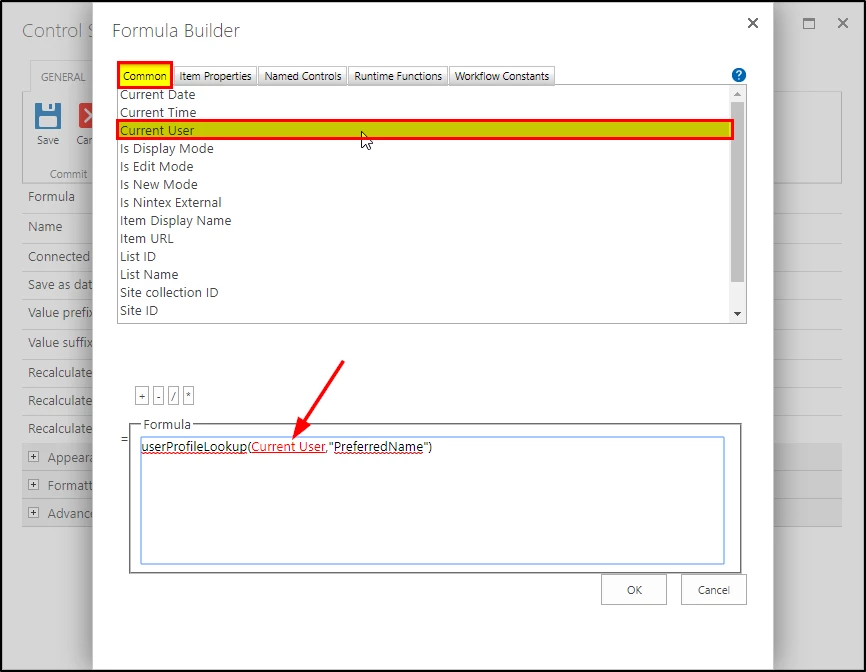
Instead of just typing it in, use the Formula Builder to access all of the references to the built in values exposed on the Form. 

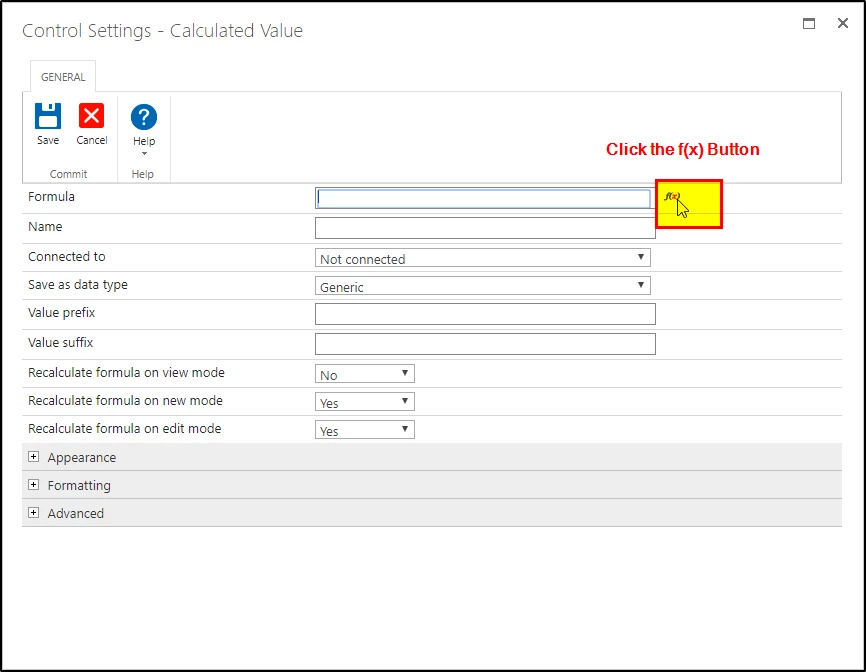
First, while in the settings of the Calculated Value Control, click on the f(x) button next to the Formula Input: 

5026iDD96DC4E5F6FB135.png


Once inside there, you can type out your Function, and arguments that aren't references (userProfileLookup( ,"PreferredName"), and then fill out the 'Current User' using the Current User reference found in the Common Tab as shown. If done correctly the phrase 'Current User' will be in red as shown. 

5027i200ACFD676E78B2C.png


This should correct your problem. 


Forum|alt.badge.img+5
  • Author
  • Rookie
  • October 23, 2019
The issue still not solved after applying the above.
Note: Sometimes the name appear and sometimes no.

Simon Muntz
Nintex Partner
Forum|alt.badge.img+23
  • Nintex Partner
  • October 23, 2019
When the attribute does not appear check the browser console for any hints of what has gone wrong.
Does refreshing the form bring up the attribute?
Is is always the same users that have problems seeing the attributes?
Is it always the same user profile that is being looked up that has the issue?

Forum|alt.badge.img+5
  • Author
  • Rookie
  • October 23, 2019
- Does refreshing the form bring up the attribute? Sometime yes. But if you keep on refreshing also sometimes the name appears correctly and sometimes will appear as #Value!

-Is is always the same users that have problems seeing the attributes? No for different users.

-Is it always the same user profile that is being looked up that has the issue?

No

Simon Muntz
Nintex Partner
Forum|alt.badge.img+23
  • Nintex Partner
  • October 23, 2019
Do you see any errors in the browser console when the issue occurs.
The issue may be with the UserProfile service.

Simon Muntz
Nintex Partner
Forum|alt.badge.img+23
  • Nintex Partner
  • October 23, 2019

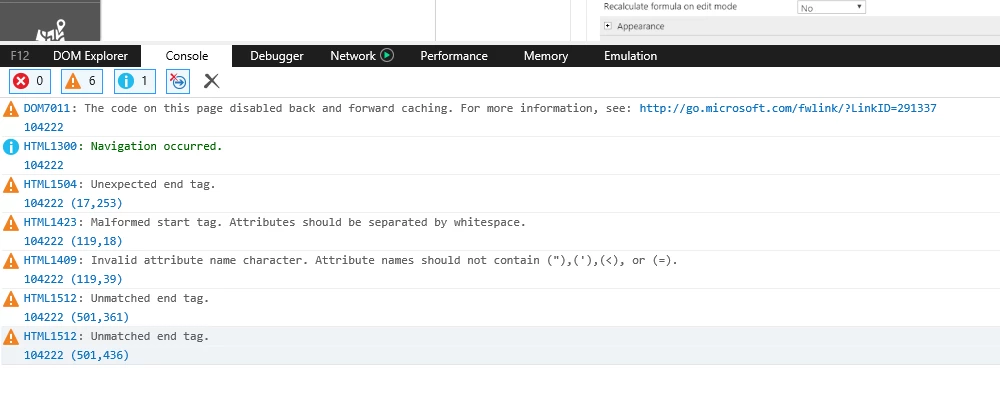
Just looking for errors in the console:

Example:

5039i51D0224125582841.png


Forum|alt.badge.img+5
  • Author
  • Rookie
  • October 23, 2019

5040iB253AF37CCFA80A0.png


Simon Muntz
Nintex Partner
Forum|alt.badge.img+23
  • Nintex Partner
  • October 23, 2019
Hi,
Based on the error and that its intermittant I would be looking at the server logs and ULS logs as you will probably find that the UserProfile service is timing out sometimes.