Nintex Community Menu Bar

Using Nintex Form for a New List Item

  • September 19, 2019
  • 11 replies
  • 78 views

Forum|alt.badge.img+3

I've created a Nintex form for a SharePoint 2019 list and published it.  However, when I click on +New to create a new list item, the panel opens on the right side of the list and the fields don't reflect the Nintex form.  

How do I get the SharePoint list to use the Nintex form?  Do I need to change something in the list's settings?



11 replies

Forum|alt.badge.img+11
  • Scholar
  • September 19, 2019

How did you create the Nintex form? Did you go to List- Nintex Forms-Customize the Form to either Clasis or responsive?


Forum|alt.badge.img+3
  • Author
  • September 19, 2019

Yes, went to List, Nintex Forms, tried it the first time with Responsive, then tried using Classic.  I have the same result either way.


Simon Muntz
Nintex Partner
Forum|alt.badge.img+23
  • Nintex Partner
  • September 19, 2019
Hi,
Can you provide a screen shot of the issue?
Sounds like you are using modern view, do you see the same issue in classic view?

Forum|alt.badge.img+3
  • Author
  • September 20, 2019

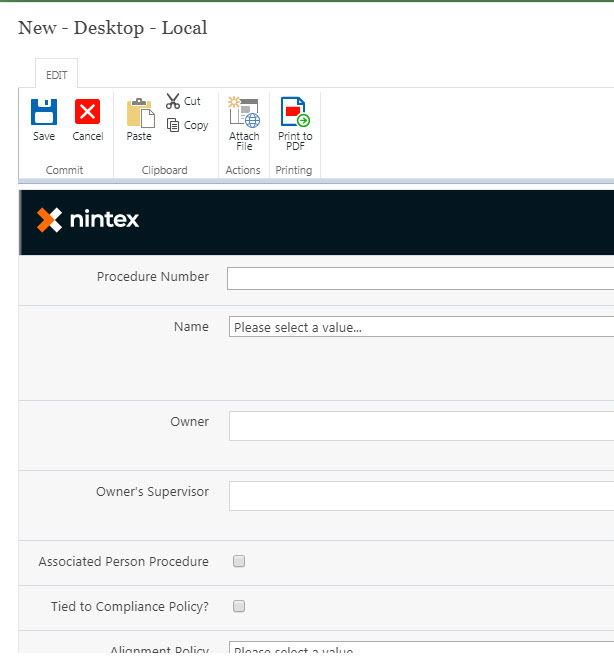
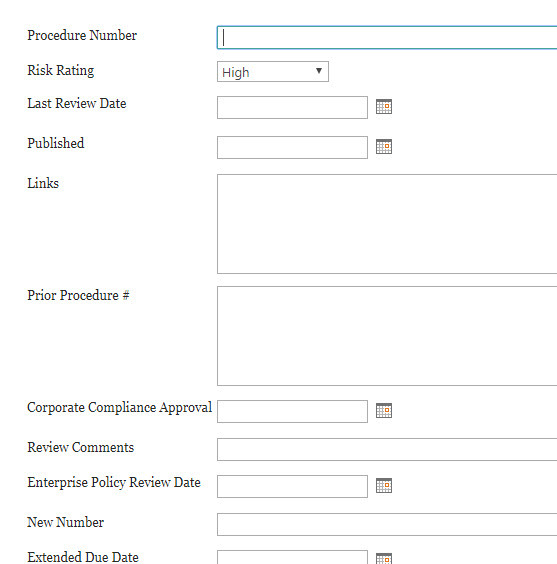
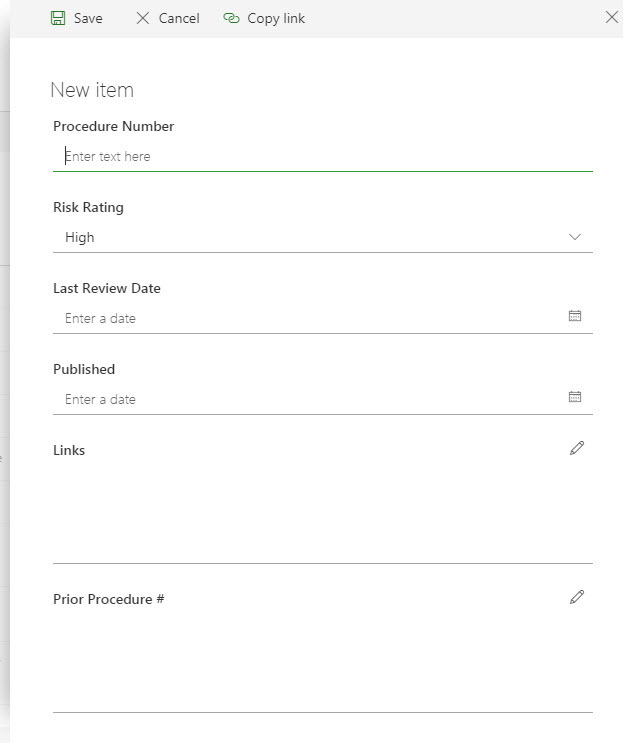
I have the same issue in modern and classic view.  Here's form I created followed by what opens in classic and modern views:

4606iC8E27EB8835D7875.jpg4607i9FC923BDFF4FEFC6.jpg4608iD90DFA82AF7E9CBB.jpg

The form that opens has fields I no longer need to complete and is missing new fields.


Simon Muntz
Nintex Partner
Forum|alt.badge.img+23
  • Nintex Partner
  • September 21, 2019
The forms that are being displayed are default SharePoint forms.
You are able to create different forms for different content types. Are you sure you have published the for for the content type that is being used when you click new?

Forum|alt.badge.img+3
  • Author
  • September 23, 2019

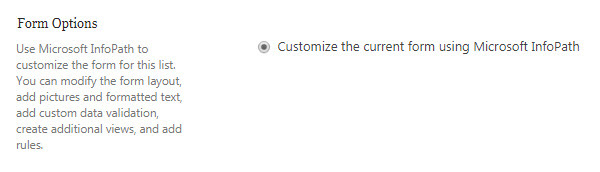
This list only has one content type: Item.  I've tried changing the settings for "Allow management of content types?" from Yes to No, and have the same result either way.  Could the issue be that the Form Options is set to "Customize the current form using MIcrosoft Infopath"? 

4612iDE644F4E7C7019F3.jpg


Simon Muntz
Nintex Partner
Forum|alt.badge.img+23
  • Nintex Partner
  • September 30, 2019
No this is not the issue.
If you create a new list with just the default "item" content type and then create and publish a form does that work?

Forum|alt.badge.img+3
  • Author
  • October 1, 2019

Yes, the form works correctly for a new list.  


Simon Muntz
Nintex Partner
Forum|alt.badge.img+23
  • Nintex Partner
  • October 1, 2019
Ok,
So there seem to be an issue with that particular list then.

Forum|alt.badge.img+3
  • Author
  • October 11, 2019
Seems so. I was hoping I wouldn't have to re-create the list, but may have to.

Forum|alt.badge.img+12
  • Scholar
  • October 11, 2019

@PEnstrom ......What if you:


  1. Export the Nintex form first, delete the form and then try to import again?
  2. Export the form first, delete the form, save the list as template and create a new list using that template and then import the Nintex form again?